


 en | USD


 CHAT WITH GODLIKE TEAM





Adding an Administrator to the Server
Valheim dedicated server with administrator rights:
1) Open Steam and navigate to your game library.
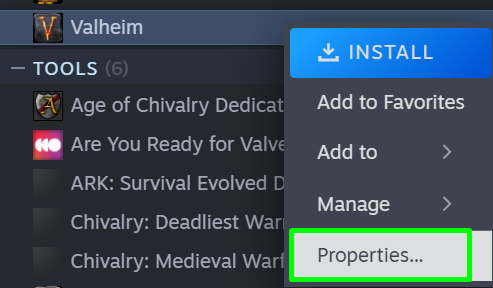
2) Right-click on Valheim and select Properties.
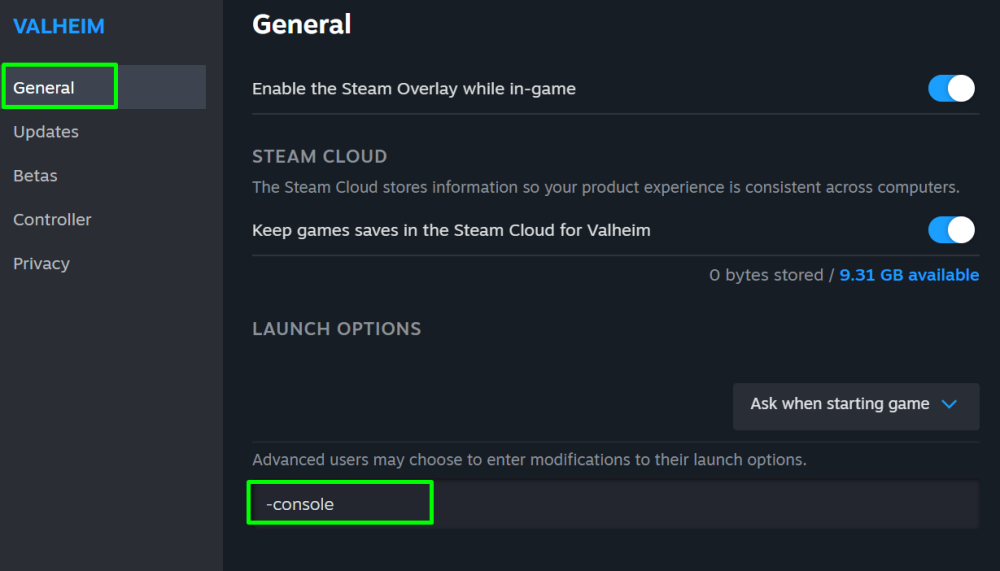
3) In the General section, enter -console in the command line. This will enable the use of console commands on the server.
TIP
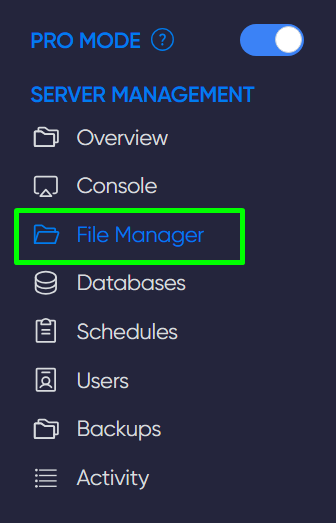
4) Go to the game panel of your server and click on the File Manager section.
5) Navigate to /home/container/.config/unity3d/IronGate/Valheim/ and open the adminlist.txt file.
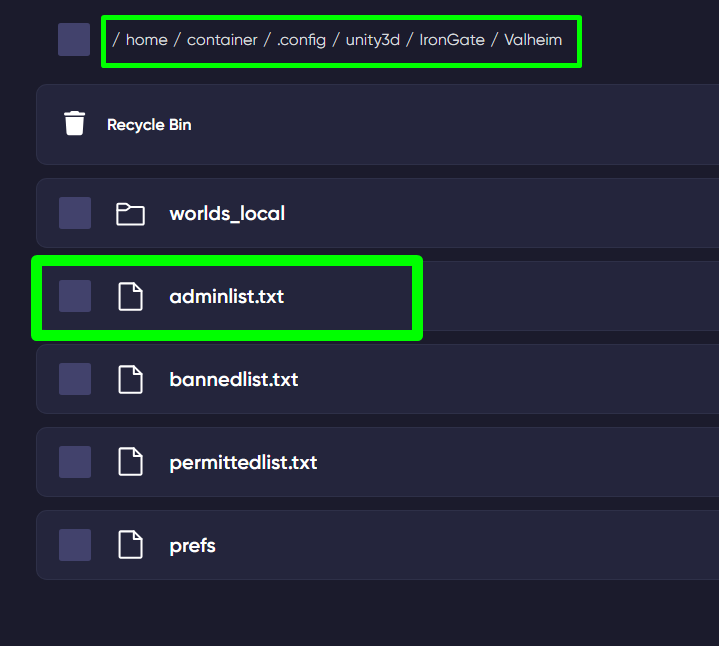
6) In this file, enter the SteamID of the player you wish to make admin and restart the server.
TIP
To find out the SteamID of a player, copy the link to their profile and paste it on this website
Now you know how to add an administrator to your server and can conveniently and timely manage them. Enjoy your experience. Play together with GODLIKE.