


 en | USD


 CHAT WITH GODLIKE TEAM





Steam Workshop
Using Garry's Mod server hosting with Steam Workshop is a section where you can find numerous modifications for various games. Game maps, modes, weapons, characters, and much more, especially for Garry's Mod. Using modifications can significantly change the gaming experience, making it more fun, interesting, and extensive.
TIP
Don't have your own Gmod server yet? Order a server for the game right now
How to add a modification to the server?
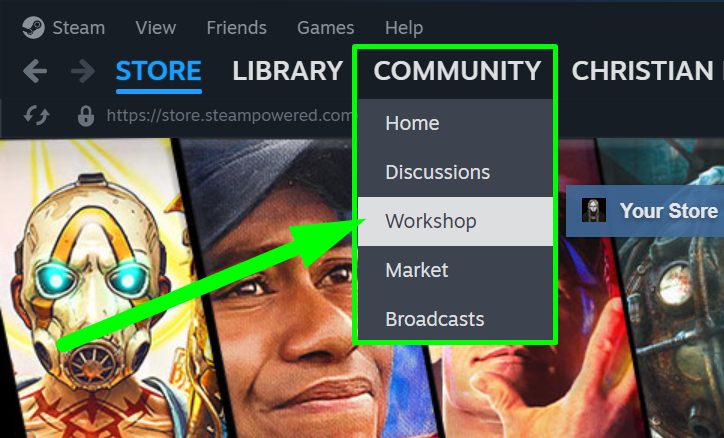
1) Go to Steam, hover over the Community section, and select the Workshop subsection.
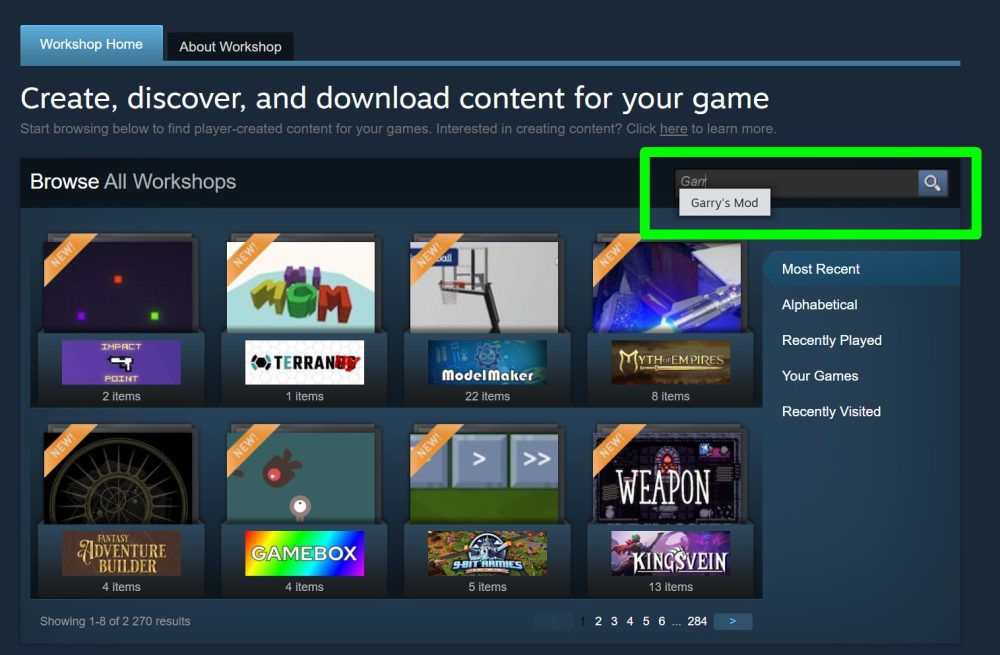
2) On the new page, search for Garry's Mod.
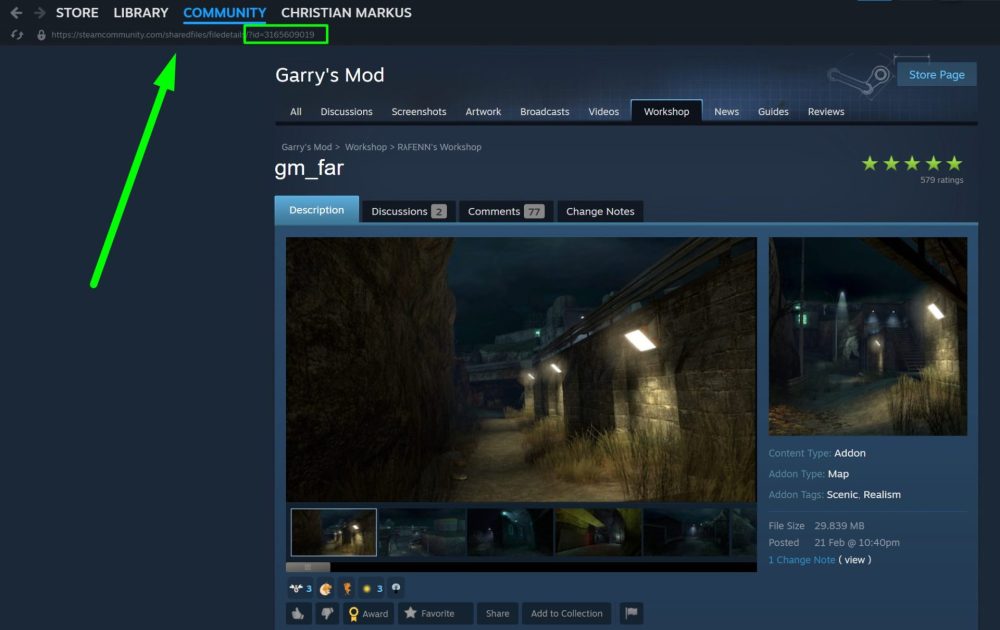
3) Choose the modification you like, click on it, and check its ID. It will always be indicated in the link.
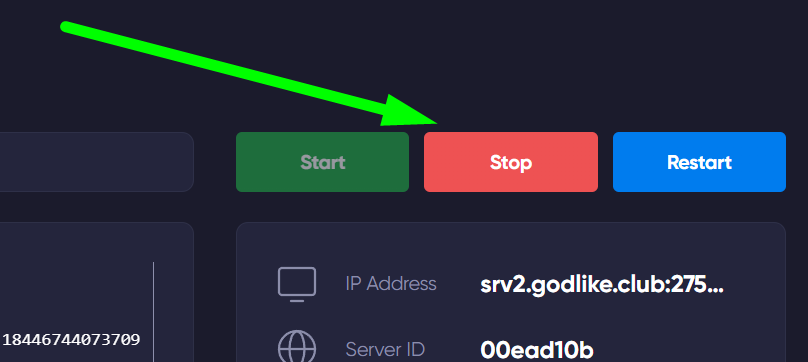
4) Go to the game panel of your server. Make sure it is turned off.
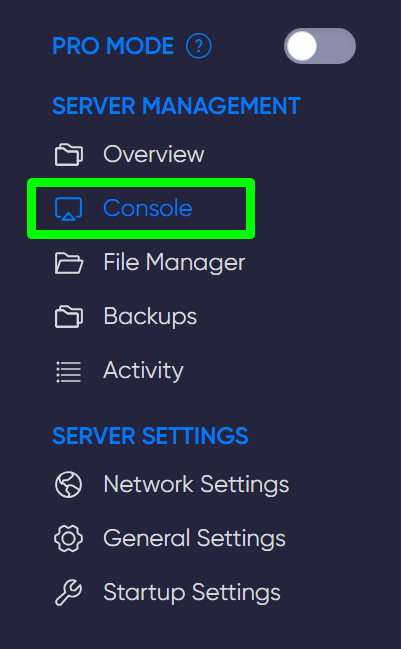
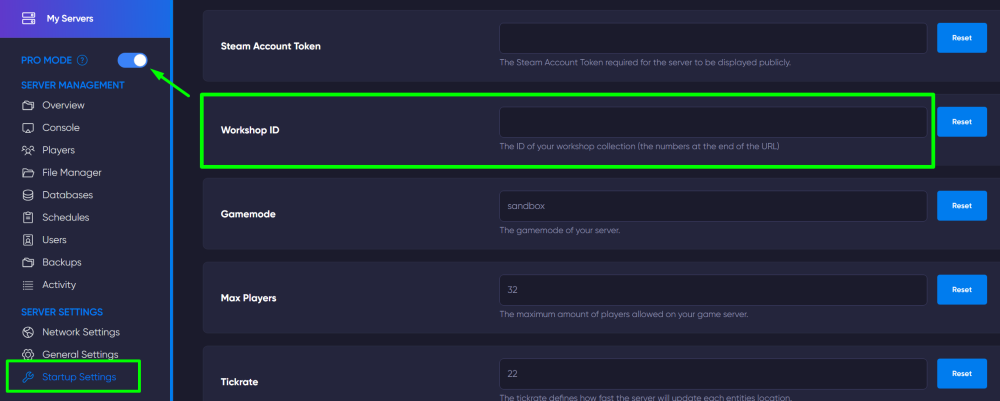
5) Open the Startup Settings section and enter the list of numbers (modification ID) in the Workshop ID line, after which it will be automatically saved.
IMPORTANT
Please note that you need to have Pro Mode activated
TIP
We suggest learning how to set up automatic content loading for your players
Now you know how to apply the necessary modification to your Garry's Mod server and can have a great time with a new gaming experience. Play together with GODLIKE.