


 en | USD


 CHAT WITH GODLIKE TEAM





Your Server's Individuality
Every Palworld servers owner wants to create a unique and attractive project for players. One component of your server's uniqueness is its name. If you make a pleasant, catchy, and simple name that players can easily remember, it can give your server more recognition.
TIP
Don't have your own server yet? Order a Palworld server right now
How to Change Your Server's Name?
1) Go to the game panel, make sure the server is turned off.

2) Go to the Startup Settings section and on the right, find the Server Name line.
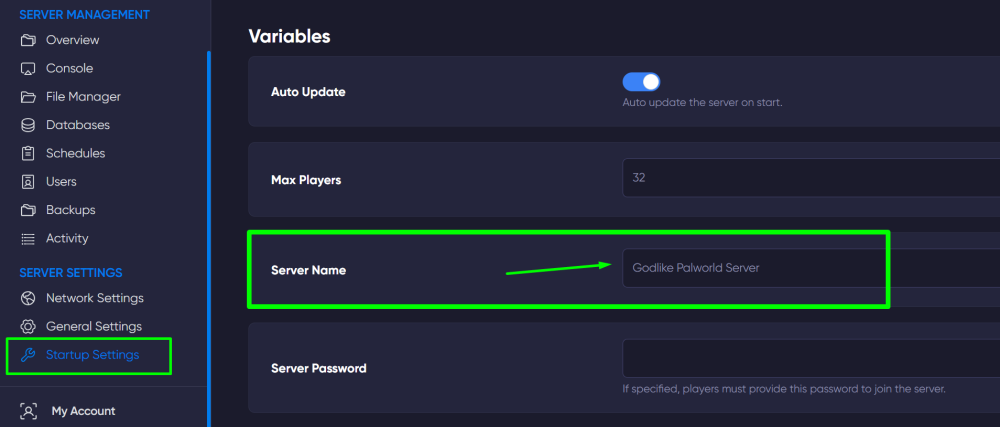
3) Enter the desired server name in the line and that's it. The line will automatically save the new name. After that, you can start the server.
Now you can add personalization to your server by changing its name. Play together with GODLIKE.