




 en | USD


 CHAT WITH GODLIKE TEAM





Resource Spawning
Searching the DayZ private server for useful resources is a crucial process in DayZ, whether it's food, weapons, or clothing for survival in the game's hostile world. By adjusting these parameters, you can change the quantity of resources a player can find, the locations where they can be found, and the rarity of various items. This allows you to make your server more hardcore by reducing the number of items and making search locations more challenging, or vice versa, easier.
TIP
How to Configure Resource Spawning
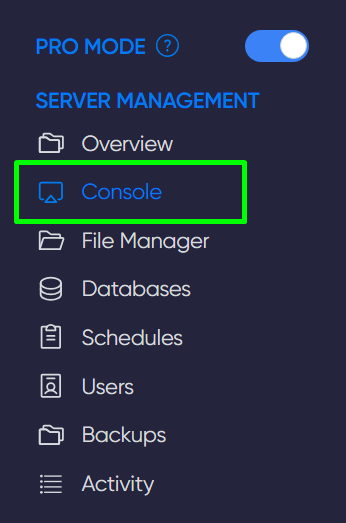
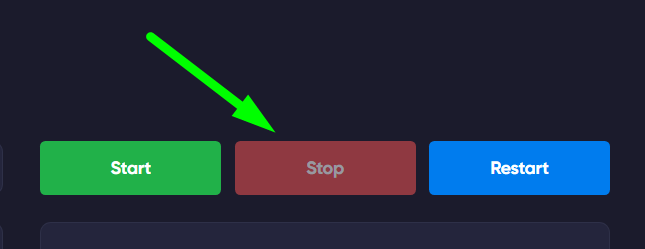
1) Navigate to the game panel. Stop the server in the Console section.
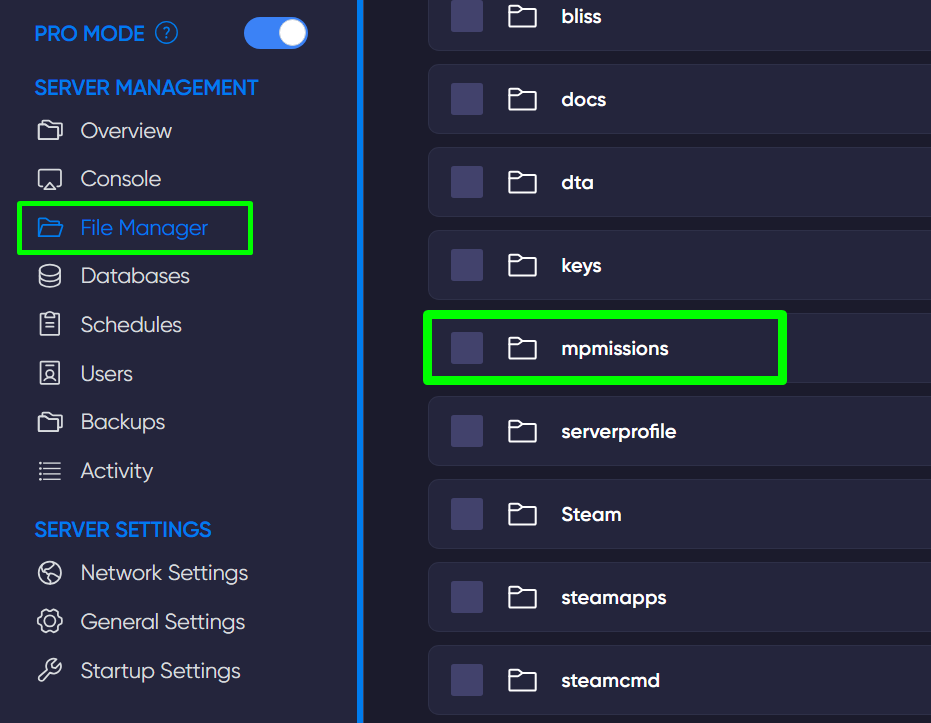
2) Go to the File Manager and open the mpmissions folder.
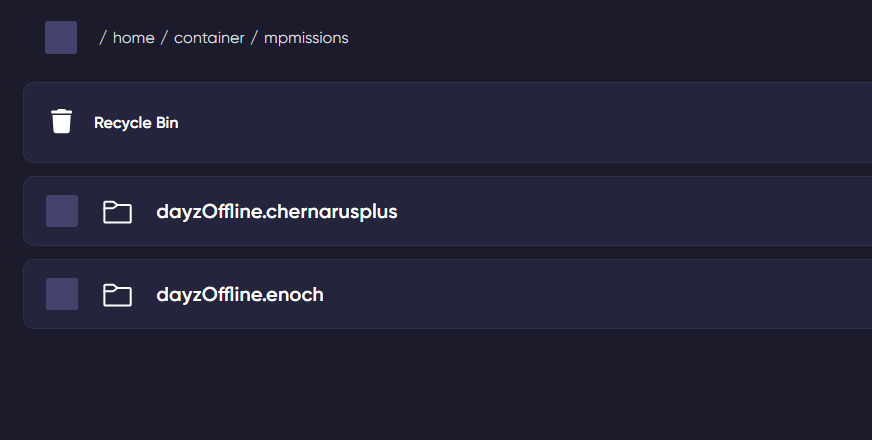
3) Open the folder with the map of your server. If your map is Chernarus, open the dayzOffline.chernarusplus folder; if it's Livonia, open the dayzOffline.enoch folder.
4) Once you've opened the map folder, open the db folder inside it, then the types.xml file.
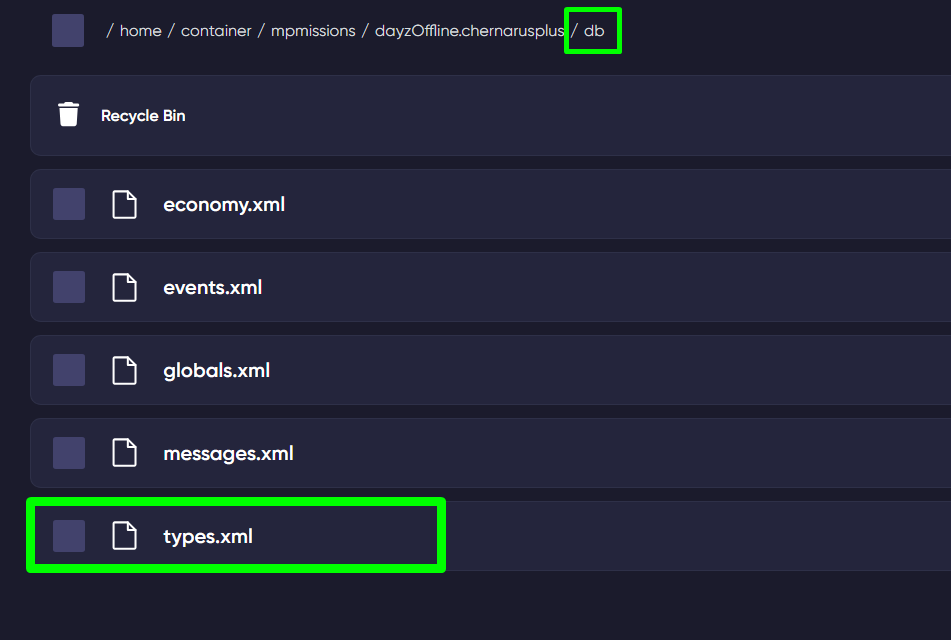
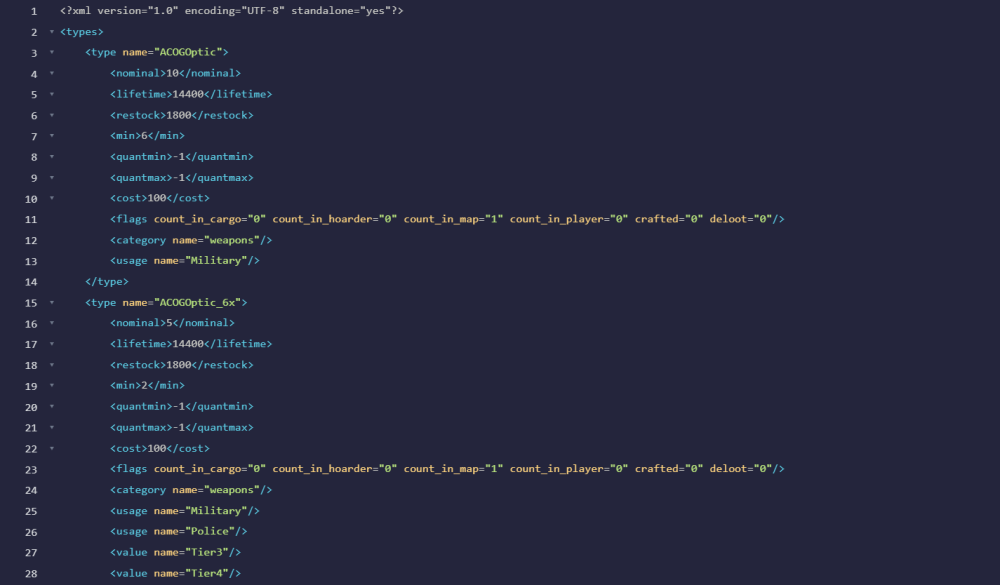
5) In this file, you can edit the spawning of various items and resources.
TIP
Learn more about how to wipe your DayZ server map
Configuring the types.xml File
Below, we provide explanations for configuring types.xml:
| Lifetime | The time the item will be available to players after spawning (time specified in seconds) |
| Restock | The time required for the next spawn of this item |
| Cost | The probability of the item spawning |
| Category | The category where and how a particular item will spawn (conditions) |
| Usage | The place where the item will spawn |
| Value | The value of the item, which affects the spawning location (harder/easier) |
| Nominal | The maximum number of items that can be on the map at one time |
| Min | The minimum number of items on the map |
| QuantMin | The minimum quantity of one item (e.g., the number of bullets in one box or the amount of food, medicine, etc.) |
| QuantMax | The maximum quantity of one item (e.g., the number of bullets in one box or the amount of food, medicine, etc.) |
Now you know how to configure the spawning of items and resources on your server, allowing you to make the gameplay more unique. Play with GODLIKE.