




 en | USD


 CHAT WITH GODLIKE TEAM





Maps
While playing on a Don't Starve Together server, you may want to change the game map. For example, to one where you already have game progress or to an interesting map to increase or decrease the game's difficulty, and so on. In this article, we will tell you how to upload a map of your choice to your Don't Starve Together server.
TIP
Purchase a Don't Starve Together server right now
How to upload a map to the server
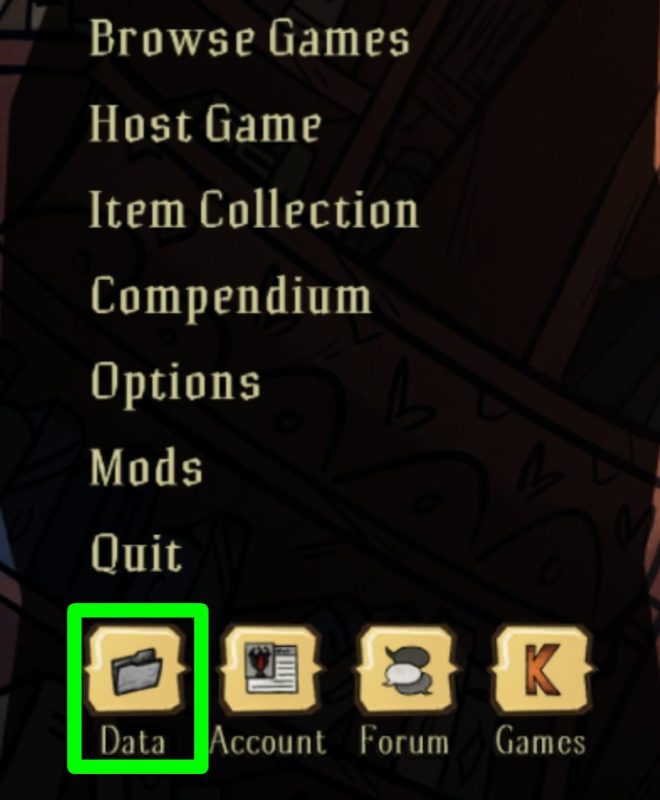
1) Open the game, then in the main menu, click the "Data" button.
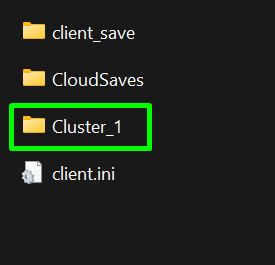
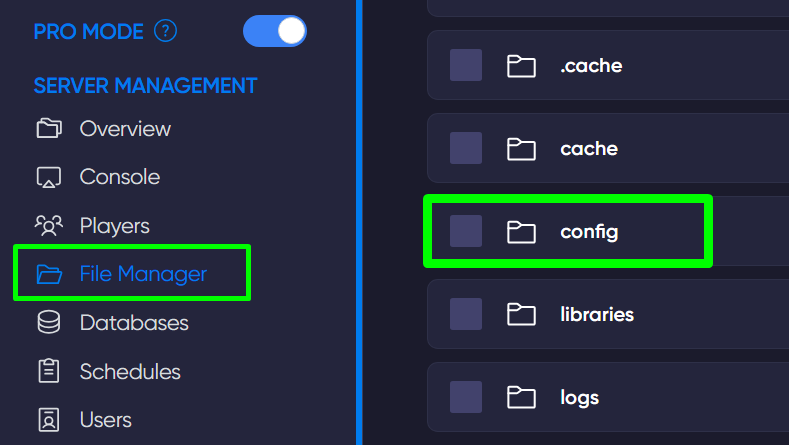
2) This will open a folder. Copy the "Cluster_1" folder and upload it to the server's config folder using the game panel.
IMPORTANT
Your folder name may be different depending on your choice
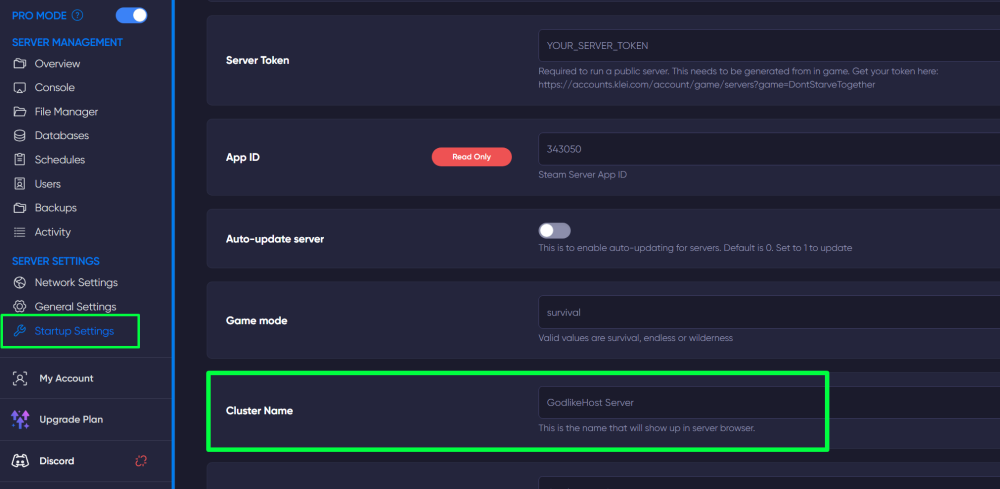
3) In the game panel, go to the "Startup Settings" section and in the "Cluster Name" line, write the name of the folder you uploaded (Cluster_1).
Now you know how to add different maps to your Don't Starve Together server according to your preferences. We wish you a fun gaming experience. Play together with GODLIKE.