


 en | USD


 CHAT WITH GODLIKE TEAM





Game Maps
Downloading a game world (map) is necessary so you don't have to start the game on a new "clean" map but instead load your own or a modified one to continue your game on it. This allows you to tailor the gameplay to your preferences.
TIP
How to upload an existing world to the server
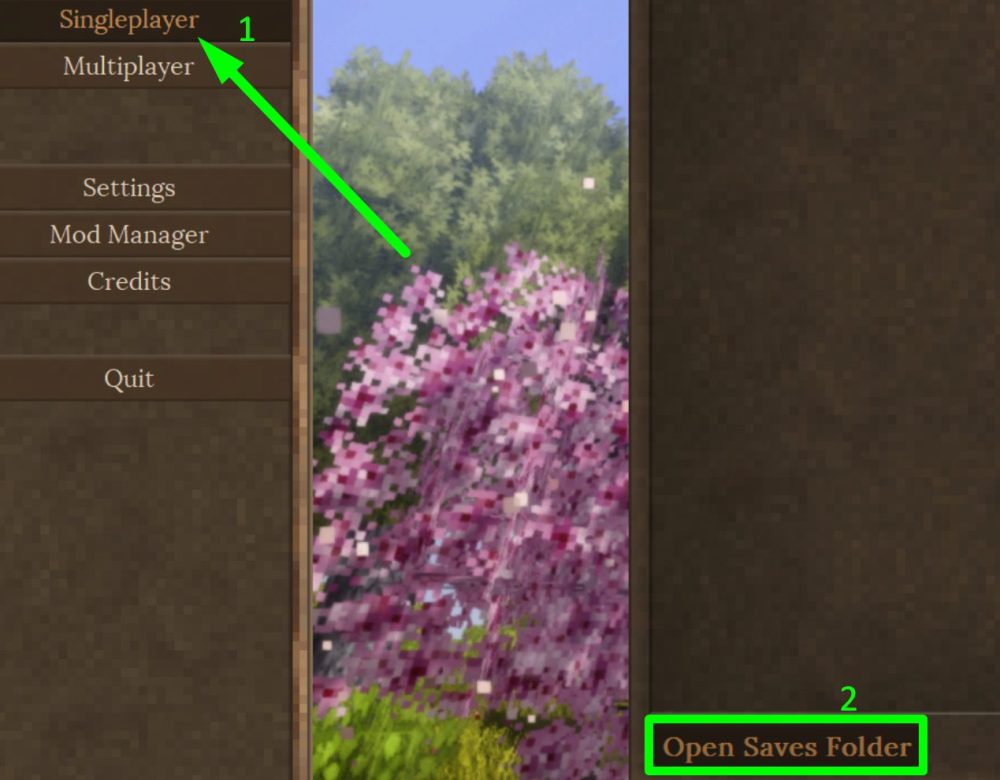
1) First, you need to download the map itself. You can download a modified or customized map from the internet, or you can download it from your own game files. To download your own map, go to the game, click on the "Singleplayer" section, and then click on the "Open Saves Folder" button.
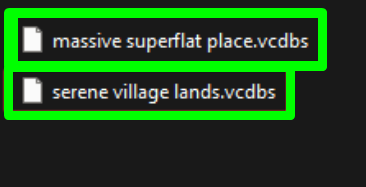
2) Next, save the file of the map you want.
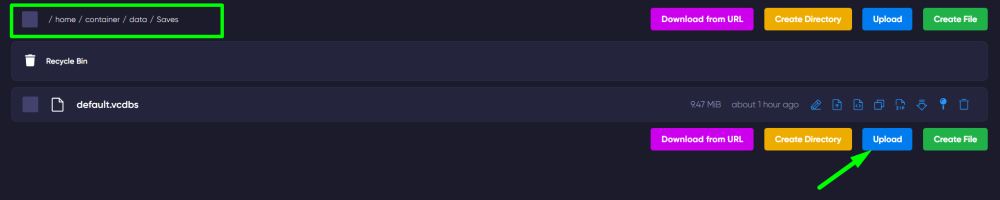
3) After that, go to the game panel of your server, navigate to the File Manager section, and open the /server_data/Saves folder.
4) While in the Saves folder, click the "Upload" button and upload the map file you saved earlier.
5) Finally, when starting the server, choose the name of the uploaded map and start the game!
TIP
Now you know how to upload and change the game world of your Vintage Story server. We wish you a fun and exciting experience! Play with GODLIKE.