


 en | USD

 CHAT WITH GODLIKE TEAM





Player Blocking
Conan Exiles server hosting functions are available for blocking and kicking on every gaming server. These are essential commands if you want to maintain order and enforce rules on your server, especially when it has many players. You can also unblock players who have served their punishment or were blocked by mistake.
TIP
How to Block a Player on Your Server
1) First, join your server in the game.
2) Press the ESC key and select the ADMIN PANEL section.
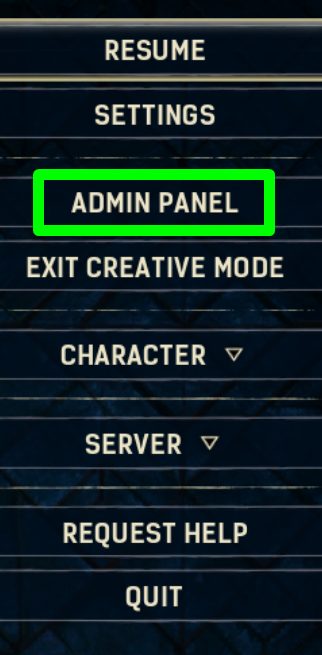
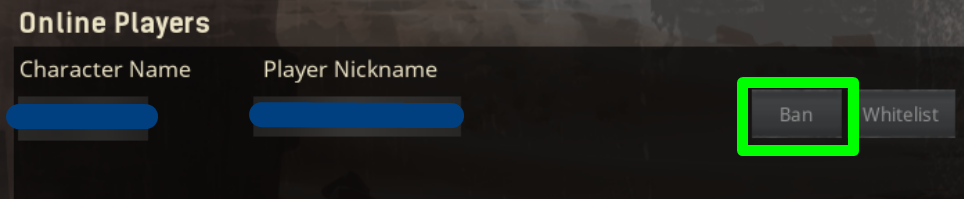
3) Then, open the player table by clicking on Player List. Select the player you wish to block and click Ban next to their nickname.

You can also kick a player using the game panel console. Open the game panel, go to the Console section, type the command kickplayer player reason message in the command line and press Enter.

How to Unblock a Player
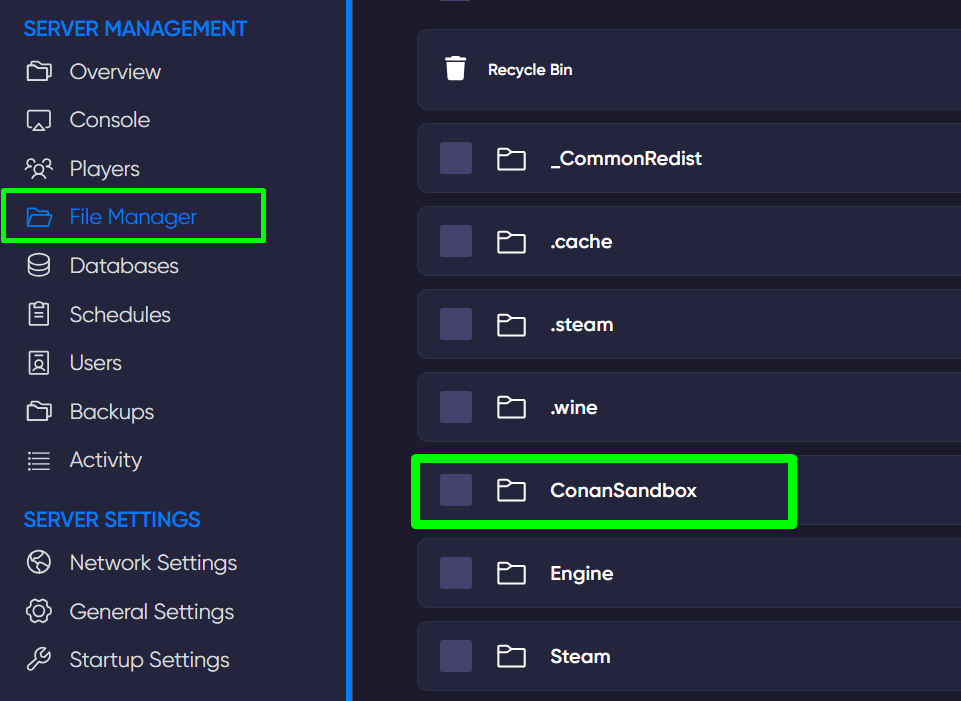
In the game panel, open the File Manager section and access the file blacklist.txt located at /ConanSandbox/Saved/. Remove the players you wish to unblock from this file, then save the changes.
TIP
How to Make Yourself an Administrator on a Conan Exiles Server
Now you know how to manage players on your Conan Exiles server. Play together with GODLIKE.