


 en | USD
 CHAT WITH GODLIKE TEAM





Terraria Vanilla Version
Terraria has multiple versions, and choosing the right one depends on your needs.
Some users prefer running the latest version to access the newest updates, while others select a specific version for compatibility with an existing world or client.
ㅤ
In this guide, we will show you how to update your Terraria Vanilla server to the latest version or switch it to a specific one on our hosting platform.
How to Update Terraria Vanilla Server to the Latest Version
Updating your Terraria Vanilla server to the newest version on our hosting platform is very simple. Follow the instructions below.
ㅤ
Make sure your server is completely stopped before making any changes.
ㅤ
- Open your server panel and go to the Config tab.
- Scroll down to the Startup Variables section.
- Locate the Terraria version field and set it to:
latestㅤ

- Return to the Overview tab.
- Click the Edit Server button.

- Select Reinstall Server.
- In the confirmation window, make sure the Delete files option is not enabled.
- Click Yes, Reinstall Server to start the reinstall process.

- Once the reinstall is complete, start your server again.

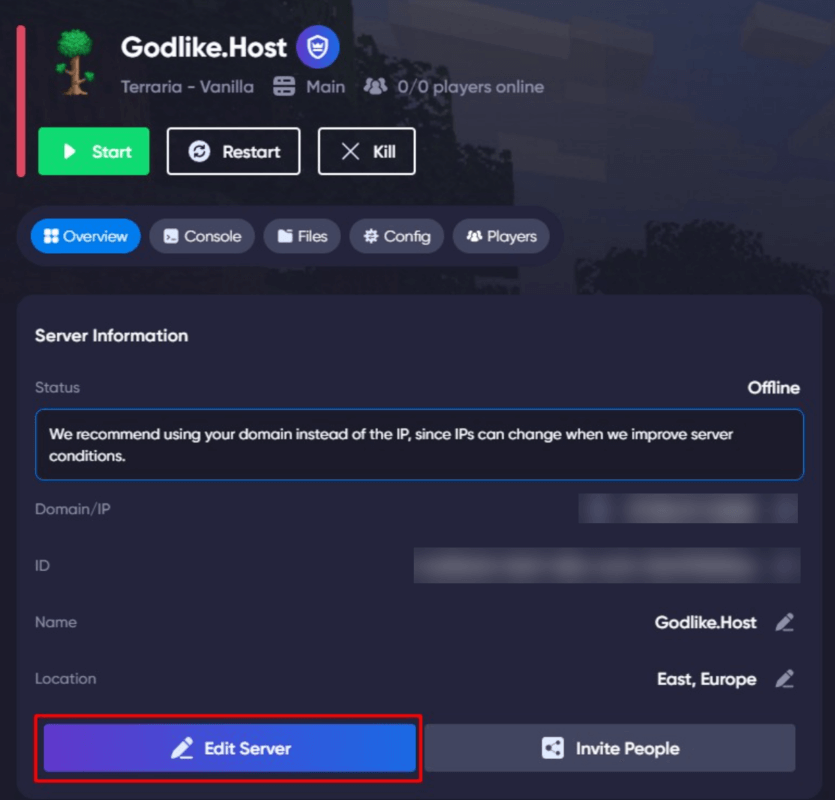
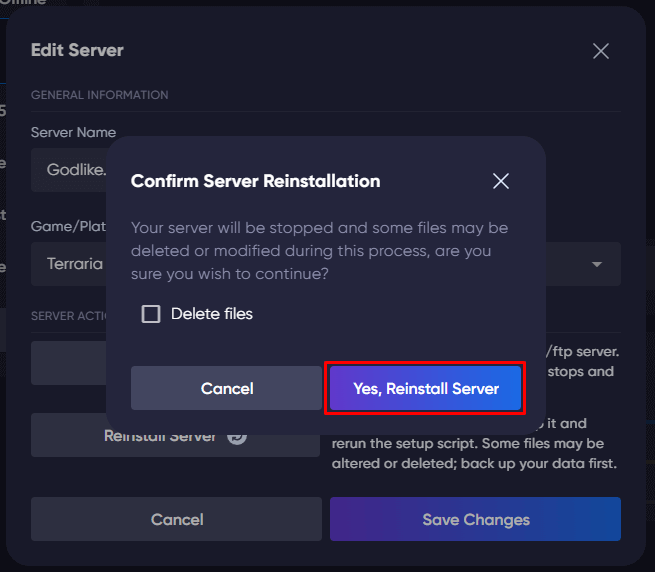
Your Terraria Vanilla server will now be running the latest available version.
Changing to a Specific Terraria Version
The process is the same as updating to the latest version, described in the previous section.
The only difference is that instead of using latest, you need to enter the exact version number manually in the Terraria version field, for example: 1.3.5.3
ㅤ
You can find the full list of available Terraria server versions on the official Terraria Wiki downloads page.
ㅤ

WARNING
If your server already has a world that was created on a newer Terraria version, it may not work correctly after downgrading. In this case, you will need to delete the old world file from the saves folder using the File Manager, then generate a new world on the selected version.
Changing your Terraria Vanilla server version is a quick and simple process on our hosting platform.
ㅤ
Before making any changes, always stop the server and make sure to create a backup of your important files, especially your world saves. This will help you restore your server in case of compatibility issues.
ㅤ
If you experience any problems or need assistance, feel free to contact our support team - we are always here to help.