en | USD
 CHAT WITH GODLIKE TEAM





Minecraft Horror Mods: Scary Mods for Java, Minecraft Servers
- 14 min read
- 8646 views
- 0 likes
TL;DR
Minecraft horror mods can turn a normal survival run into a tense, spooky night where every cave sound matters. Most horror mods are built for Minecraft Java Edition, so always check the exact version and loader before you download anything. If you want the fastest setup with friends, put the same mod list on your server and on every client. For extra dread without changing progression, pair one strong mod with a shader pack, a horror texture pack or resource pack, and an ambient sound mod.

TIP
Why Minecraft Horror Mods Feel So Effective
Minecraft already has the raw ingredients for a good scare: long nights, tight caves, and an open world that goes quiet and then suddenly does not. Minecraft horror mods lean into that by adding stalking entities, new mobs, strange dimensions, and sound design that builds psychological tension. You are still playing the same game, but your Minecraft world starts to feel less safe.
On a multiplayer server, the mood gets even better. Someone hears footsteps. Someone else swears they saw a shape between the trees. The group starts moving as a pack, because splitting up feels like a donation to the monster fund. That shared fear is half the fun.
Before You Install: The Two Things That Break Most Setups
Most horror mods are made for Minecraft Java Edition, not Bedrock. Bedrock has add-ons, but the big ecosystem of Minecraft mods lives on Java.
The second common issue is version mismatch. Every mod targets a specific Minecraft version and a specific loader (Fabric, Forge, or NeoForge). If you download the wrong file, it will usually crash at launch.
A quick checklist before you install:
- Confirm your Minecraft version.
- Confirm your loader.
- Download each mod that matches both.
- Read the dependencies line. A missing library is a classic reason the game refuses to start.
TIP
How to Install Scary Mods in Minecraft (Solo)
Installing mods in Minecraft is simple and quick once you do it once. Here is the clean method that keeps your setup stable.
Step 1: Pick a loader
Choose Fabric, Forge, or NeoForge based on the mods you want to run.
Step 2: Download the loader installer
Download the official installer, run it, and create a profile in your launcher.
Step 3: Download your mod files
Download the mod files from their official pages. Keep them all on the same Minecraft version.
Step 4: Install by placing files in the mods folder
Drop the .jar files into the mods folder, then launch with your loader profile.
Step 5: Test in a fresh world
Load a new world first. If something breaks, it is usually a missing dependency, a wrong version, or two mods that do not like each other.
TIP
How to Install Scary Mods on a Server
You can play horror mods with friends online, and it is easier than people think. The rule is simple: the same mods must be installed on your server and on the players’ clients.
A basic server flow:
- Set up a modded server on the same loader as your list.
- Upload the same mod files to the server’s mods folder.
- Restart the server.
- Have every friend download and install the exact same list locally.
- Join and test together.
If you are building a creepy server for a group, start small. A tight list loads faster, runs smoother, and is easier to troubleshoot. Once the game is stable, you can add one new mod at a time and test again.
Make the Minecraft World Scariest
A lot of Minecraft dread is atmosphere. You can make the game feel scary with visuals and sounds before you add more mobs.
Shaders
Shaders can make nights look more realistic, with deeper shadows and a smaller cone of visibility around torchlight. In dark caves, that changes how you explore. You stop scanning rooms. You start checking corners.
Texture packs and resource packs
A horror texture pack or resource pack can make blocks look older, rougher, and less friendly. Subtle changes to stone, wood, and foliage do a lot more than most players expect.
Sound and physics
An ambient sound mod changes everything. If you add Echo Physics, sounds can reverberate through tunnels, so distant mobs feel close enough to be a problem. This is one of the easiest ways to upgrade the atmosphere of any modpack.
The Best Minecraft Horror Mods to Try
Below are Minecraft horror mods that cover different flavors of scares, from simple stalkers to full survival chaos. You do not need all of them at once. Pick a theme, then build around it.
Cave Dweller (Cave Dweller mod)
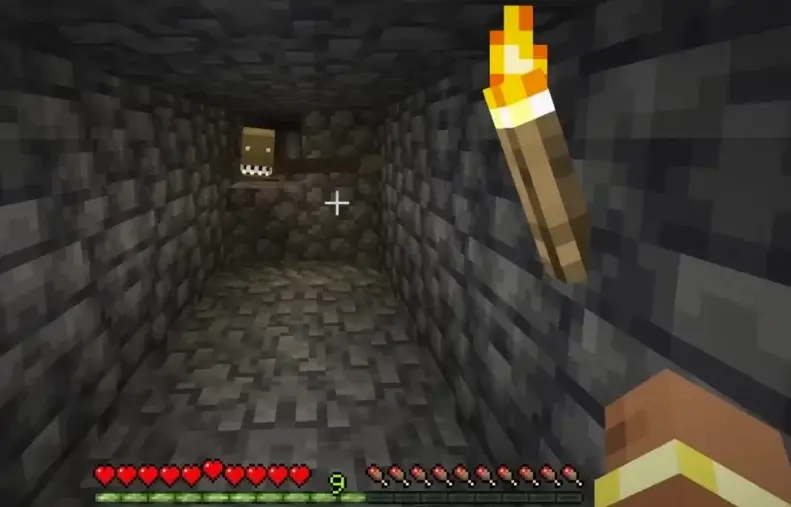
Cave Dweller proves you do not need a huge bestiary to be terrifying. This mod introduces a fast, humanoid creature that stalks you in deep caves. It feels like it is waiting for a quiet moment, not like a random encounter.
Where it shines: long mining trips, branch mining, and servers where players split up. Cave Dweller makes you explore differently. You place more light, you listen more, and you move with purpose.
Grue
The Grue mod is built around a simple rule: total black is not safe. It punishes players for standing in pitch-black areas by bringing in a deadly creature that you cannot casually out-fight. The counterplay is lighting and movement.
If you like scary rules that also improve your survival habits, this is a great pick.
The Hardcore Darkness
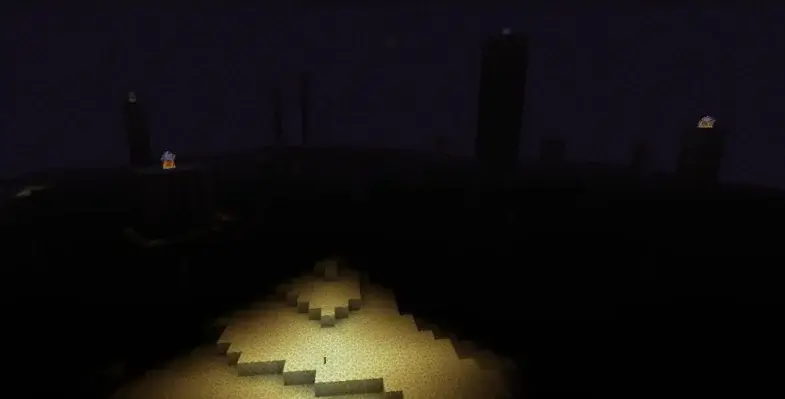
This mod makes nights and caves truly pitch black. Vanilla still lets you see outlines. This mod takes that comfort away. It forces torch discipline and makes every sound feel closer than it should.
Use it if you want tension without adding a new boss or a new dimension.
Herobrine mod
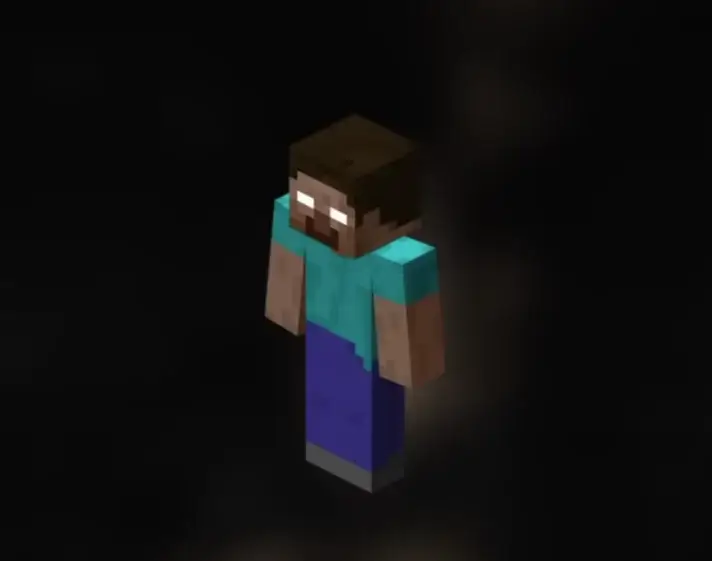
The Herobrine mod is the obvious classic, but it still works. It creates the feeling of being watched and adds small events that make your world feel off. Catching a glimpse of Herobrine through fog can still spike your heart rate, even if you know it is a mod.
If your group wants old-school Minecraft horror vibes, start here.
The Man From The Fog
This mod is great if you want psychological tension more than cheap jump scares. It introduces a haunting figure that appears during foggy nights. At first it is distant. Then it is closer. Then it is suddenly behind the wrong tree.
On a server, it is even better, because someone will always be the one player who did not sleep.
The Knocker
The Knocker focuses on an unpredictable, human-like stalker. It can follow your steps and may show up while you are sleeping. That detail is nasty because it makes your house feel less like a safe zone.
This is a good mod when you want dread without complicated systems.
Weeping Angels
The Weeping Angels mod uses the rule that they only move when you are not looking. That mechanic changes how you play. You stop sprinting into rooms. You start backing up. You start turning around constantly.
In multiplayer, it produces the best kind of panic, because a friend yelling in voice chat is a better scare than any sound file.
Whisperwoods
Whisperwoods turns forests into eerie places filled with unsettling sounds and ghostly creatures. It is one of the best picks if you want horror outside caves. It makes the overworld feel less cozy, especially at night when hostile mobs are already roaming between the trees.
The Midnight
The Midnight sends players to a pitch-black dimension filled with glowing flora and creatures that seem to move just outside your torchlight. It is a strong choice for a server that likes exploration and progression, because it feels like a separate expedition from your base life.
If you want a creepy dimension that rewards planning, this one delivers.
Mimicer
Mimicer leans into paranoia. It introduces a black parasite that can take control of the player character, warp appearance, and mimic familiar sounds. When a mod plays with voice cues, it hits harder than another clawed monster.
This is a great fit for a spooky modpack where trust and communication matter.
Zombie Awareness
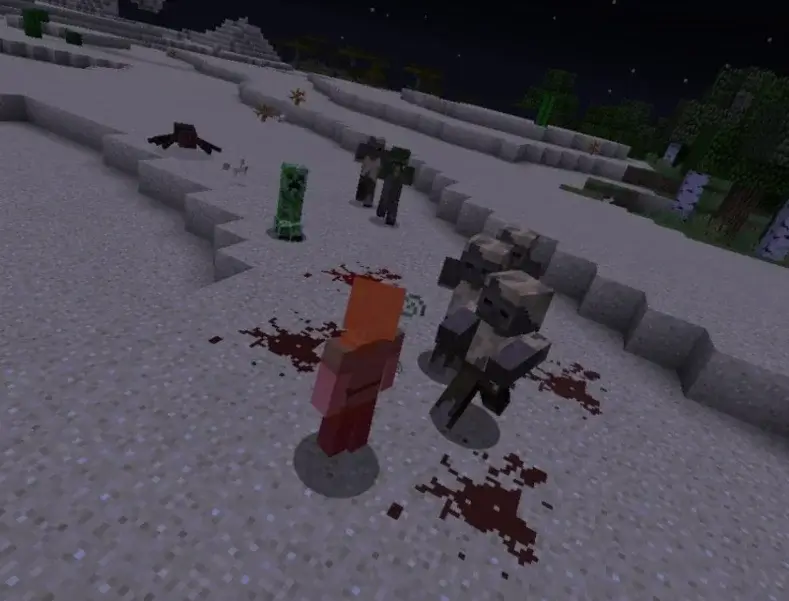
Zombie Awareness makes familiar mobs feel new again. This mod allows zombies (and often skeletons) to track players using noise, blood scent, and light sources. Instead of wandering, they feel like they are hunting.
If you want your server to feel like survival nightmare, Zombie Awareness is a strong foundation.
TIP
Minecraft Mods (1.21): Best Mods, Modpacks, and How to Install (Fabric, Forge, NeoForge)
Bloodmoon
Bloodmoon is about pressure and timing. During certain nights, the mod increases mob spawn rates and aggression. Your normal routine becomes a fight to hold ground, and your base lighting suddenly matters.
This is one of the best mods for friends, because it creates shared event nights where everyone has a job.
Scape and Run: Parasites
If you want escalating body-gross creepiness, Scape and Run: Parasites is a heavyweight. It adds an evolving plague that mutates animals and players into grotesque mobs. The longer the world lasts, the worse things can get.
This is not a casual add-on, but it can be the centerpiece of a terrifying experience if your group wants a challenge.
Sanity: Descent Into Madness
Sanity: Descent Into Madness introduces a sanity mechanic that causes visual distortions and hallucinations as sanity drops. It is slow-burn dread that gets under your skin during long sessions underground.
Pair it with cave-focused mods if you want the game to feel claustrophobic.
Echo Physics
Echo Physics is not strictly a horror mod, but it is one of the best upgrades for atmosphere. It changes how sounds bounce in caves and rooms. A single zombie groan can echo in a way that makes you think there are multiple mobs nearby.
If you care about immersion, add this early.
Siren Head
Siren Head mods are built for sound-based dread. The creature is massive, loud, and hard to ignore. It creates a scary situation where you are listening before you are fighting.
It also works well on a server, because everyone reacts when they hear it.
The Box of Horrors
The Box of Horrors brings iconic horror characters and concepts into Minecraft. It is a good fit for themed maps, roleplay, or building haunted houses with recognizable threats. This mod adds variety when your group wants set pieces instead of pure survival.
Creeping Woods
Creeping Woods pushes forest horror even further. Think creepy trees, strange silhouettes, and a feeling that the woods are alive. It pairs nicely with Whisperwoods if you want the overworld to feel consistently uneasy.
Whispers of the Wendigo
Whispers of the Wendigo is designed for sound-led scares and atmosphere. It is the kind of mod that makes you pause mid-sprint because you heard something that should not be there.
How to Pick the Right Mod Combo
Stacking too many mods can make the game feel messy instead of scary. Build a theme, then keep it clean.
Combo 1: Cave survival
Use Cave Dweller, Grue, Hardcore Darkness, and Echo Physics. This combo makes dark caves the main threat, and it keeps the rules simple.
Combo 2: Overworld paranoia
Use Herobrine, The Man From The Fog, Whisperwoods, and a texture pack that makes textures look worn. This combo keeps players scanning trees and listening for sounds that do not match what they see.
Combo 3: Event nights with friends
Use Zombie Awareness plus Bloodmoon, then add a shader pack for darker nights. This combo turns some nights into full raids on your base, and it makes teamwork feel important.
Common Mistakes and Fast Fixes
Recommended Setup Order for First-Time Players
If you are new to Minecraft mods, do not start by throwing twenty files into one folder. Pick one main scare mod, then build the mood around it. A shader can make the game look darker. A resource pack can make the world feel older. An audio-focused mod can make caves sound huge and alive. After that, add one monster mod or event mod, test again, and only then expand.
This approach also makes multiplayer smoother. When friends join your server, you want the fear to come from the gameplay, not from someone crashing on launch. If a problem appears, you can roll back the last mod you downloaded and keep playing.
The game crashes on launch
First, check versions. Second, check dependencies. Third, remove the newest mod you downloaded and try again. When you add mods one by one, it is easy to spot which file caused the issue.
Nothing feels scary
This happens more than people admit. Some players expect instant jump scares. Instead, tune the atmosphere: darker nights, stronger shadows, and better sounds. Add a resource pack and a shader, then go explore dark caves for ten minutes. If you still feel nothing, add one mod that introduces new monsters so your brain stops treating every mob like background noise. You will notice the difference.
Multiplayer desync or missing content
If a friend joins the server and sees nothing new, their client likely does not match the server. Have them download the same files again and reinstall. In modded Minecraft, tiny version differences can change what mobs exist, what textures load, and which monsters appear.
Performance Tips for Modded Servers
Some horror mods are light. Some are not. If your server starts to lag, you can usually fix it without redesigning everything.
Tune the heavy settings
Lower view distance, reduce entity distance, and turn down fancy particles. Most scary gameplay happens close-up anyway, and dark lighting hides distant detail.
Use performance helpers
OptiFine can help in some setups, and other performance mods can help too. Be careful with compatibility, because not every mod plays nice with every renderer.
Give big modpacks more breathing room
If you run a large modpack, more RAM can help. Also watch your mob count, because too many monster mods can turn into a lag problem. More mobs in a dark base fight means more particles, more pathfinding, and more stutter. The scariest part of the game should not be your tick rate.
FAQ
Are Minecraft horror mods available on Bedrock Edition?
Most Minecraft horror mods are made for Java Edition. Bedrock supports add-ons, but the biggest horror ecosystem is mainly Java.
Can I play horror mods with friends online?
Yes. Install the same mods on your server and on every client. That is the rule for multiplayer.
Do horror mods work with modpacks?
Usually, yes, as long as versions match. Many players download a curated modpack instead of building a list from scratch.
What is the easiest scary setup?
Start with one main mod, then add atmosphere. A shader pack, a resource pack, and a sound mod can make the game feel scary without adding too many new mobs.
Read Next
-
Best Minecraft Server Hosting 2026 – 12 Compared & Ranked Providers
Important Note: Godlike.host is our own service. This ranking is editorial (not paid placement) and follows the scoring criteria shown below. Always verify current plan limits, pricing, and regions on each provider’s website before purchasing….
-
Minecraft 1.21+ Seeds Worth Trying (Cherry Villages, Dungeons, and Beauty)
TL;DR If you want one seed that feels like a complete starter world, pick Cherry Valley Trio (Seed: 608548899648438462) for villages, deep structures, and a strong exploration route.If you want a dramatic build location with…
-
What Y Level is Best for Diamonds in Minecraft (1.20 -1.21)
Ultimate Minecraft Diamonds Mining Guide Why are diamonds so wanted by many? Minecraft Diamonds – shiny blue gems in the world of Minecraft that also happen to be the ore required to have the best…