en | USD
 CHAT WITH GODLIKE TEAM





MINECRAFT MODS: FABRIC INSTALLATION
- 6 min read
- 12 views
- 0 likes
Before You Install Minecraft Fabric
Welcome to another article in our “Minecraft Mods” series. Considering you’re reading this article, you’ve chosen Fabric as your modloader, great choice!

In case you’ve stumbled upon this article by accident, here’s some context: this article explains what Fabric is, how it came to be and how to install it. This article is also a part of our “Minecraft Mods” series of articles fully explaining everything you need to know about mods. If after reading this article, you have any more questions – feel free to check out our previous general article.
What is Fabric?
As it was briefly mentioned in a previous article – Fabric is a modloader. In simple terms, it’s a middle man that makes modding Vanilla Minecraft possible, and therefore also allows you, as a player, to install and run mods. It’s a key requirement if you want to play Minecraft with mods.
Historical detour
Before we get to the installation process, let’s take a quick detour, so you will have a better understanding of why there are multiple primary modloaders in the community and not just one.
Around 2018, Minecraft released the new 1.13 “Aquatic Update”, which made serious changes to the game’s core. This meant that updating Forge to properly work with the new game version would take a very long time, because developers had to rewrite it from the ground up.
Players waited for months on end, unable to mod or play modded Minecraft. Forge still wasn’t done. Frustrated by the wait, a group of developers decided to create their own modloader. They took a different approach – instead of making another massive engine, they created a lightweight, modular system called Fabric.
Fabric was truly a breath of fresh air – it was fast, light and easy to update. Unlike Forge, Fabric is up to date and ready to go within hours to a couple of days after any game update. That’s how the community got their second whale of modding.
Installation process
Now, with the formalities out of the way, let’s dive into the installation process. The first step is to open Minecraft Launcher, choose the version of the game you want to mod and launch the game. This is important, as this first initial launch sets up game files, which will be essential for Fabric installation.
Now, go to the official Fabric website and click “Download for Windows”.
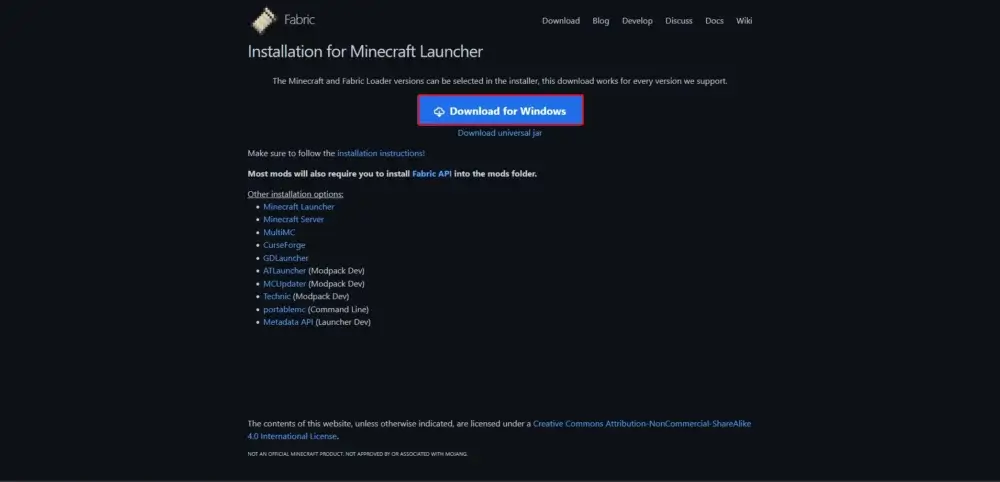
Unlike Forge, you don’t need to click anything extra to properly open the installer – just double click the installer file and wait for it to open. Then choose the same game version you’ve chosen in the Minecraft Launcher, make sure you have “Create profile” checked(it’s checked by default) and click “Install”.
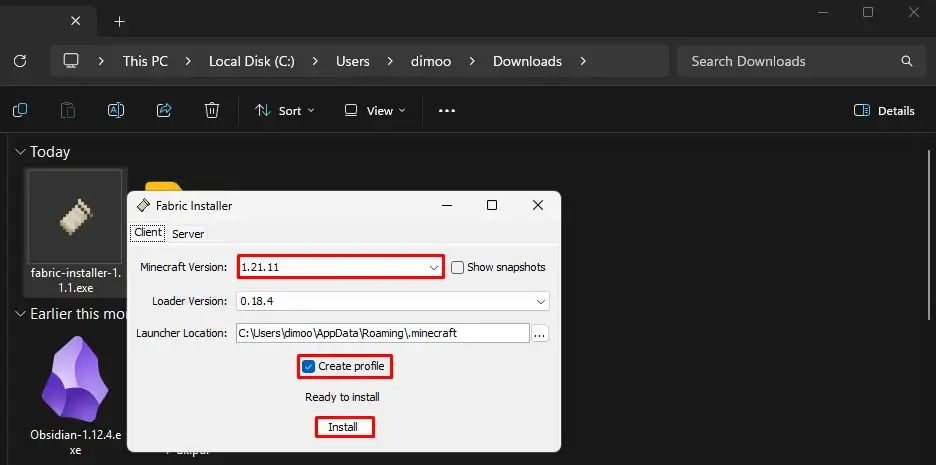
Upon completing the installation, you should be greeted with the following message:
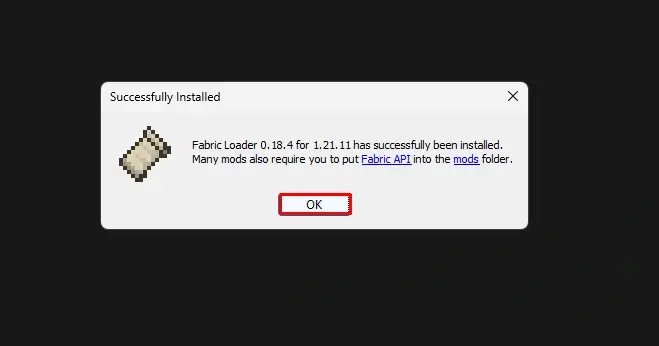
The modloader is installed, but most of the mods for Fabric, also require you to have Fabric API downloaded. Luckily, it's easy to install – in fact, the installation process is not any different from installing a regular mod.
So, go to CurseForge(or Modrinth, as it has a great selection of mods for Fabric) and search for “Fabric API”. Choose the proper game version and modloader, click the file and click "Download".
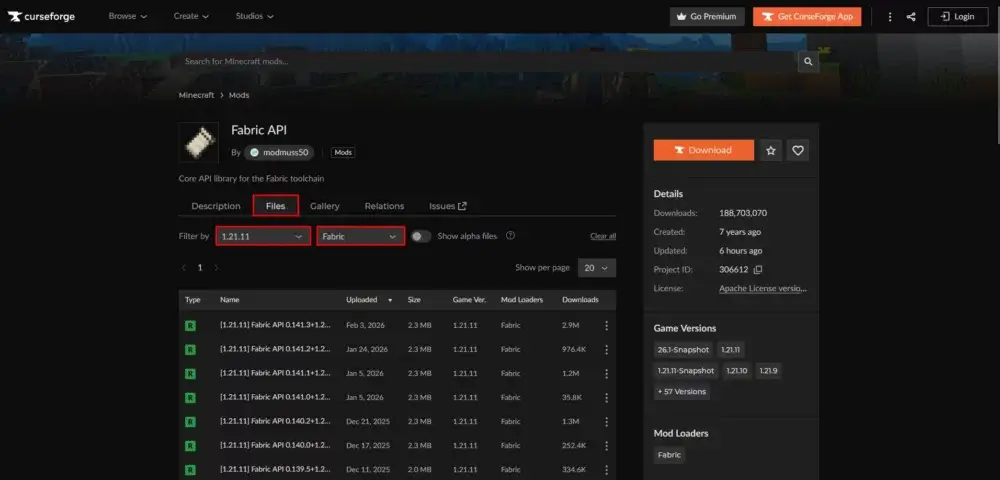
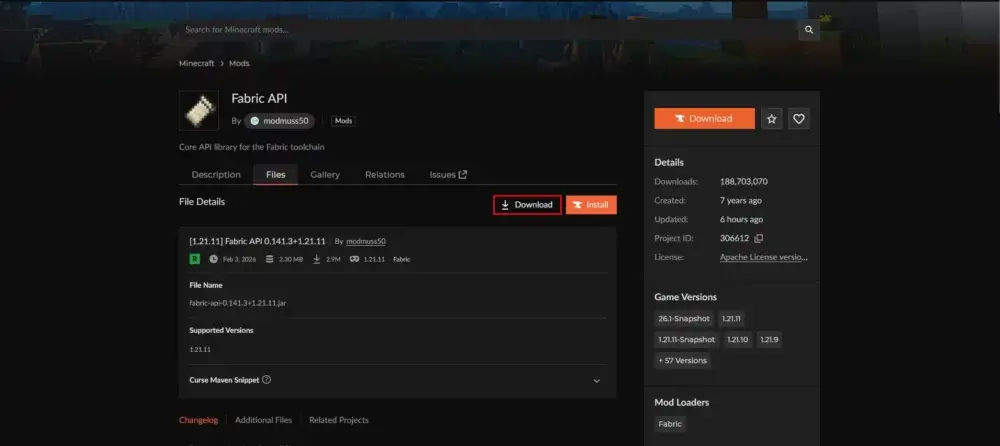
Once Fabric API is downloaded, you are free to download any other mods you wish to, the process is the same.
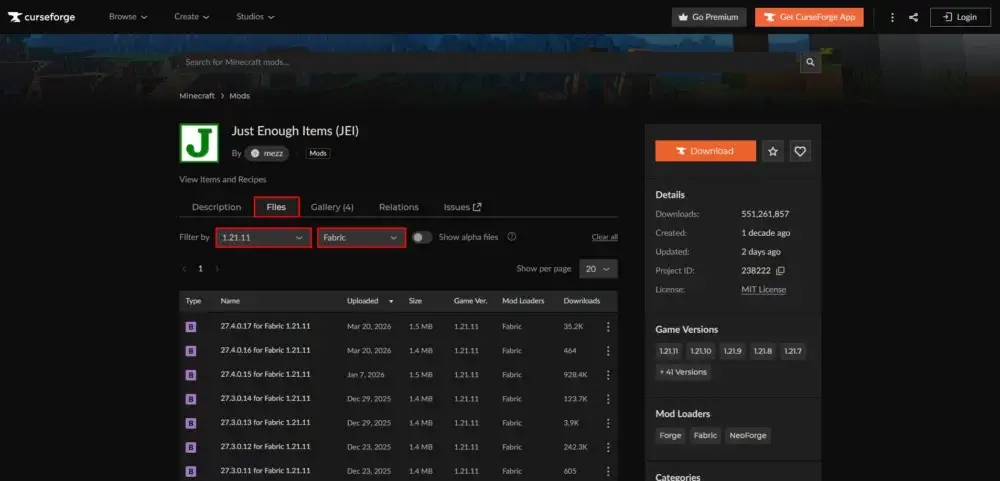
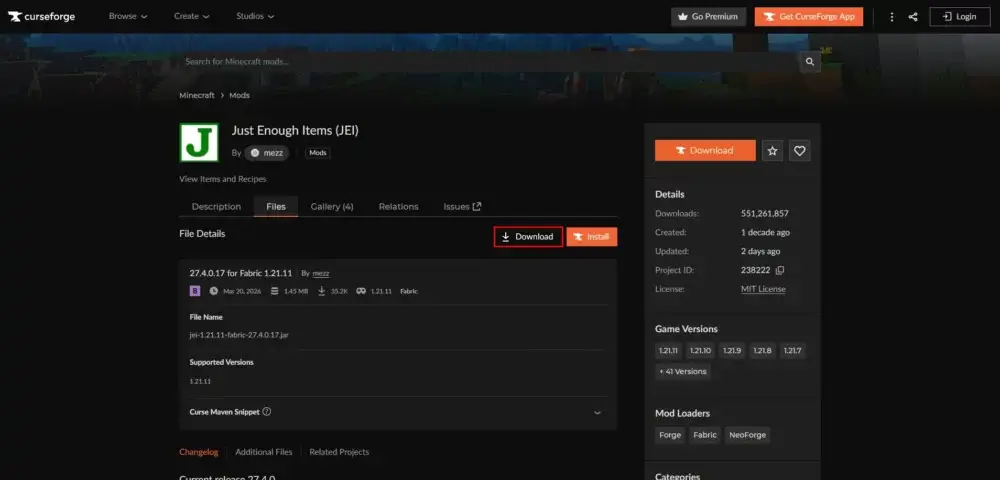
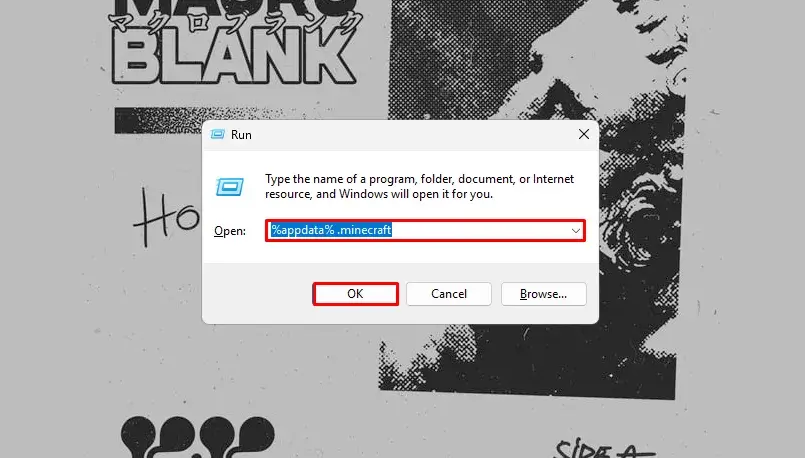
Once you have all the mods downloaded, press the Win + R shortcut to open the “Run” window. Type in the “%appdata% .minecraft” command and hit Enter / “OK”.
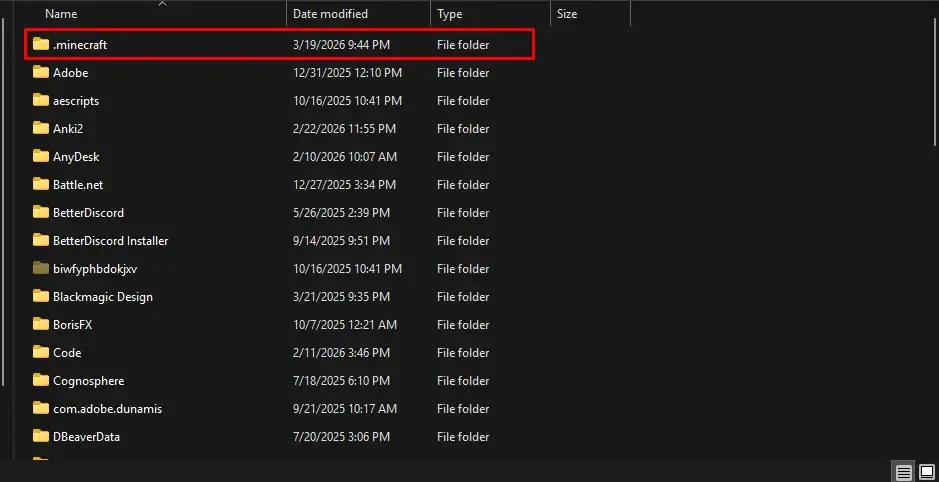
In the file explorer that has opened, navigate to the .minecraft folder. Then to the mods folder. If you don’t have a mods folder, you can simply create it yourself: right click an empty space > New > Folder and name it “mods”.
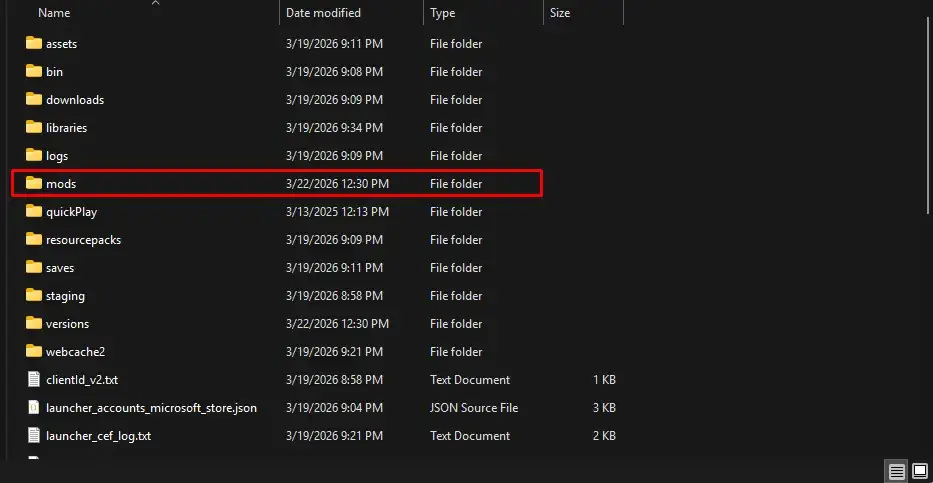
Then, drag and drop all the mod files you’ve downloaded. Now, you can close file explorer and open Minecraft Launcher. Go to installations and make sure to run Fabric instance, instead of the default Vanilla Minecraft and you are good to go!
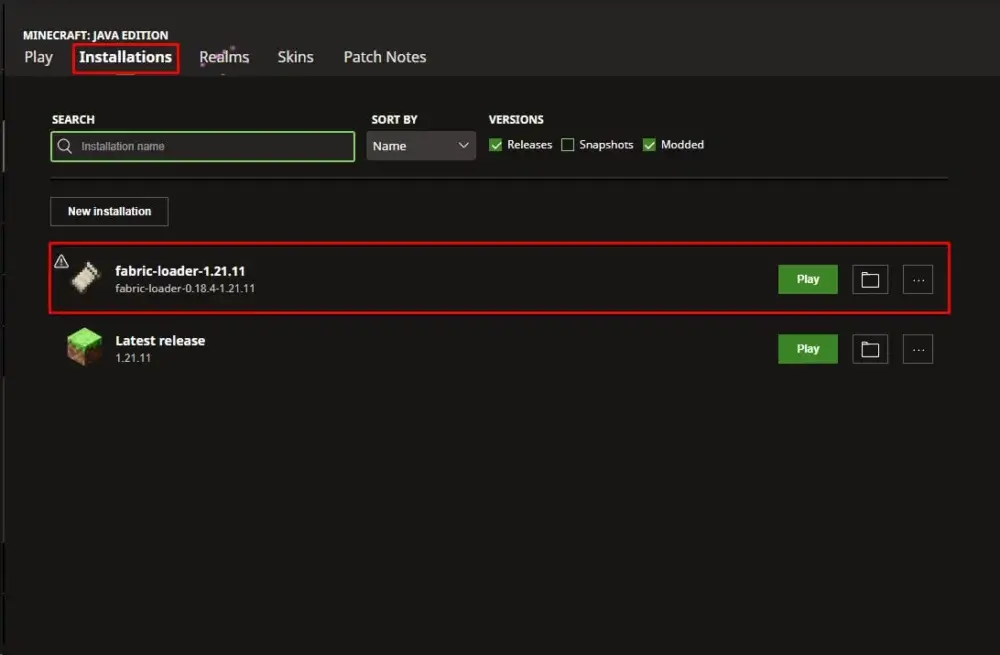
Alternative Fabric Installation Method: Modrinth App
If the first method seems a bit tedious, there is a great alternative for Fabric installation – Modrinth App. That’s right, the website Modrinth, where you can download lots of mods for Forge and Fabric, has its own app. Not just any app at that – it’s a game launcher. It links with your Minecraft account, so you still need to own the game, but it makes downloading and playing with mods much easier. Here’s how you can set it up for yourself.
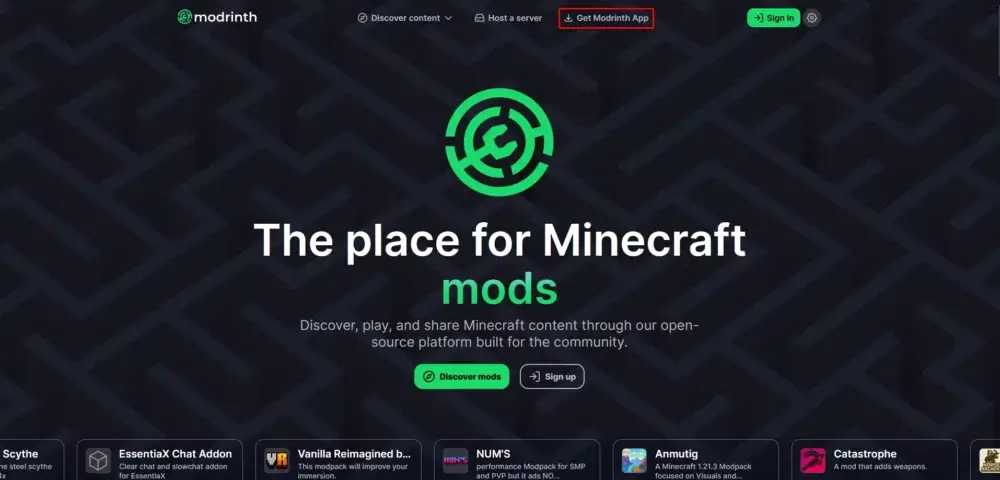
Go to the official Modrinth website, click “Download the app”, and click “Download”.
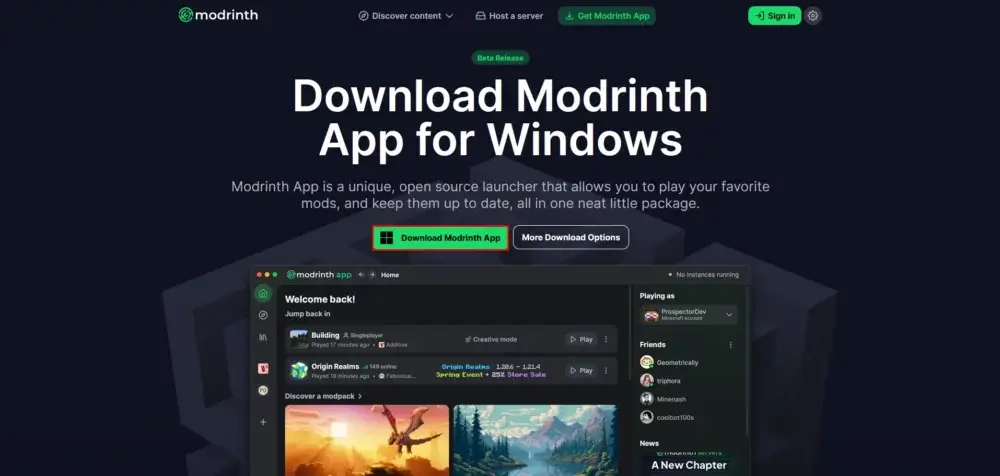
After downloading, open it. Now you will be prompted to log in into your Minecraft account. If you have multiple accounts, you can add another one later.
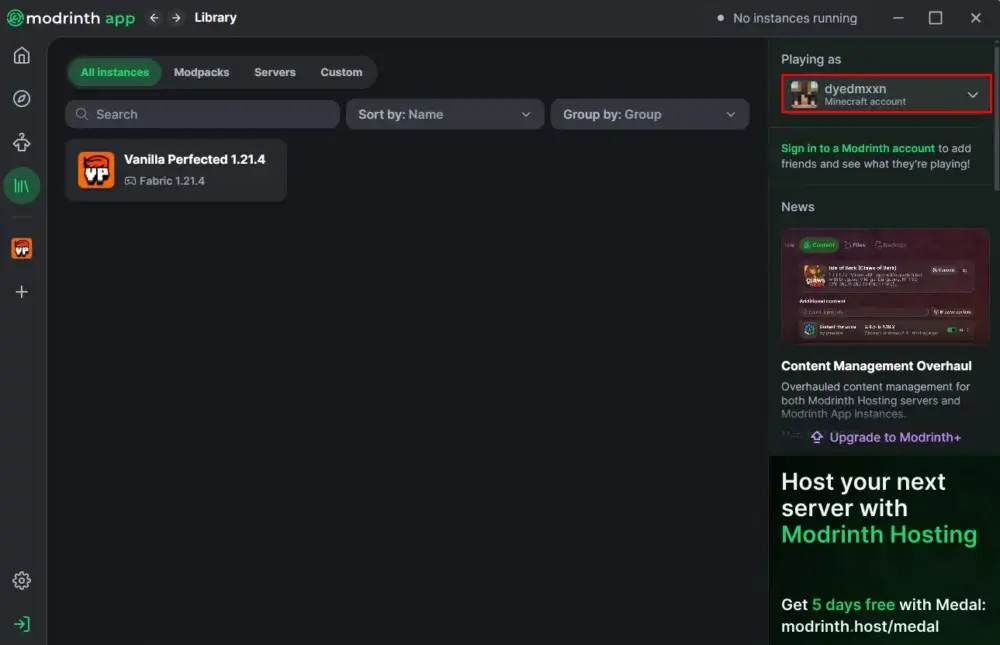
Basically, that is it. The launcher is set up. Now you can go and browse for mods / modpacks. Downloading a modpack will result in creating a new game instance, with all the mods packed and installed for you(like Vanilla Perfected on the screenshot below). If you want to download mods yourself, to make a custom modpack, you will need to create a new game instance as well. You can do it by clicking “New instance” or when downloading a mod.(Note that you need one game instance per modpack. So if you are making a new custom modpack, you would only need to click “New Instance” when downloading mods once. Then you proceed to download mods to the previously created instance of the game.)
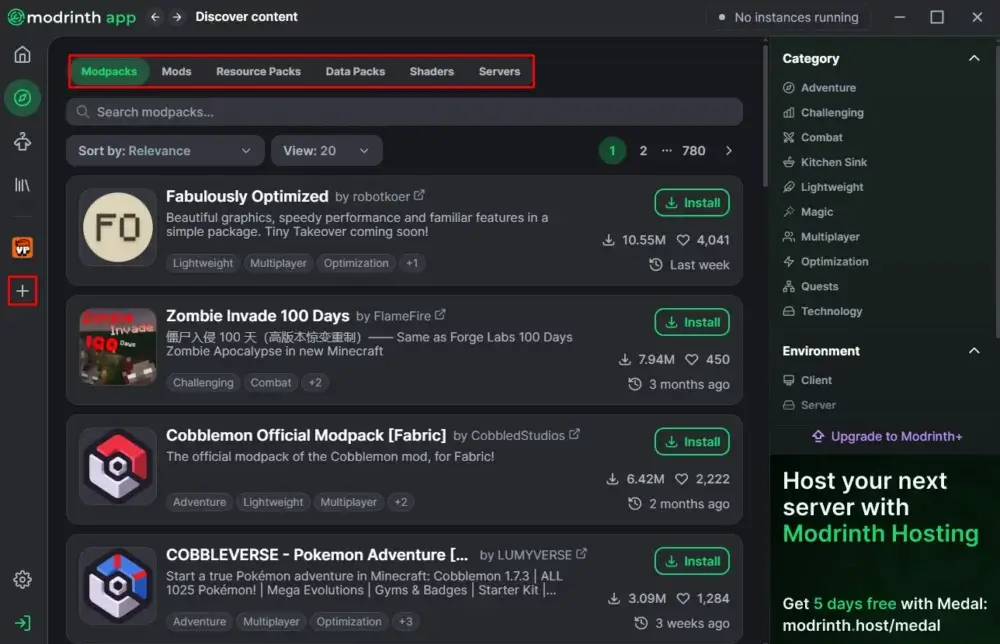
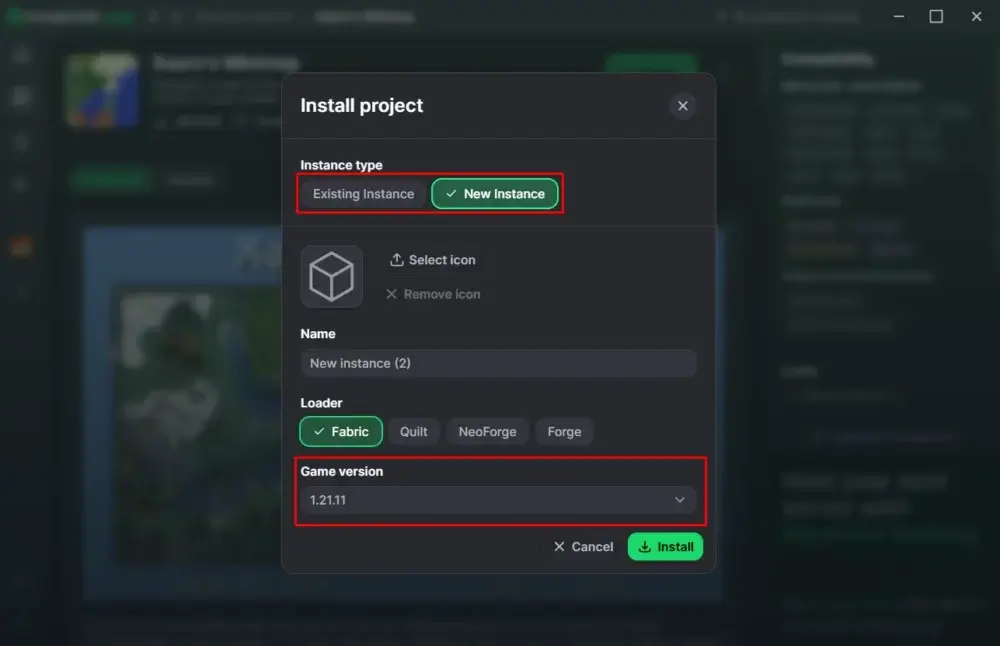
A great feature that Modrinth App has is that you can customize modpacks content by either adding new mods, removing existing ones, or just turning them on / off(without deleting from the modpack).
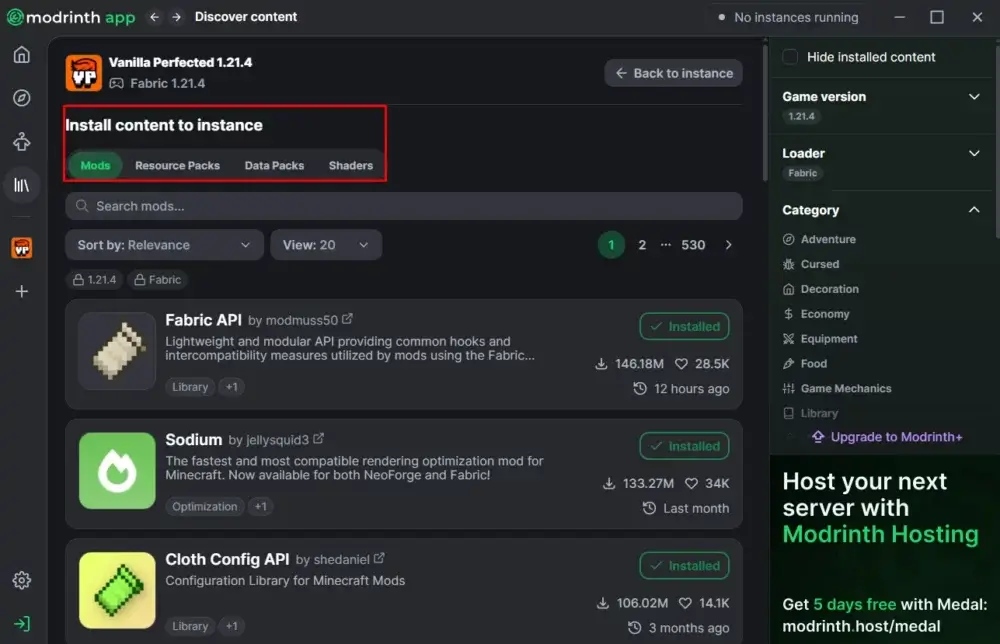
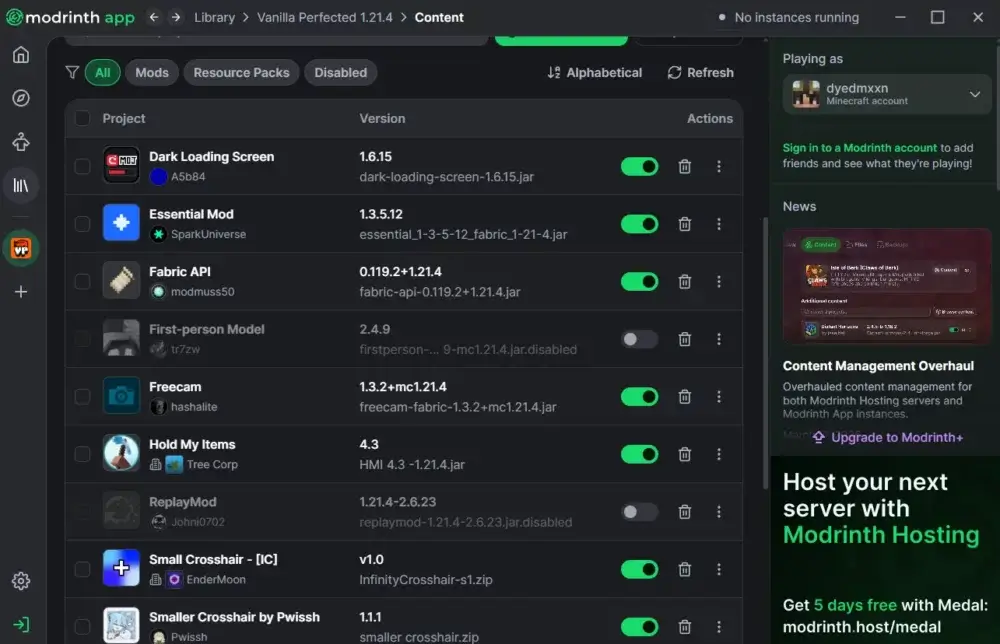
This app is a real gem. It’s a perfect fit for both average players – making the mod installation super easy and straightforward, and a hardcore mod players – making the process of managing all the different game instances and modpacks incredibly convenient.
Conclusion
We sincerely hope this guide on Fabric installation was helpful, thank you for reading and good luck playing your brand new modded Minecraft!
FAQ
-
Why do I need to install Fabric, before installing any mods?
Fabric is a modloader. In simple terms, it’s a middle man that makes it possible for players to mod the game themselves and install mods from others. -
Why is it important to launch the game at least once first before installing Fabric?
This is important, as this first initial launch sets up game files, which are essential for Fabric installation. -
What is Fabric API?
Think of it as an essential, additional mod that is required to make lots of other mods work properly with Fabric. -
Do I need Java to install Fabric?
Yes, and no. The way it’s described in this article – no, as when you click the "Download for Windows” button, you download the .exe file(which you can run without Java). However, the website provides another way to install Fabric – via universal .jar file. As you might’ve guessed from the name, using this method you will need Java installed on your PC. Both ways are fine and will get the job done, but we advise using the first one and installing Fabric through the .exe file as it is simply easier. -
Do I need to own a copy of Minecraft to use Modrinth Launcher?
Yes, as it links with your Minecraft account. Without owning a copy of the game, you simply won’t be able to use it.

Read Next
-
Best Minecraft Server Hosting 2026 – 12 Compared & Ranked Providers
Important Note: Godlike.host is our own service. This ranking is editorial (not paid placement) and follows the scoring criteria shown below. Always verify current plan limits, pricing, and regions on each provider’s website before purchasing….
-
Minecraft 1.21+ Seeds Worth Trying (Cherry Villages, Dungeons, and Beauty)
TL;DR If you want one seed that feels like a complete starter world, pick Cherry Valley Trio (Seed: 608548899648438462) for villages, deep structures, and a strong exploration route.If you want a dramatic build location with…
-
What Y Level is Best for Diamonds in Minecraft (1.20 -1.21)
Ultimate Minecraft Diamonds Mining Guide Why are diamonds so wanted by many? Minecraft Diamonds – shiny blue gems in the world of Minecraft that also happen to be the ore required to have the best…