en | USD
 CHAT WITH GODLIKE TEAM





What Are Minecraft Mods? Types, Downloads & Installation
- 7 min read
- 98 views
- 0 likes
What are Minecraft mods?
Minecraft is a generational game. It has a lot to offer to a player, especially after recent updates. Aside from that, it’s a sandbox game - the true purpose for playing, the end goal is defined by the player themselves. It’s basically infinite, right? The answer however is somewhere in between. The amount of content the game offers is vast, rarely will you find a person that experienced all of it fully. However it isn’t infinite. Also, it can get quite boring after tens or hundreds of hours of gameplay.


So what can you do to spice things up after you’ve done everything you wanted in the game? There is an answer - mods. Mods are community-made additional content added on top of the original game to enhance the gameplay experience. In this article, we will cover all the general information you would need to know about the topic: what mods are, why would you download them, categories of mods, where to install them and all the ins-and-outs of the topic. Let’s dive in!
Sidenote
Before we dive in, a little sidenote. The original game without any mods installed is usually referred to as “Vanilla Minecraft” in the community, so please make sure to keep that in mind, as this terminology will be used in the article down the line
Why would you install Minecraft mods?
Aside from boredom, there are a couple more reasons to install mods:
1) Replayability:
As it says in the definition - mods add new content to the game. This ensures that you will never run out of new things to experience. This makes Minecraft truly infinitely replayable, without getting boring / repetitive.
2) Custom Experience:
The game does great in letting you, as a player, define your end goal and purpose. Mods on the other hand, on top of that, also let you fully customize and define your gameplay. You can turn the Vanilla Minecraft experience into anything you desire with a few clicks and downloads.
3) Fixes:
Minecraft, despite being out for a long time, still has plenty of issues of its own. Though they are not catastrophic, they can irritate certain people. Mods are a great way to deal with those issues, as they can not only add new content, but fix / enhance the old one.
4) Performance:
Minecraft, sadly, isn’t optimized as well as many other games due to its long history and constant development on top of the old base. Mods can help you optimize the game, so even a low-end PC’s would be able to handle it rather well.

Categories of mods in Minecraft
Minecraft's community is huge, just like the game is. Thus, it’s only natural that there are hundreds of thousands of mods available for download. Each and every one of them adds something new to the game, however, despite the vast diversity of mods, they can be categorized in 2 main ways: “Side wise” and “Content wise”. This naming might be a little confusing at first, but it makes way more sense later, so let me explain.
Side wise categorization separates mods into 2 main categories:
- Client-side mods: these mods only affect the “Client” of the player(a copy of the game that is running on your PC specifically). So client-side mods only affect and change things on your end. If you were to play together with someone, who doesn’t have the same client-side mods, they wouldn’t notice a thing different from a Vanilla Minecraft(assuming there are no server-side mods).
- Server-side mods: these mods, unlike client-side, are affecting the whole server. These mods are installed on the server that hosts a Minecraft world for everyone. Server-side mods will affect the whole server and every player on the server, even without them installing those mods themselves.

Though, as it was said before, these are just categories that define mods scope, what about the content in the mods themselves? Well, for that purpose, the community uses Content wise categorization, which separates mods into 3 main categories:
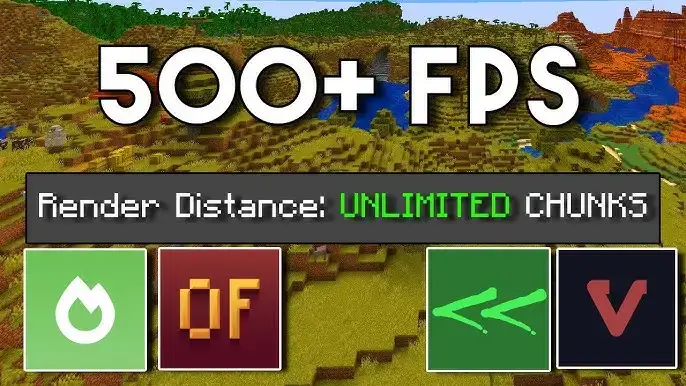
1) Performance & Optimization:
Mods that reimagine how the original game works, making it run faster, smoother and better. Those mods boost FPS(frames per second) and reduce lag, making the game available to almost anyone who has a somewhat decent PC.
2) Quality of Life(QoL) & UI:
Mods that improve small parts of the game, make certain game mechanics easier, faster and less tedious or improve UI(User Interface) to make the overall experience more pleasant.

3) Content & Overhauls:
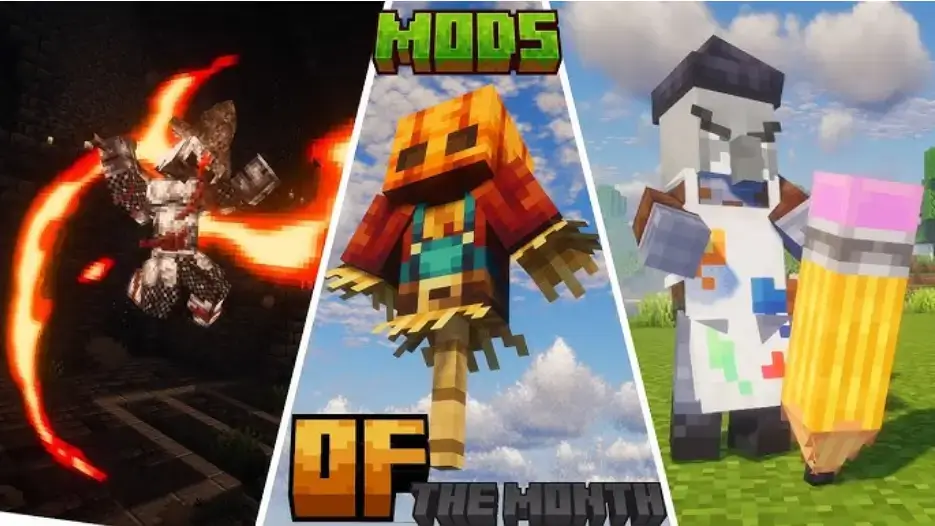
Mods in this category are either adding new content to the game, to completely reimagine the old one. This category is in fact so big, it has its own subcategories. Here are some of the most common ones:
- Tech & Automation: for players who want a more industrial feel to the game, or players who want to build machinery that is not available in the Vanilla Minecraft.
- Magic & Fantasy: a great way to create your own fantasy world, ideal for players who enjoy magic, spells, epic battles and bosses on top of that medieval fantasy vibe.
- World Generation: completely overhauls how the game generates biomes, structures, dungeons etc. Often adding new ones on top. A great addition to almost any modpack.
Where can you download mods?
Mods are still just files at the end of the day, so to download them you need to find a trusted website. Though most of the time you would be fine with any of the websites it’s not uncommon to stumble upon shady websites with questionable content in the files they suggest downloading. Thus, to keep your PC safe and be sure that you will actually have what you are looking for, here’s a couple of websites you can use to download mods:
- CurseForge(despite the name, the website has mods for both Forge and Fabric)
- Modrinth

If you feel the need to download certain mods from other websites be cautious as to not get any malware, safety first.
How to install mods for Minecraft?
Now that we know what mods are, what categories of mods are and are capable of finding the mods we would want to play, the follow up question rises - “How to install mods?”. Despite how it might look at first glance, it’s not hard, there are just a couple of things to consider.
For mods to actually work you must have one of the main modloaders for the game: Forge or Fabric. Ultimately, think of a modloader as a middleman, whose job is to make mods work and make sure there are no conflicting mods. Considering that modloaders are required for the mods to actually work, the initial step is download the modloader itself. Then, depending on which modloader you’ve chosen, the installation process may differ a little. Explaining both in great detail would be too much information for one article, so, if you need any help jump straight into one of these two articles explaining everything:

Conclusion
This was the core, general information you need to know about Minecraft mods. We hope that it was useful and if you need any help with the mod installation process make sure to check out our articles regarding that topic. Thank you for reading and good luck!
FAQ
-
What are Minecraft mods?
Mods are community-made additional content added on top of the original game to enhance the gameplay experience. -
What are the common reasons to install mods?
People usually install mods to make the game more replayable, tailor the experience to their own taste, fix annoying issues, and improve performance. -
What are two main ways to categorize mods?
You can categorize mods in two main ways: by which side they run on and by what they change. Side-wise, mods are either client-side or server-side. Content-wise, they typically fall into performance and optimization, quality-of-life (QoL) and UI, or bigger content/overhaul mods such as tech and automation, magic and fantasy, or world generation. -
Where can I download mods?
The best and most trusted websites are: CurseForge, Modrinth -
What does the community call an unmodded Minecraft?
The original game without any mods installed is usually referred to as “Vanilla Minecraft”.

Read Next
-
Best Minecraft Server Hosting 2026 – 12 Compared & Ranked Providers
Important Note: Godlike.host is our own service. This ranking is editorial (not paid placement) and follows the scoring criteria shown below. Always verify current plan limits, pricing, and regions on each provider’s website before purchasing….
-
Minecraft 1.21+ Seeds Worth Trying (Cherry Villages, Dungeons, and Beauty)
TL;DR If you want one seed that feels like a complete starter world, pick Cherry Valley Trio (Seed: 608548899648438462) for villages, deep structures, and a strong exploration route.If you want a dramatic build location with…
-
What Y Level is Best for Diamonds in Minecraft (1.20 -1.21)
Ultimate Minecraft Diamonds Mining Guide Why are diamonds so wanted by many? Minecraft Diamonds – shiny blue gems in the world of Minecraft that also happen to be the ore required to have the best…