Starting a Minecraft modded server requires a lot of effort. You are always checking for versions, compatibilities, memory, and hope that no mod conflicts with others. To solve this issue, we have released our very own modpack constructor that allows you to build your modpack live, check its compatibility, and ultimately test it out. So now, instead of installing multiple mods from Modrinth or CurseForge, you can choose your mods from a visual library and try them out.

Make your own FREE minecraft server
MINECRAFT FREE SERVER
In this guide, we will guide you through the entire process of using Godlike's modpack constructor and use it to create a modpack suitable for your server and its requirements. To get started, follow the below-mentioned steps.
Setting Up Your Environment
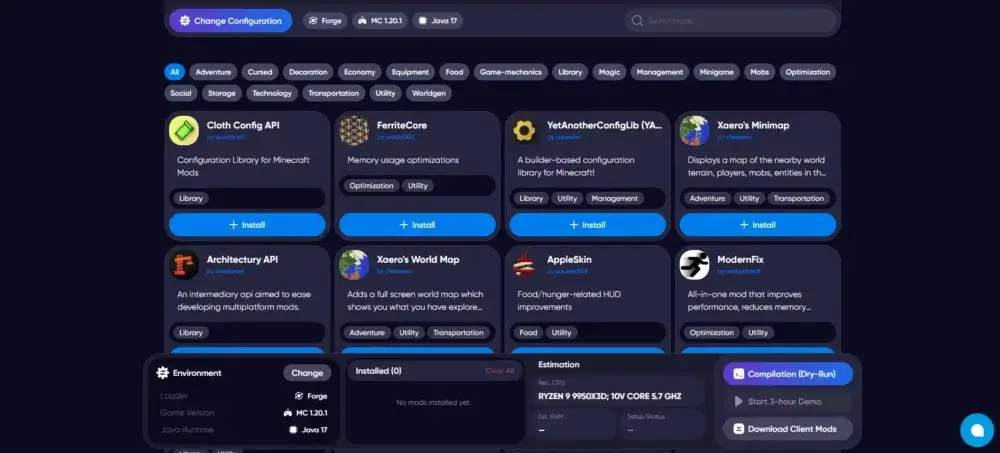
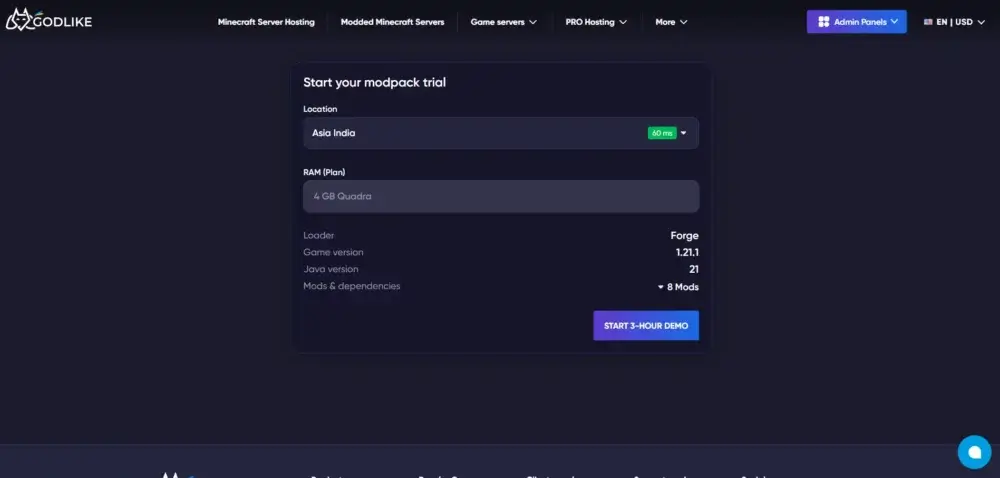
Start by choosing your server specifications from the configuration panel. The list of configurations includes server type, such as Fabric, Forge, Spigot, and more, and version, along with the Java version. To top it off, we also allow you to choose the server location for your test server, allowing great connectivity while testing.

Browsing and Adding Mods
Below the configuration panel, you can find a visual library consisting of multiple mods present in the marketplace. You can easily start installing the ones you are looking to add into your server. Along with that, you can also find a description about the mod and the link to its Modrinth page by clicking on it. Finally, you also have the option to search for your preferred mod or categorize them based on your interests.
Live Resource Estimation
In the information section below, you can also find a section dedicated to resources. This section lets you see the amount of RAM you require to run the mods you have selected so far, along with the compatibility of the mods with each other.

Downloading Client-Side Mods
The modpack constructor also includes the option to install all the required client-side mods in the single click of a button. This saves your time as the tool automatically sorts all the client-side mods from the server-side mods.

Dry-Run Compilation
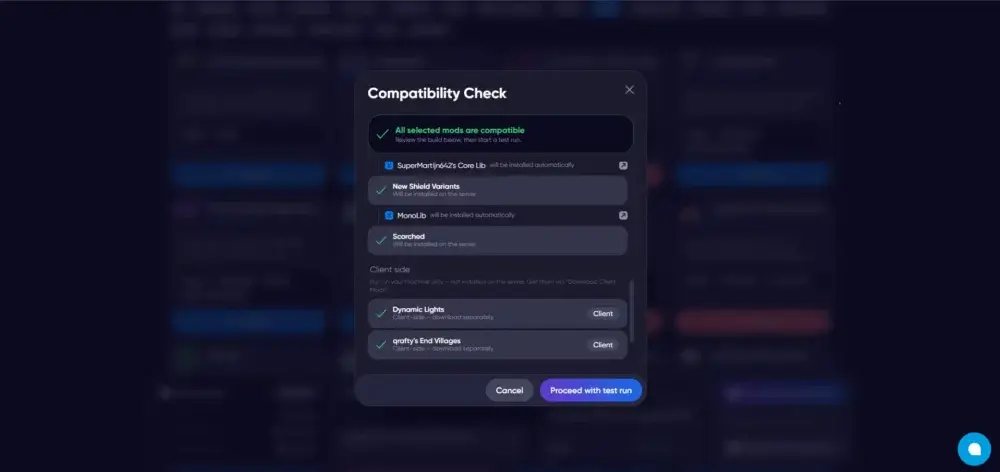
Before starting anything, you have the option to perform a compatibility check that tests out the modpack and checks for conflicts and compatibility issues. It acts like a safety switch that allows you to find errors and conflicts before deploying the entire modpack into your server.
Try It Live with the 3-Hour Demo
After the compilation, or dry run, is completed, you can create a server for 3 hours at Godlike for absolutely free and test out your newly created modpack instead of just installing the modpack and deploying it on some random paid hosting without getting the feel of using your modpack on an actual server. After that, you’ll also have the option to extend your free trial into a monthly subscription based on your requirements.
Why Use the Constructor Instead of a Pre-Made Modpack?!
Premade modpacks are great if you are searching for something that just works. End of the day, you are stuck with someone else's choices and try to customize them manually, hoping that nothing breaks, conflicts, or creates an error. This is where our tool changes the game, as here you start everything from scratch, creating something according to your requirements while keeping everything working and compatible.
Below are the links to the tools we have published on Godlike. We recommend you give them a visit and let us know your thoughts about it on our subreddit or Discord server.
Modpack Constructor
SeedMap
Circle Generator
Conclusion
That's it. By following all the above-mentioned steps, you can easily create your dream modpack from scratch and test it out on an actual server. We at Godlike are constantly working on new features to make this tool more efficient and flexible for your use. Any feedback or review from your side would mean a lot and will help in the overall development of this tool, so make sure to drop your thoughts on our subreddit or Discord.








 en | USD
 CHAT WITH GODLIKE TEAM