Language: EN
Currency:

Minecraft Seed Map

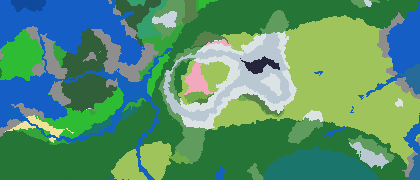
Free online Minecraft seed map finder and viewer. Enter a seed to instantly preview biomes, villages, strongholds, structures, and the full world map before you start.

Map Java seeds
Map
Zoom
Enter a seed and explore

Biomes stream in as cached chunks. Structures are pinned to exact world coordinates.

Active seed
N
Loading chunks
Zoom in to stream detailed biomes
Loading world Finding structures and spawn...
Location
X/Z: 0, 0 Chunk: 0, 0 Biome: -
Copied

What is the Minecraft Seed Map?

A free, browser-based tool that generates an interactive overhead map of any Minecraft world using its seed number. Enter a seed, pick your version, and the full Overworld appears instantly — biomes, rivers, oceans, and all major structures marked to the block.

Works for both Java Edition (1.16 – 1.21+) and Bedrock Edition (1.16 – 1.21+). No download or login needed.

How to Use the Seed Map Viewer

  1. Enter a seed — paste a number or text string into the seed field.
  2. Pick your version — Java or Bedrock, any version from 1.16.
  3. Explore the map — scroll to zoom, drag to pan.
  4. Toggle structures — villages, strongholds, ancient cities and more.
  5. Share — copy a deep link or screenshot to share your find.

Seed Map Features

🗺️
Biome Map

See every biome — plains, jungles, cherry groves, deep dark, and more — with accurate borders.

🏰
Structure Finder

Locate villages, strongholds, ancient cities, trial chambers, mansions, and all major structures.

🔍
Seed Finder

Set desired biomes and structures — the tool scans seeds and finds one that matches your criteria.

🤖
AI Seed Assistant

Describe in plain English: "Village and Ancient City near spawn" — get curated results instantly.

⛏️
Java & Bedrock

Full support for both editions across versions 1.16 through 1.21+. Same seed, different worlds.

📤
Share & Screenshot

Copy a deep link, take a screenshot, or share seeds directly from the viewer — no account needed.

FAQ For Minecraft Seed Map