



Windows Beta · v0.7.0
Find servers, create custom instances, manage your Godlike.Host servers and play modded Minecraft from one clean desktop launcher.
Free beta • Windows • Built for modded Minecraft
 Server Browser
 Custom Instances
 Mods & Modpacks
 Godlike.Host Sync
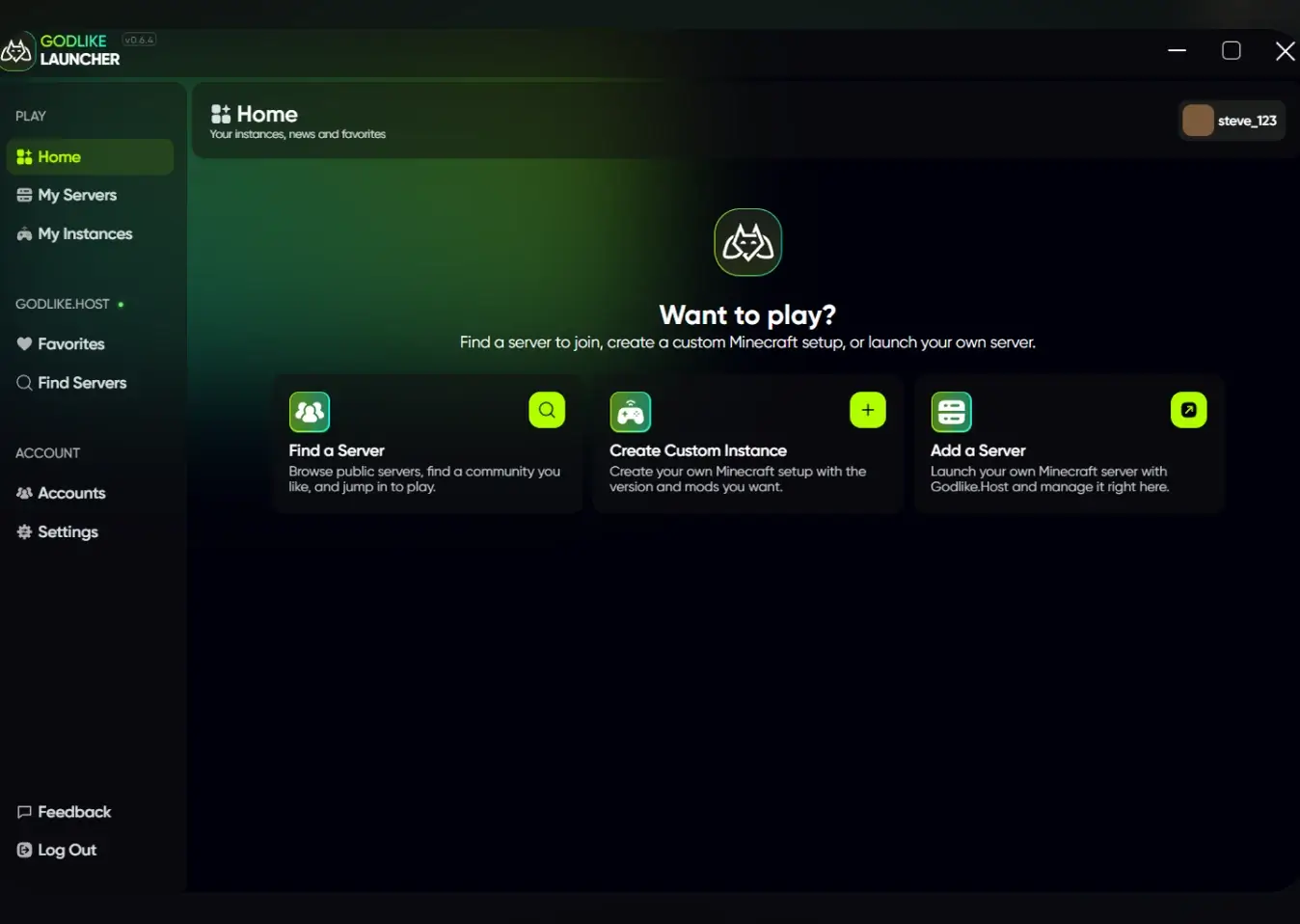
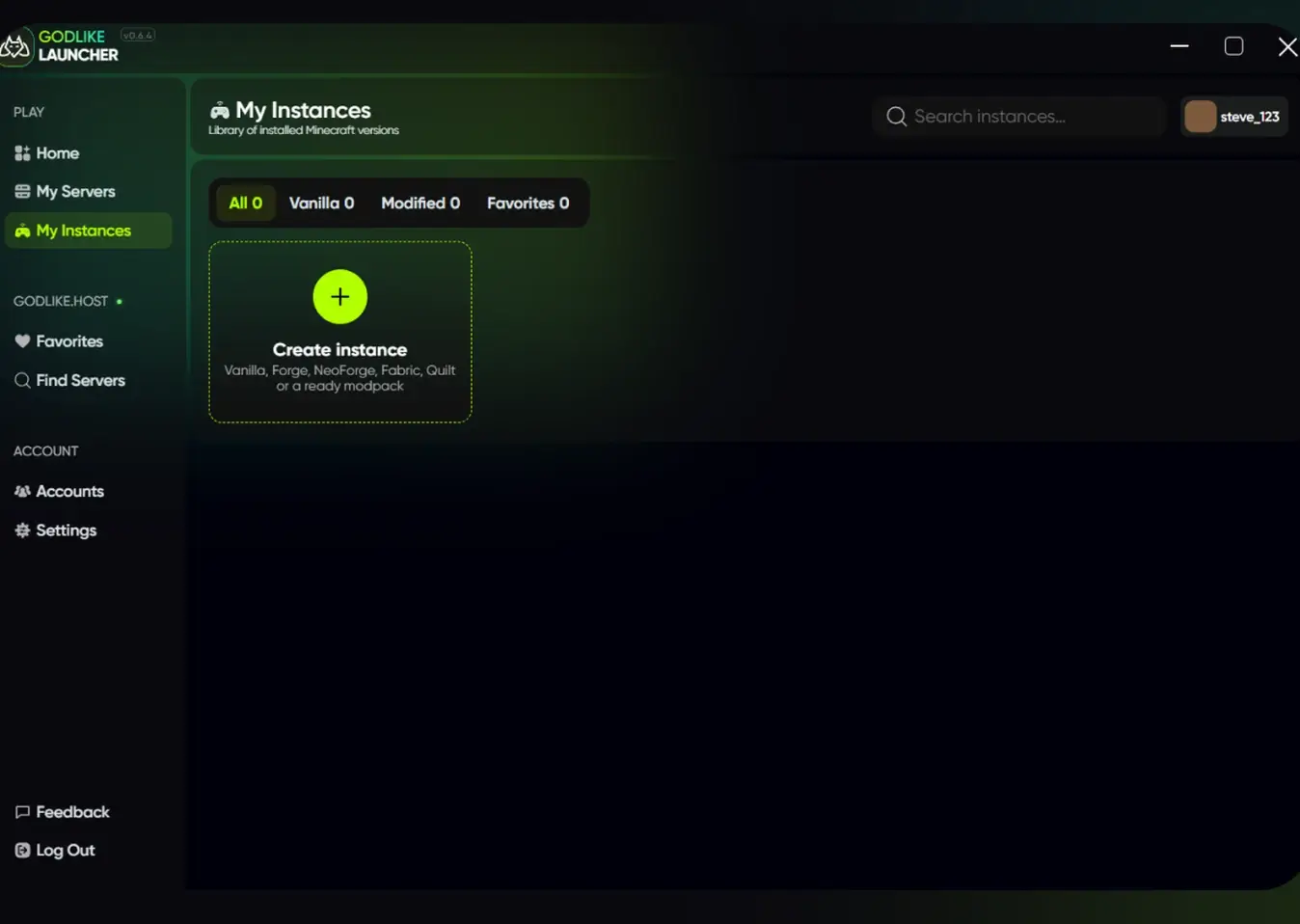
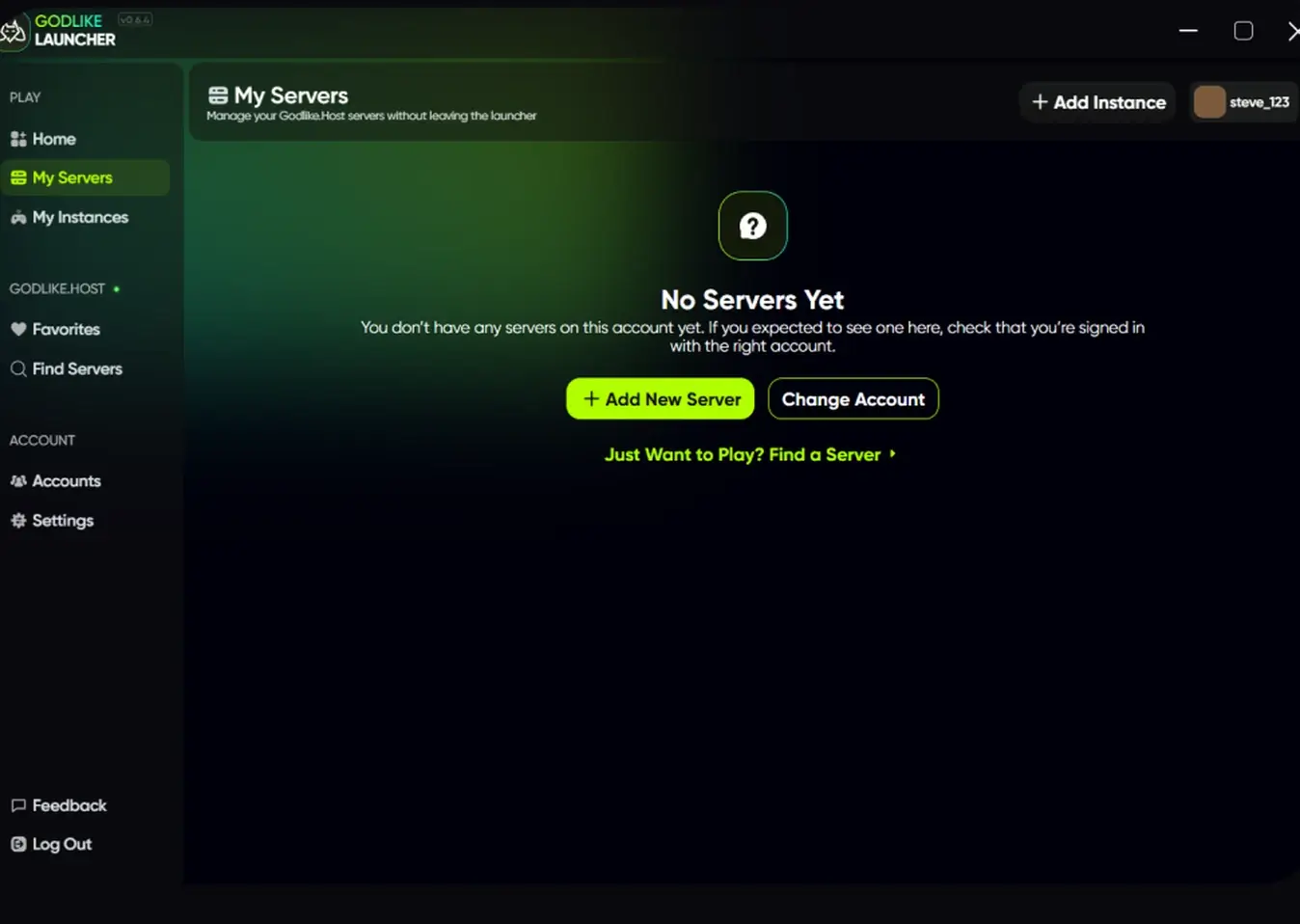
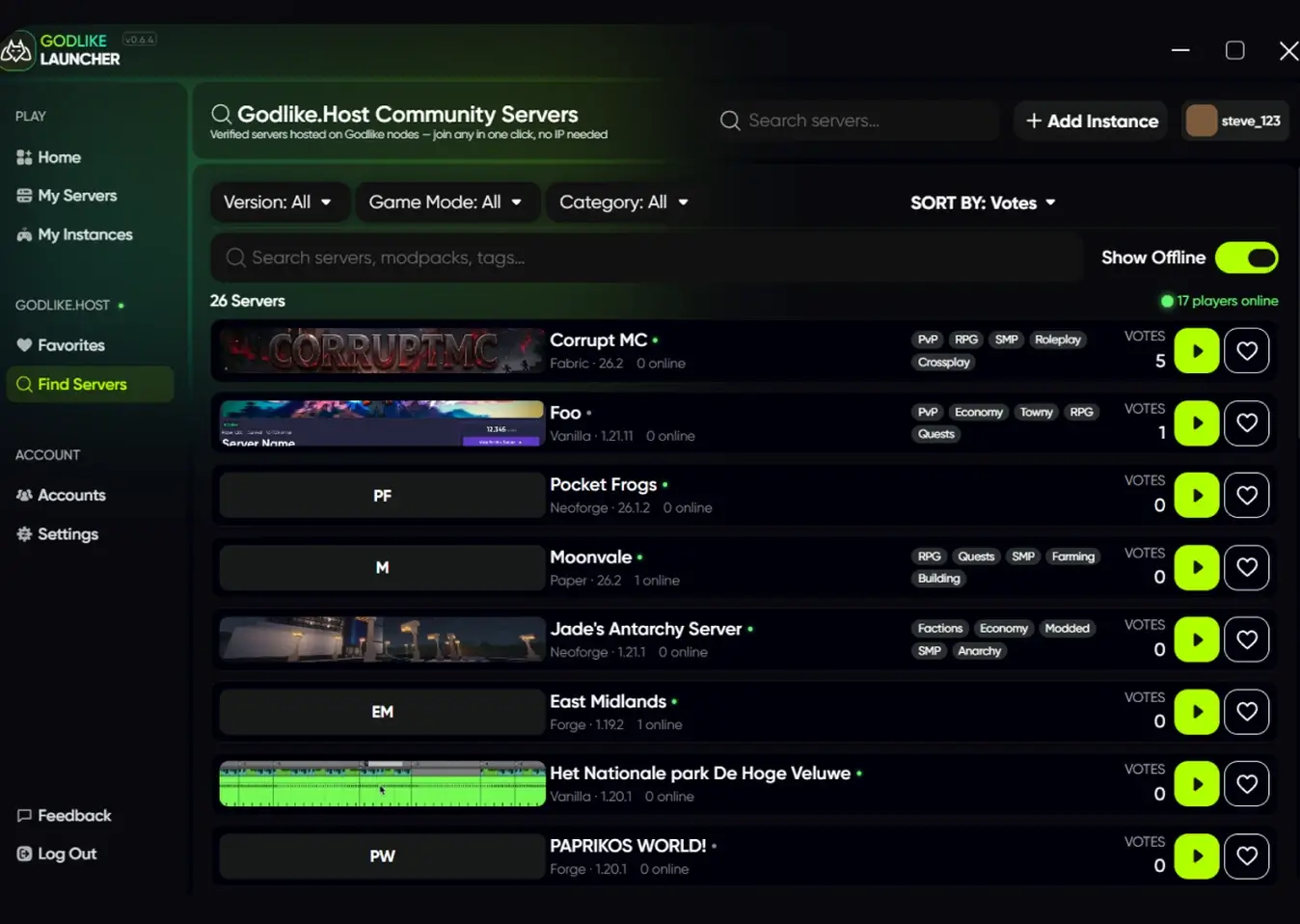
Godlike Launcher combines Minecraft instance management, server discovery, modded gameplay and Godlike.Host server access in one desktop application.
Create separate Minecraft installations for different versions and loaders. Keep modded setups isolated and launch them from one library.
Use ready-made modpacks or build your own setup. Browse content from CurseForge and Modrinth and add mods to an existing instance later.
Browse community servers directly from the launcher. Search by server name, modpack or tags, then filter by version, loader, category and game mode.
Access your Godlike.Host servers without leaving the launcher. Keep hosting and gameplay connected in one place.
Join servers faster by using the correct Minecraft version, loader and client setup instead of preparing everything manually.
Adjust RAM, installation paths, Java, fullscreen, resolution, logs, update settings and other instance-specific options.
Find public Minecraft servers and communities in the same app you use to manage and launch your game.
Use one launcher for vanilla Minecraft, custom modded setups and full modpacks. Each instance can keep its own version, loader, mods and launcher settings.
Godlike Launcher combines Minecraft instance management, server discovery, modded gameplay and Godlike.Host server access in one desktop application.
Create instances around the loader required by your mods or modpack. Different Minecraft setups stay separated, so changing one instance does not break another.
Use popular Minecraft modding platforms as content sources instead of manually searching for every file. Install ready packs and extend them with extra mods when needed.
Keep client-side content together with the instance you use it for, making it easier to maintain separate visual and performance setups.
Keep a modpack on the version you expect and avoid accidental setup changes when you want a stable client for a specific Minecraft server.
Manage your Godlike.Host servers directly from the launcher. Sign in to your Godlike account, access your servers and connect to them without leaving the app.
 Sign in with your account.
 See your servers in My servers
 Manage and connect directly in the launcher
Quick answers for players looking for a Minecraft launcher for servers, mods and modpacks.
Download the current Windows beta and use one launcher for Minecraft instances, modpacks, mods, community servers and Godlike.Host management.
Current version: v0.7.0




 en | USD
 CHAT WITH GODLIKE TEAM







