en | USD


 CHAT WITH GODLIKE TEAM





Game Worlds (Maps)
Creating Conan Exiles servers and launching them for the first time, it usually creates a new, clean game map where you and other players can start playing. However, if you already have a map where you've made some progress (such as buildings, crafts, experience, etc.) or if you want to install a modified map, you can upload them to your server and play on them.
TIP
How to Upload a Map to Your Server
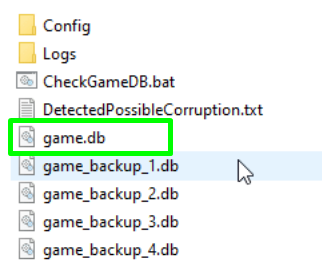
1) First, go to the folder of the game itself (not the server), then follow the path /ConanSandbox/Saved. There you will find the game.db file of the desired game world. Save it.
IMPORTANT
If you want to install a modified (custom) map, save the file from the required map folder in the same way
2) Next, go to the server's game panel and shut down the server, then navigate to the File Manager section and follow the path /ConanSandbox/Saved.
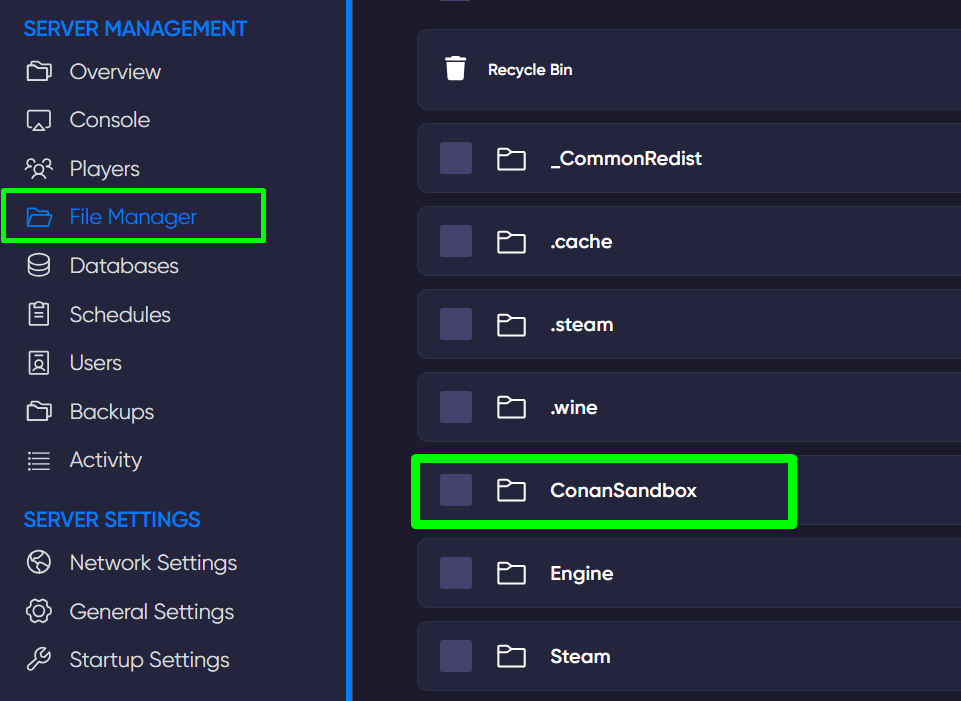
3) Now click the blue Upload button and upload the copied game.db file, replacing the current one. Done.

TIP
Now you know how to manage the gameplay and upload your own worlds to the Conan Exiles server. Play together with GODLIKE.