Imagine building a dome or a circular structure and spending hours just to build the outline?! Annoying, right?! Players and builders in Minecraft face this issue on a daily basis, so to solve that, at Godlike, we came up with our own circle generator tool. This tool allows you to generate an outline for your structure in an easy and efficient way as well as draw anything you want with symmetry, and the best part is that you can just export your drawing/circle as a schematic to import directly into Minecraft.

Make your own FREE minecraft server
MINECRAFT FREE SERVER
What is the Minecraft Circle Generator?!
The tool is entirely web-based and works by giving you a workplace to draw the outline of your structure you are looking to create. This task can be easily done by the assigned tools in the menu. Some of the features/tools include the following:
- Circle Generation: The tool features multiple circle variations along with radius choices that allow you to generate a circle according to your requirements. This also includes block choice, which lets you see your outline/circle with different blocks.
- Paint Tools: The tool also features paint tools to further add additional details to the circular structures or outline to further complete your build. This also includes symmetry tools like grid lines, coordinates, marked center, and quarter view.
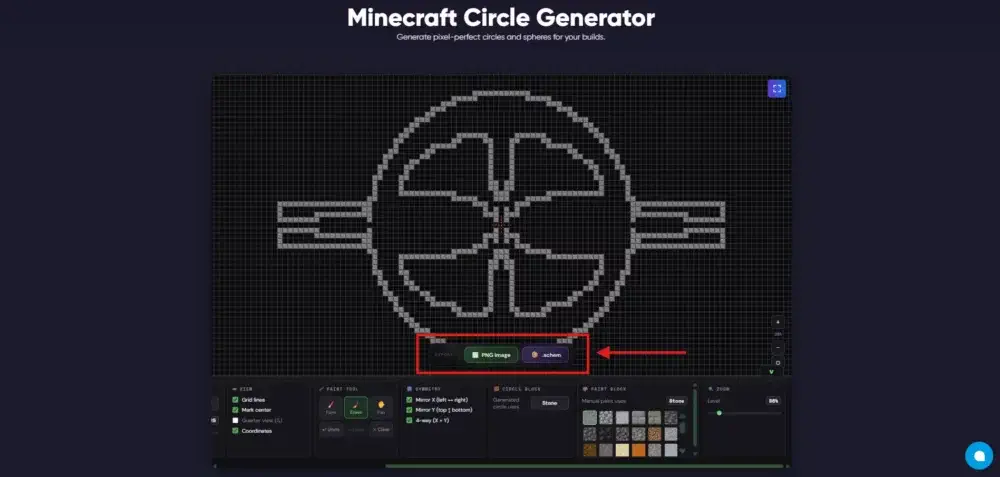
- Export: On completing your outline, you can easily export the outline in the form of PNG to share it with others or as a schematic to further paste it into your server with WorldEdit or build it using LiteMatica.
Need a good world for your next SMP or co-op run? Check out our best Minecraft seeds for playing with friends.
What Can You Build With It?!
The possibilities with this tool are endless, but in general it can be used for structures with circular or curved structural shapes. Some common structures you can build with it include, but are not limited to, the following: domes, arenas, monuments, decorative structures, and more.
You can start by visiting the Minecraft Circle Generator tool at Godlike. This will open a web-based visual workplace on your device. Further, follow the below-mentioned steps to start using the tool:
- Choose Diameter and Type: Start by choosing the required diameter and circle type (normal, ellipse, or filled) for your structure. For reference, a diameter of 20 to 25 blocks is more than enough for a small-sized structure.
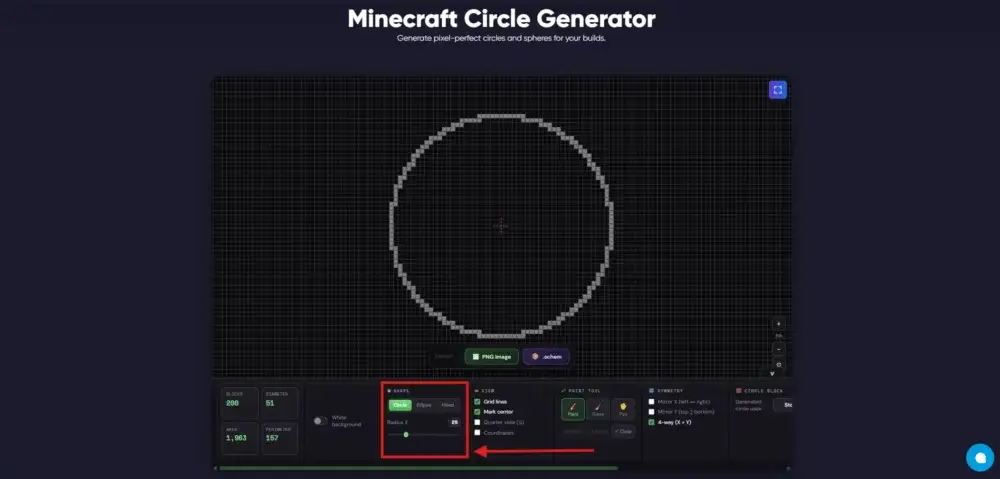
- Design the Outline: Next, you can start designing your structure's outline with the help of the paint tool that lets you place additional blocks to further plan your structure with different blocks/materials. This helps in overall efficiency and resource planning.
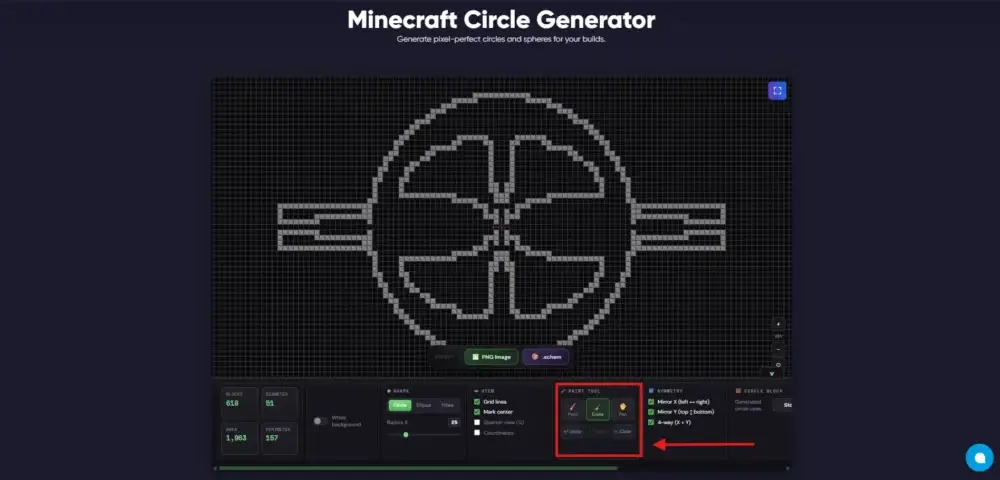
- Use Symmetry and View Options: You can also use the symmetry options available to efficiently mirror or erase the blocks you place in the structure's outline. Similarly, you can also use the view options to enable visuals like grid lines, coordinates, and more.
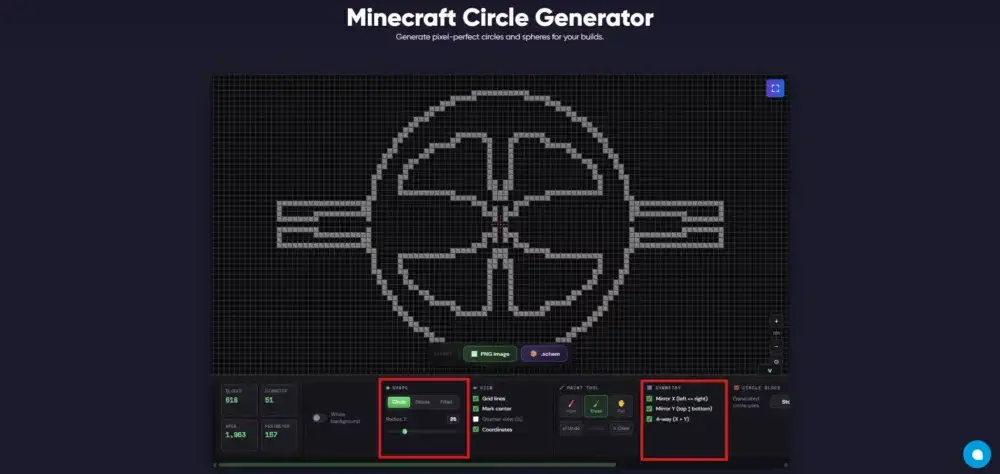
- Export Your Build: On successfully generating the entire structure, you can easily download it in the form of a digital image (PNG) or a schematic, which you can later use to further paste it into your server with WorldEdit or build it using LiteMatica.
Conclusion
That's it. By following these steps, you can easily start using this tool to generate circular structures in Minecraft. We are actively looking for feedback from builders/players to further add more features and functionalities to this tool, so any feedback or improvement on this is appreciated. Also make sure to post the creations you built using this tool on our subreddit.
Happy Building.








 en | USD
 CHAT WITH GODLIKE TEAM