For most Minecraft servers, plugins are the easier and cleaner path. They work best for things like permissions, moderation, anti-grief tools, crossplay, maps, and world management on Paper or Spigot. Mods make more sense when the goal is to change the game itself with new blocks, recipes, systems, progression, or full modpacks through loaders like Fabric or Forge. The important part is not just what mods and plugins add, but what kind of server setup they require and whether your hosting can handle both paths without turning every update, install, or version change into extra work.
What Minecraft Server Plugins and Mods Actually Are
A plugin is an add-on built against a server API, usually Bukkit, Spigot, or Paper. It extends the server you are already running, which is why Minecraft server plugins are the default choice for moderation, permissions, chat tools, rollback systems, world management, and quality-of-life utilities. Paper itself is positioned as a Java Edition server that improves performance and offers a more advanced API, which is exactly the environment plugins are designed for.
A mod works at the game and loader level instead. Fabric’s official docs describe it as a modding toolchain, and its mod metadata explicitly supports client, server, or both environments. Forge documentation frames Forge as a modding API for Minecraft. In plain English, minecraft server mods can go much deeper than plugins: they can add blocks, mobs, recipes, animations, progression systems, new tools, armor, exploration loops, or whole RPG elements.
Where Server Cores and Loaders Fit In
Server cores and mod loaders sit underneath the features you add. Paper, Spigot, and similar server cores are built for plugin-based Minecraft servers. Fabric, Forge, and NeoForge are mod loaders used for modded setups. Hybrid software tries to bridge both worlds, but it also adds compatibility risk. That is why choosing the right base software matters before you even start installing plugins or mods.
The Main Difference Server Owners Notice First
Most beginners think the difference is “plugins are smaller, mods are bigger.” That is not wrong, but it misses the part that actually affects setup. Plugins are usually server-side. Many mods are not. Some mods are client-side only, like Sodium, which focuses on rendering performance, or visual/UI mods like Not Enough Animations and AppleSkin. Those can enhance a player’s experience, but they do not turn a Paper server into a modded server. On the other hand, once you start using minecraft mods that add content, recipes, world changes, or custom systems, you are usually moving into a setup where loader choice and player compatibility matter a lot more.
That is why minecraft server plugins are usually the safer choice for public servers, friends servers, and communities with players coming and going. Players can join without downloading a matching modpack, and admins can install, remove, or configure features much faster. Spigot’s own update notes still tell server owners that plugins using the API should be preferred, which is a quiet but important clue: API-based changes tend to survive version changes more cleanly than deeper hooks into the game.
When Minecraft Server Plugins Make More Sense
Plugins make the most sense when the core Minecraft experience is already fine and you mainly want better administration, smoother moderation, and more control over how the server runs. EssentialsX adds a huge stack of admin and player commands. LuckPerms handles permissions and groups. CoreProtect logs block changes and player actions, then lets you roll damage back. Geyser lets Bedrock players connect to Java servers. BlueMap generates a live browser-based view of your Minecraft world. Multiverse-Core handles multiple worlds and world management, and Chunky pre-generates chunks so players can explore without hammering performance during live play. Hangar is also a useful search-and-download hub for Paper, Velocity, and Waterfall plugins when you want a cleaner way to find resources.
There is also an expert shortcut here that many articles skip. If you are chasing lag on Paper, profile first and “optimize” second. spark is a performance profiler for clients, servers, and proxies, and its official download page notes that Paper 1.21+ already bundles it. That makes spark a better first step than blindly installing ClearLagg, especially because ClearLagg focuses on removing entities and limiting known lag sources, which is useful but much narrower than actual profiling. Use real profiling first, then decide whether you even need cleanup plugins at all.
When Minecraft Server Mods Are Worth It
Choose mods when the server experience itself needs to change. Farmer’s Delight expands farming, food, and recipes. SecurityCraft adds reinforced blocks and security devices. Carry On lets players move chests and other containers without breaking them. Waystones changes movement and locations by adding teleport structures. JEI helps players search recipes and items in bigger modpacks. Those are not just admin tools or polish. They change survival, exploration, building, or the flow of the game in ways plugins usually do not.
Loader choice matters here. Fabric’s ecosystem is especially strong for lightweight gameplay changes and performance-oriented mods, while Forge has long been associated with bigger content packs and established mod ecosystems. That rule is not absolute, but it is still a useful starting point. For performance, Fabric-friendly options like Lithium and FerriteCore are common picks for running large modded servers more cleanly, while Sodium is mostly about client FPS, not server tick health.
Some Features Exist as Both Plugins and Mods
One detail that separates experienced server owners from frustrated ones is this: feature type does not always tell you whether you need a plugin or a mod. WorldEdit is a perfect example. EngineHub supports WorldEdit on Bukkit-based servers as a plugin, but also supports it on Fabric and NeoForge as a mod. Simple Voice Chat is another good case because it exists in plugin form and across mod loaders. So when people ask whether they need minecraft plugins or minecraft server mods, the better question is often, “What server software am I running, and what do my players need installed?”
That distinction saves time. If you are already on Paper and only need permissions, chat, maps, crossplay, rollback, or a plugin menu full of admin tools, stay in the plugin ecosystem. If you want to add blocks, brushes, animations, foods, mining systems, extra mobs, or modpack-style progression, switch your thinking to mods first. Trying to force one system to behave like the other is where a lot of bad server decisions start.
Can You Use Mods and Plugins on the Same Minecraft Server?
Yes, but this is where articles often become too cheerful. Hybrid servers exist, and projects like Mohist and Arclight are built around combining plugin APIs with modded environments. But even server experts who work in this space warn that hybrid servers come with downsides and compatibility risk. They can be useful, especially when you really need a narrow mix of plugin tools and mod features, but they are not the clean beginner answer. For most people, Paper plus plugins or Fabric/Forge plus mods is easier to support, easier to troubleshoot, and easier to keep updated.
How to Choose the Right Minecraft Server Hosting
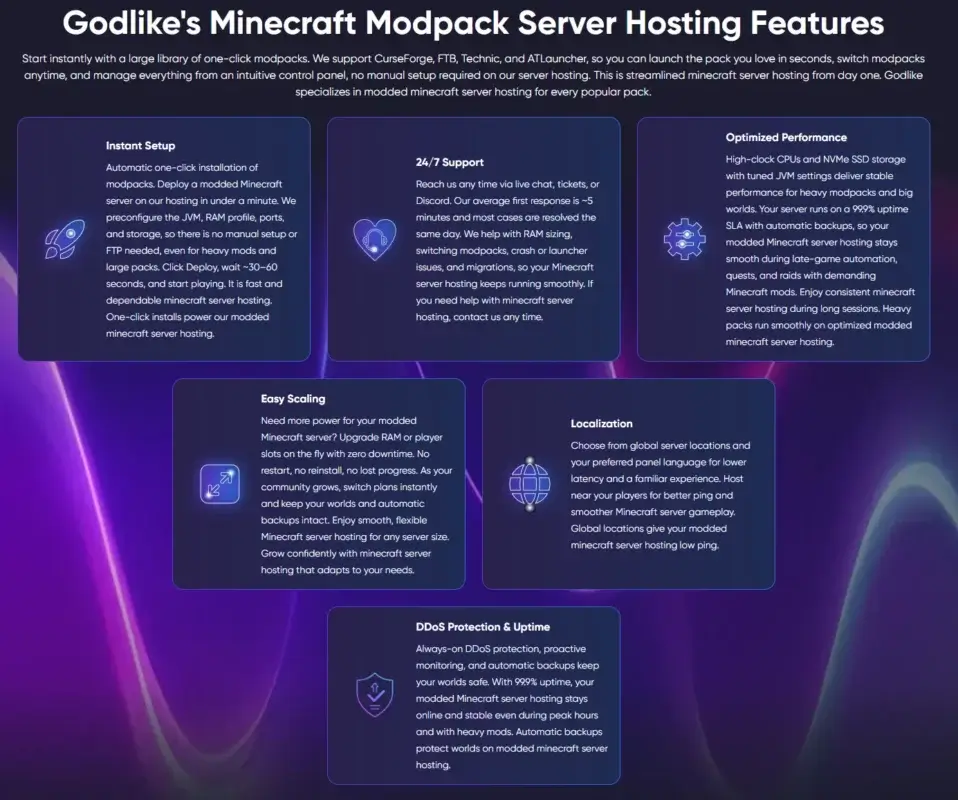
Example of the Godlike.host features that matter most when running plugin-based or modded Minecraft servers: one-click setup, support, backups, scaling, and stable performance
Picking between mods and plugins is only half the decision. The other half is choosing hosting that fits the way you want to run the server. If you are building around Paper or Spigot plugins, the big things to look for are simple installs, fast version control, stable performance, and a panel that does not make routine admin work feel heavier than it should. If you are planning to run Fabric, Forge, NeoForge, or full modpacks, the checklist changes a bit. You need enough headroom for heavier worlds, clean mod loader support, easier pack deployment, backups, and a way to recover quickly when a version mismatch or broken mod causes startup problems.
This is also where many server owners waste time. They spend hours comparing mods and plugins, then pick hosting that only feels easy until the first real change. The moment you want to switch versions, try a different server type, add a plugin stack, upload a custom pack, or move to a heavier setup, the panel starts working against you. That usually matters more than the difference between one feature list and another.
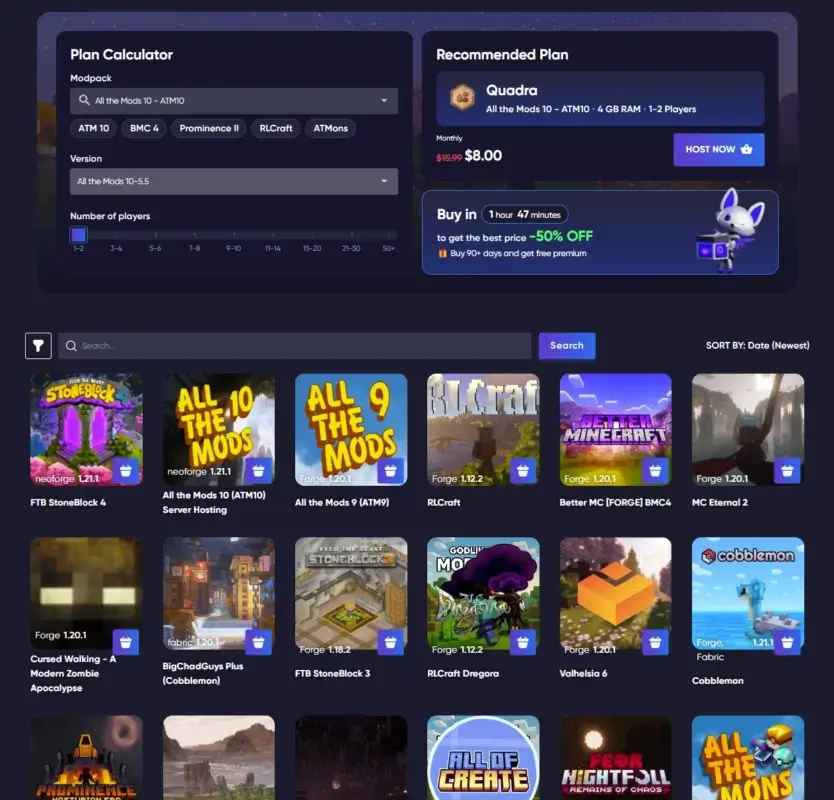
For that kind of server workflow, that is the kind of workflow a host like Godlike is meant to support. You can run popular plugin and modded server types, deploy one-click modpacks from platforms like CurseForge, FTB, Technic, and ATLauncher, upload custom packs or extra mods through the panel or SFTP/FTP, and switch setups without rebuilding everything from scratch. The support side matters too: 24/7 help, automatic backups, DDoS protection, scalable plans, and hardware that is meant for heavier Minecraft workloads all make a real difference once your server grows beyond a basic test world.
Quick Cheat Sheet: Mods vs Plugins
If you want to:
Better fit
Why
Add commands, permissions, anti-grief, crossplay, or world management
Plugins
Faster to install, easier to maintain, lower friction for players
Build a heavily customized survival or RPG server
Mods
Better for new items, blocks, mechanics, recipes, mobs, and progression
Optimize Paper performance before players explore new chunks
Plugins
spark and Chunky are purpose-built tools for profiling and pre-generation
Improve a player’s client experience with maps, HUD info, or animations
Mods
Some features are client-side and do not belong in the server plugin stack
Mix both systems
Hybrid
Possible, but higher compatibility and support risk
Common Mistakes Minecraft Server Owners Make
The first mistake is picking software before picking the experience. If your server idea is basically vanilla with better moderation, faster world tools, and cleaner communication, mods are often overkill. The second mistake is assuming every popular minecraft mod helps the server itself. Sodium, for example, is excellent, but it is primarily a client rendering optimization. AppleSkin and Not Enough Animations are helpful too, but they are either mostly client-side or purely visual. Great mods, wrong expectation.
The third mistake is treating “download and install” as the whole job. It is not. Plugins and mods both need version matching, testing, and support planning. ClearLagg, for instance, may reduce lag sources, but it will not tell you which entities, chunks, commands, or plugin interactions are actually causing the problem. spark will. The same logic applies to content mods: a fun list of features is not enough if you do not think through performance, compatibility, and how players will access the new systems.
If you are choosing hosting, this is where the decision gets more practical than people expect. A Paper server with plugins, a Fabric performance stack, and a heavier Forge or NeoForge modpack do not ask for the same workflow. Good hosting should make that easy to manage instead of turning every version change, plugin install, or modpack switch into manual work. That is where a service like Godlike becomes useful: it supports the common Minecraft server paths people actually use, including plugin-based setups, modded server types, and one-click modpack installs, while still giving you room to upload custom packs, add extra mods or plugins, scale resources, and get help when something breaks. Once a server is live, that kind of flexibility matters a lot more than a generic promise about performance.
Conclusion
Plugins usually make more sense when you want a Minecraft server that is easier to run, easier to update, and easier for players to join. Mods are the better choice when you want to push the game much further and build something more custom, whether that means new systems, bigger progression, or full modpacks. The real decision is not just about features. It is about choosing a setup you can actually manage over time, and hosting that supports those changes without turning every version switch, install, or upgrade into a headache.
FAQ
What is the difference between minecraft server mods and plugins?
Plugins usually extend server software like Paper or Spigot through an API and are ideal for commands, permissions, chat, rollback, and world tools. Mods rely on a mod loader such as Fabric or Forge and can change gameplay much more deeply, including blocks, recipes, mobs, systems, and progression.
Are minecraft plugins easier to run than minecraft mods?
Usually, yes. Plugins are easier for public servers because players normally do not need matching client installs, and admins can add or remove features faster. Mods add more creative freedom, but they also add loader, compatibility, and support overhead.
Can I use Paper with mods?
Not in the normal sense. Paper is built for plugins. If you want mods, you typically move to a mod loader such as Fabric or Forge, or use a hybrid setup with the usual caveats.
Are there mods that help servers, not just clients?
Yes. Lithium is designed to improve systems such as mob AI and block ticking without changing vanilla mechanics, and FerriteCore focuses on memory usage optimizations. Those are very different from client-facing mods like Sodium, which mainly improves frame rates and micro-stutter on the player side.
What are the best minecraft server plugins for a typical public server?
A strong starting stack is usually permissions, rollback, commands, and performance or utility tools. LuckPerms, CoreProtect, EssentialsX, Geyser, BlueMap, Multiverse-Core, and Chunky are all solid examples depending on the kind of server you want to run.
What are good minecraft mods for multiplayer servers?
That depends on the goal. Farmer’s Delight works well when you want more food and cooking depth. SecurityCraft adds protection tools and reinforced blocks. Carry On makes base organization easier. Waystones improves travel. JEI becomes almost mandatory once a modpack starts adding lots of recipes and items.
kasara
Support Team, Game Specialist
Game server support specialist focused on mod configuration, server setup, administration, and technical troubleshooting
Important Note: Godlike.host is our own service. This ranking is editorial (not paid placement) and follows the scoring criteria shown below. Always verify current plan limits, pricing, and regions on each provider’s website before purchasing….
TL;DR If you want one seed that feels like a complete starter world, pick Cherry Valley Trio (Seed: 608548899648438462) for villages, deep structures, and a strong exploration route.If you want a dramatic build location with…
Ultimate Minecraft Diamonds Mining Guide Why are diamonds so wanted by many? Minecraft Diamonds – shiny blue gems in the world of Minecraft that also happen to be the ore required to have the best…



 en | USD
 CHAT WITH GODLIKE TEAM