Project Zomboid Build 42.21, also known as “Re-population of the Dead,” finally focused on the major bug fixes related to zombie spawning, game performance, and multiplayer. In this article, we’ll explore the core changes and their impact on gameplay.
Key fixes in Project Zomboid Build 42.21:
- Zombie Issues: The new version resolved bugs causing undead to disappear upon chunk re-entry or duplicate.
- Multiplayer Improvements: Developers expanded anti-cheat measures, fixed a Steam authentication exploit, fixed high-ping driving, and improved Z-level synchronization.
- Gameplay Changes: Several minor adjustments were introduced to improve the mechanics of the Welder profession and enhance the overall gameplay experience.
Project Zomboid Build 42.21 Release Status
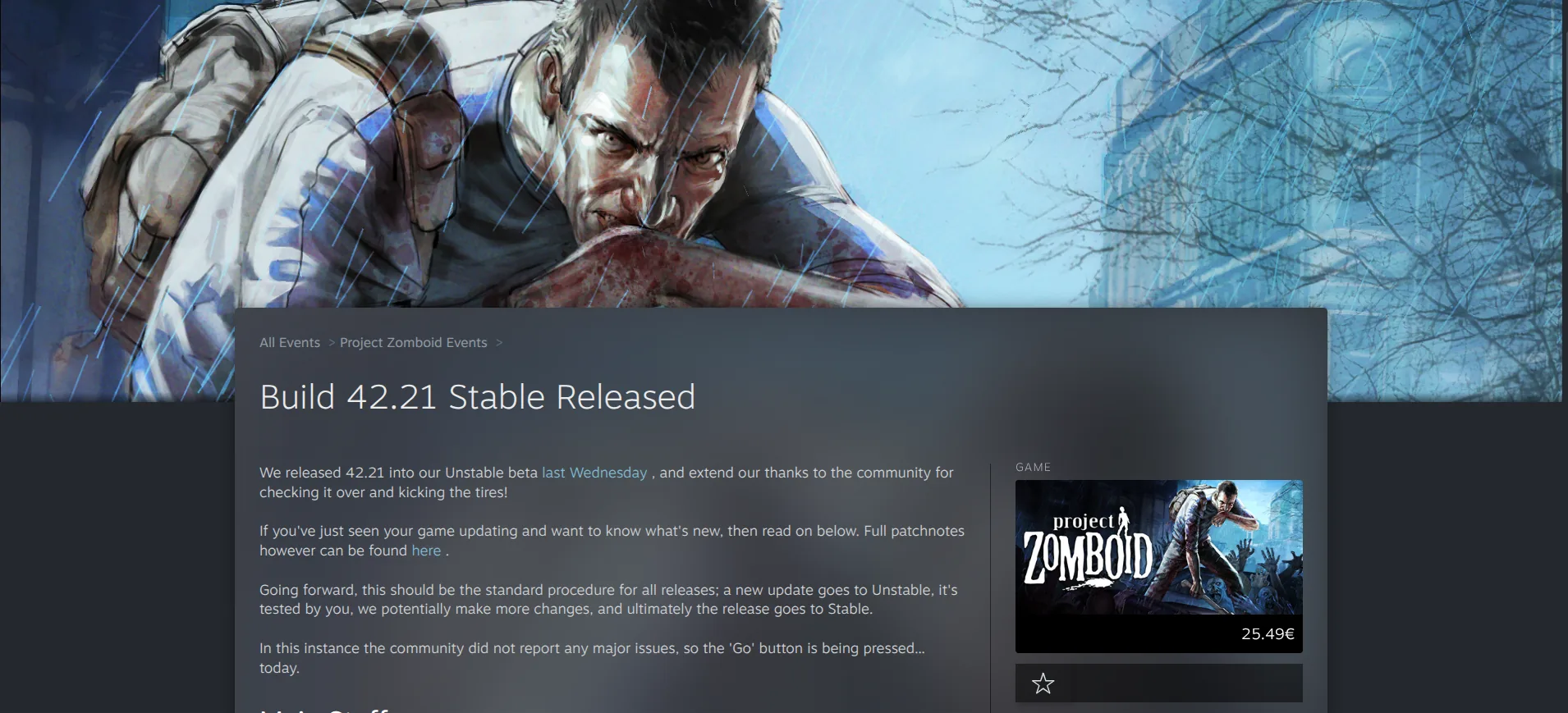
In late September 2026, the developers released Project Zomboid 42.21 to the Steam Unstable beta branch. On September 28, 2026, it was moved to the stable branch following a short testing period. Shortly after this, the community didn't report any major issues and praised the improvements made by The Indie Stone. Let’s go briefly through all the fixes made in the Project Zomboid Build 42.21 update.
Zombie Duplication Fixes
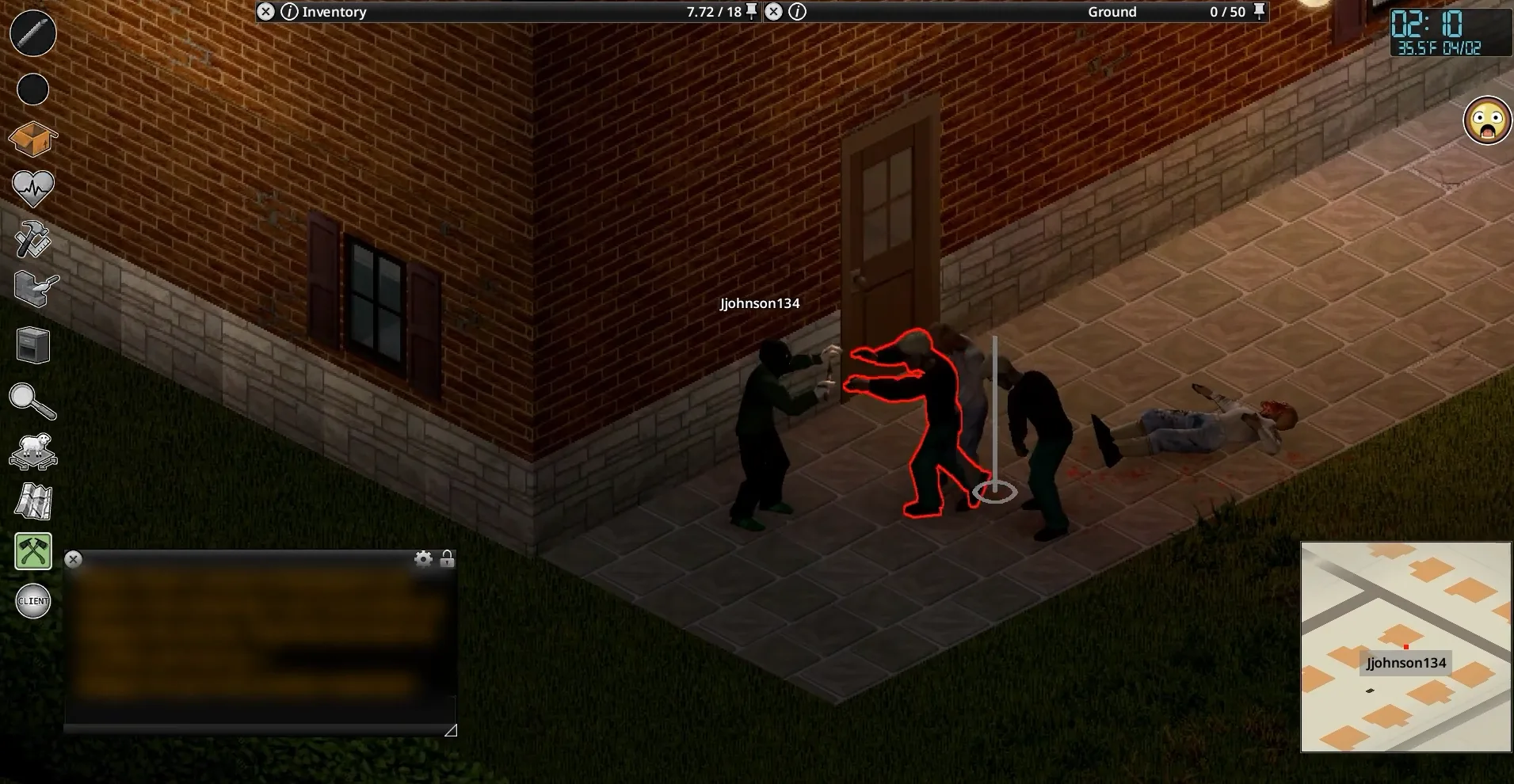
Project Zomboid zombie duplication (also known as “mitosis zombies”) was one of the game’s notorious bugs. It caused identical zombie copies to multiply rapidly in specific chunks during multiplayer sessions. The issue was primarily caused by problems with how multiplayer servers handled chunk loading, zombie tracking, and autosave intervals.
The 42.21 update addressed this bug by improving chunk unloading logic, fixing issues with loops and overlapping network packets, and resolving coordinate desynchronization. The fix stabilized the zombie population, preventing extreme server lag and the appearance of glitch-generated mega-hordes.
Zombies Disappearing After Chunk Reload
Before the 42.21 update, the game struggled to manage active zombie entities when players left and re-entered world chunks. As a result, hordes would sometimes disappear or fail to load properly when reloading a single-player save or reconnecting to a multiplayer server. This was particularly problematic in densely populated or resource-intensive areas.
Although the developers acknowledge that the fix doesn't eliminate every possible zombie population issue, the situation looks much more promising now! The game engine now handles zombie entities in chunks more reliably, correctly checking and tracking their state during chunk transitions.
What Zombie Population Issues Are Still Not Fully Fixed?
The Indie Stone resolved several major zombie-related issues in Project Zomboid 42.21, including duplication and disappearance during chunk transitions. However, some lingering population and synchronization problems still remain unresolved:
- Zombie Duplication Edge Cases: A few remaining edge-case instances of zombie duplication are still present in the game.
- Desync and Remote Animation Glitches: Players on multiplayer servers still report occasional positional rubber-banding, delayed visual updates for remote zombies, and desynced hitboxes during high-action or high-ping scenarios.
- Unintended Despawning in Multiplayer: Players on some servers report unexpected population drops or "dead zones" where dense outdoor zombie populations thin out drastically or fail to respawn as expected.
High-Ping Multiplayer Improvements
The release of the 42.21 update also introduced numerous Project Zomboid multiplayer fixes. These changes significantly improved the multiplayer experience, but they don't guarantee completely lag-free gameplay.
Vehicle and Chunk Loading Changes
The new version introduced several fixes for high-ping issues in Project Zomboid, addressing some of the most significant multiplayer problems. The RakNet networking middleware now handles connections with ping levels of around 150 ms more reliably. This important improvement addressed several serious issues:
- Hitching While Driving: Driving a vehicle could trigger massive framerate drops or continuous micro-freezes.
- The "Black Void" Barrier: Before the vehicle desynchronization fix in Project Zomboid, moving too quickly could cause the map to stop loading, leaving players stuck at an invisible boundary until the game world caught up.
- Multiplayer Main-Thread Starvation: Heavy CPU usage by the GameEntityManager caused delays during chunk loading, effectively starving the server's chunk-streaming queue and reducing server TPS.
- High-Ping Passenger Teleportation: Before the 42.21 update, vehicle passengers could experience desynchronization, causing them to appear to teleport out of the car, lag behind, or judder.
Z-Level Desync Fixes
Z-Level desync caused the Zomboid server and client to lose synchronization regarding a player’s vertical height position. It resulted in a variety of awkward situations in multiplayer. For example, the server and other players might see a character on the ground floor, while the affected player sees their character on an upper floor of the building.
Anti-Cheat and Safehouse Changes
Project Zomboid's 42.21 anti-cheat system also received several important upgrades. To improve multiplayer security and fairness, the developers introduced two fixes:
- Expanded Anti-Cheat System: Project Zomboid introduced enhanced background security checks to detect players attempting to cheat or exploit the game on public servers.
- Safehouse Exploits Remedied: Before the 42.21 update, some players exploited the game's code to enter protected safehouses, steal items, or bypass safehouse restrictions.
Steam Authentication Security Fix
The Steam authentication security fix is one of the most important multiplayer changes in Project Zomboid 42.21, especially for dedicated server owners. Before the update, players could force their way onto dedicated multiplayer servers without completing a valid Steam authentication handshake.
As a result, these players couldn't be authenticated properly, making it impossible for the server to verify their unique Steam IDs. Consequently, administrators sometimes couldn't effectively ban these players or prevent them from reconnecting. Fortunately, Steam authentication is now strictly enforced before players can connect to dedicated servers.
Project Zomboid 42.21 Dedicated Server Changes
In addition to the Steam authentication and anti-cheat improvements mentioned above, the developers introduced several other server-related changes in Project Zomboid Build 42.21. Let’s briefly review the most important of these improvements:
- Wipe Tracking in Server Browser: The in-game server browser now displays the date of the last world wipe instead of the date of the last server restart.
- Server-Side Inventory Handling: Clothing condition checks are now handled entirely on the server side.
- Admin Tools Fixed: The admin brush tool has been fixed
- Username Disguises System Fix: The developers patched a bug that prevented players from connecting when the UsernameDisguises setting was enabled in the servertest.ini configuration file.
Please note that you'll need to update and restart your dedicated Project Zomboid server to apply the Build 42.21 changes.
loadstring and loadstream Restored
Another notable Project Zomboid server update deserves special attention. In patch 42.20.4, The Indie Stone disabled loadstring and loadstream due to a severe security vulnerability. These tools allowed multiplayer servers to force players' computers to execute arbitrary code, creating a serious remote code execution vulnerability.
This decision immediately broke dozens of popular mods that relied on these commands to function properly. Fortunately, the 42.21 patch restored these commands after the security vulnerability had been investigated and fixed. As a result, using mods and custom scripts and managing the server ecosystem should become easier.
Other Notable Changes in Project Zomboid 42.21
Despite the remaining known issues in Project Zomboid Build 42.21, the community generally considers this patch a significant gameplay improvement. In addition to multiplayer and zombie behavior upgrades, the new build introduced other important changes:
- The transparency and cutaway system for XXL trees was improved to prevent them from blocking the player's view, obscuring nearby buildings, or causing driving accidents.
- The fluid container system was expanded to support more items that can store, transport, or purify liquids.
- Washing machines can now be used to clean dirty rags and bandages.
- Fridges and freezers now gradually warm up after a power outage.
- Crafted explosives, such as pipe bombs and aerosol bombs, now work properly in both handcrafted and procedurally generated basements.
- The in-game map was updated to address fog-of-war inaccuracies and bugs affecting terrain exploration.
What Server Owners Should Do After Updating to Build 42.21
Want to update your dedicated Project Zomboid server to Build 42.21 but don't know where to start? Here are step-by-step instructions that will help you seamlessly handle this process:
- Back up your save and config files before the update.
- Ensure that all your server mods are compatible with Build 42.21.
- Update the server to the current stable build using SteamCMD.
- Restart your server and verify authentication.
- Check zombie population behavior and test other changes to ensure everything works correctly.
- Continue monitoring player reports for any remaining synchronization issues.
Is Project Zomboid Build 42.21 Worth Updating To?
Although Build 42.21 still has some bugs and technical issues, it represents a significant improvement for Project Zomboid. Whether you run a dedicated server or simply want to enjoy fighting zombies with your friends, updating to this version is highly recommended.
Additionally, solo players will appreciate the gameplay improvements and increased stability of this build. Overall, we recommend updating to Project Zomboid Build 42.21.







 en | USD

 CHAT WITH GODLIKE TEAM