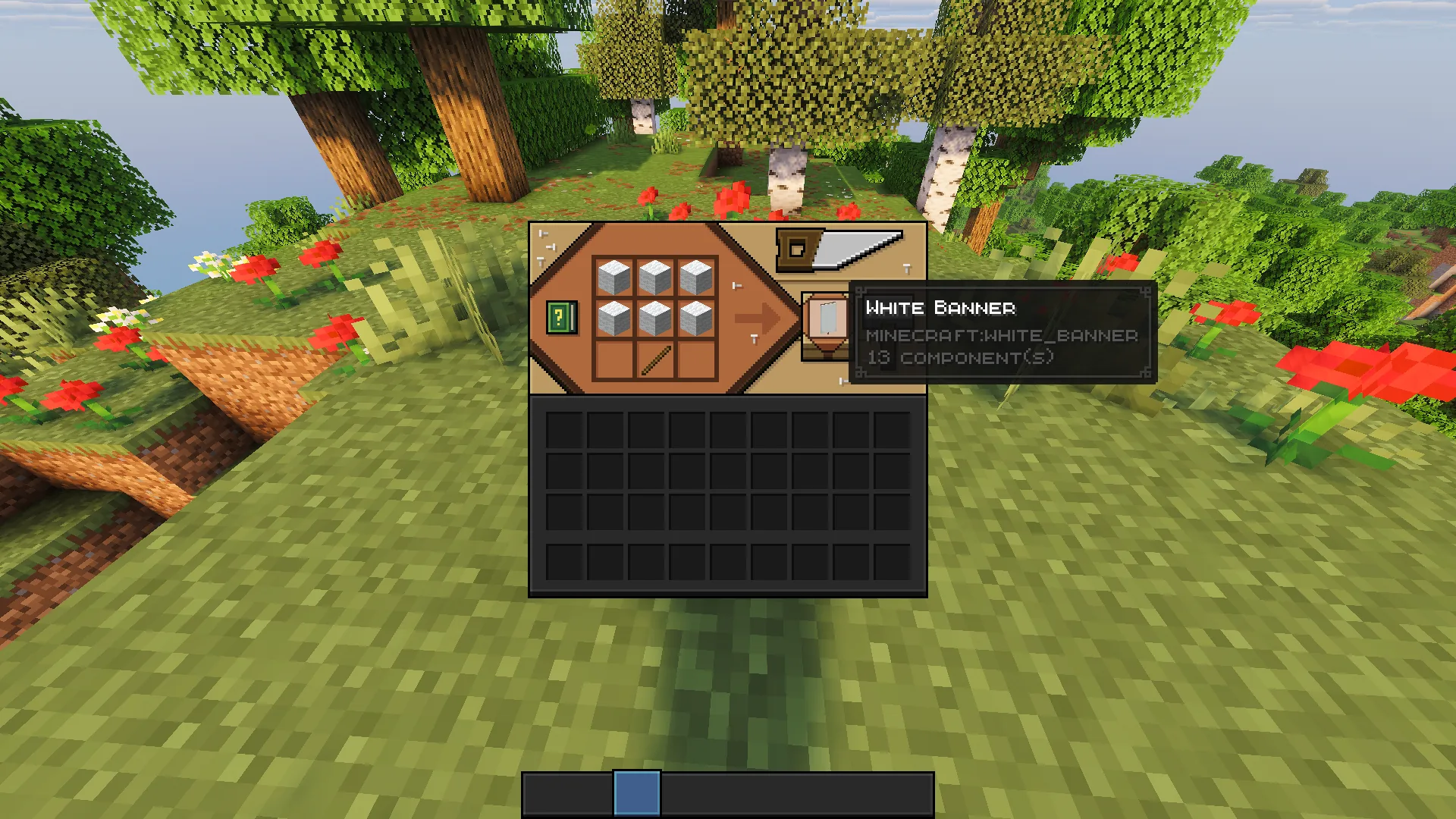
Banner is one of those things, which at the first glance doesn’t seem so useful, however, once you actually look into it, you will realize there is quite a few distinct and practical way to use it. They are crafted on the crafting table, using 6 wool blocks of the same color and 1 stick. Further more, banners can be customized with various patterns and colors using loom. Generally they are used for building, map markers(only for Java Edition), custom shields and as a representation for different fractions on an SMP server.

Make your own FREE minecraft server
MINECRAFT FREE SERVER
Just like with anything else, banners have a lot more to them that it seems, so with the general information out of the way, let’s dive deeper and look into this topic in more detail!
What is a Banner in Minecraft?
Banner is a block that can be placed on the ground or mounted on walls. Block is completely decorative, visually tall(around 2 blocks), while actually needing only 1 block to be mounted on the wall. Player can easily walk through it.
Banner initially comes in the same color as the wool that was used to craft it, however can be easily and heavily customized with dyes on the loom. Primarily used for cosmetic purposes like we discussed before: building, custom shields, team symbols for SMP.

How to Craft a Banner?
To craft a banner, simply gather 6 blocks of wool and 1 stick. Note that the wool must be the same color to craft the banner. Then, using the crafting table follow the recipe and you will get your a blank banner of the same color as the wool used to craft it.
Pro Tip: if you need a lot of banners, it’s best to keep a sheep farm and shear them for wool instead of hunting down wild sheep. Additionally, you can craft 1 wool block from 4 strings.
What is a Loom and Why Use It?
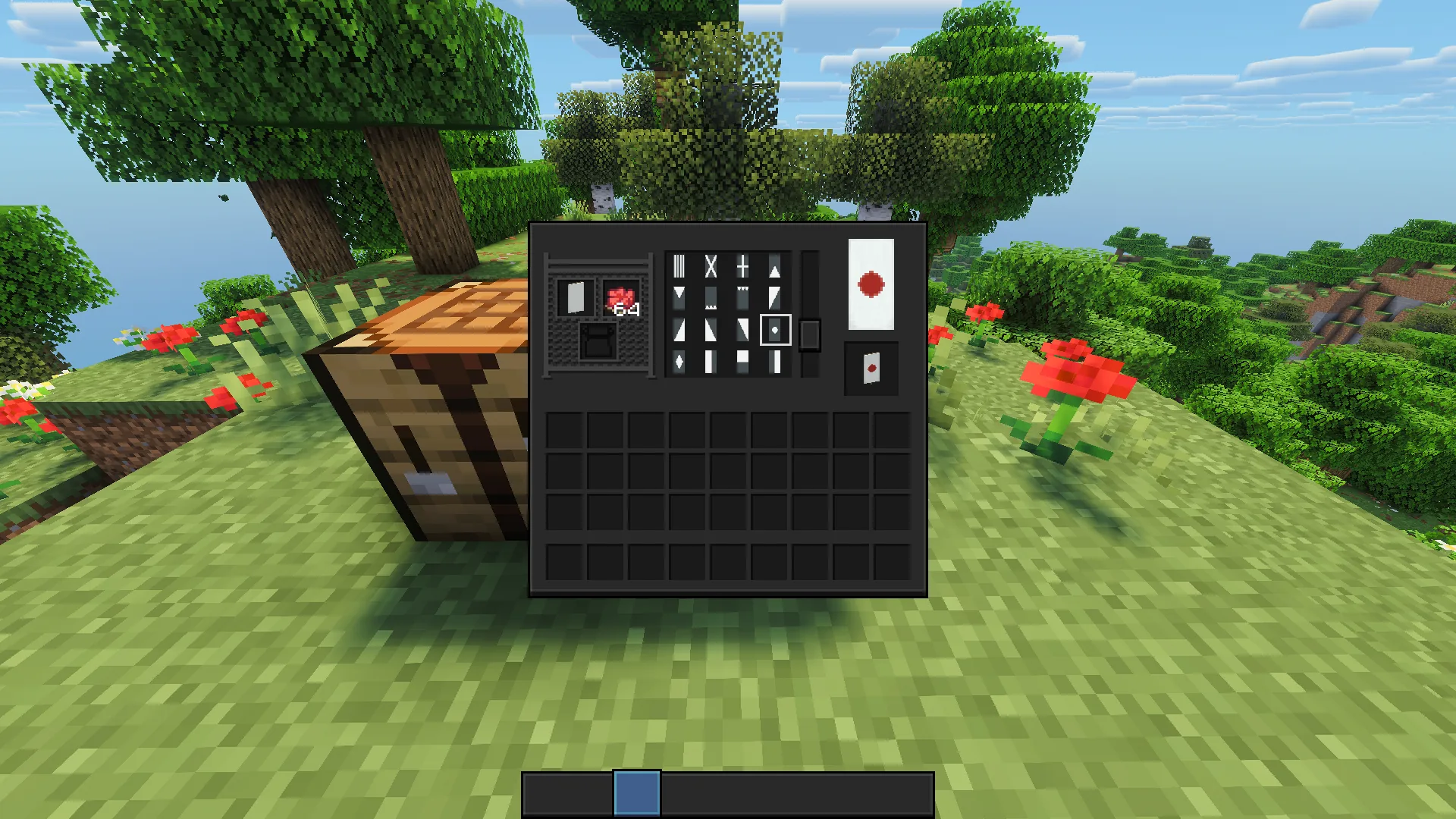
Loom is an interactable block, used to give villagers a profession(in this case loom is used to make a Shepherd Villager), just like blast furnace or smithing table. The same way those blocks have additional usage to them, loom can also be used by the player, specifically to customize an already existing banner. All you need to use it is: a banner, dye and sometimes a pattern item, used to create complex pattern in one click.
Can you customize banners without the loom? — Yes, however it’s much more tedious. On top of that it requires more materials compared to the loom. So, while you can just use crafting table instead, the loom is much more efficient and profitable way to work with banners.
How Banner Patterns Work

Regardless of the method you chose to customize the banner, there are a few key things you need to know to actually achieve the pattern you would like to see on your banner:
- Layering & Order: Every dye application adds a new layer on top of the base color and the most recently added pattern always sits on top, covering what is beneath it. This means that all the customization is a step by step process and you need to account both for the part of banner that will be covered and for the white spaces left by pattern, as the combination of both is what creates the final illustration.
- Limits & Correction: There are however certain limits on how much layers the banner can have — 6 pattern layers. This is a balanced limitation as it is enough to make a relatively detailed art, without going into the depth of dozens of layers. In case you make a mistake — don’t panic, you will not need to remake the whole banner. You can “wash off” the top layer of the banner by right clicking the cauldron filled with water while holding the banner in your main hand.
Banner Pattern Items
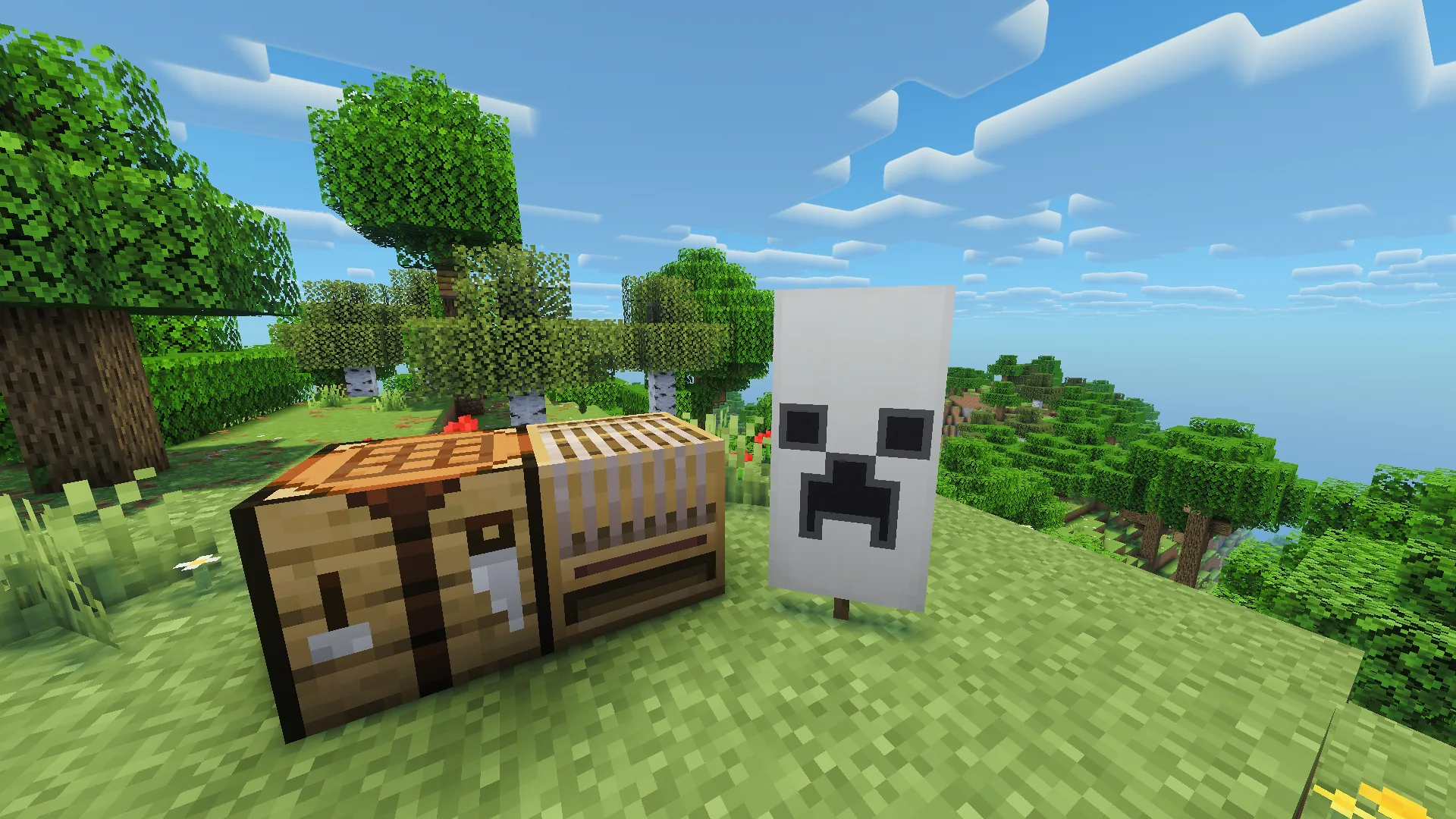
As it was mentioned before, some complex designs simply cannot be made with the existing limitation for 6 layers of pattern, and even if the could, they would take up all of the layers leaving no room for further customization.
Thus, Mojang created specific Banner Pattern items, that are designed to help you create complex patterns while taking up only 1 layer on the banner. To use them, simple place a banner, dye and the banner pattern on the loom and you will get a banner with that pattern. Additionally, those banners patterns are not consumed after the initial usage, meaning you can use them indefinitely to create as many banners with that pattern as you want.
Practical Banner Design Ideas
Flags despite being exclusively decorative block, has plenty of creative and practical ways to be used, for instance:
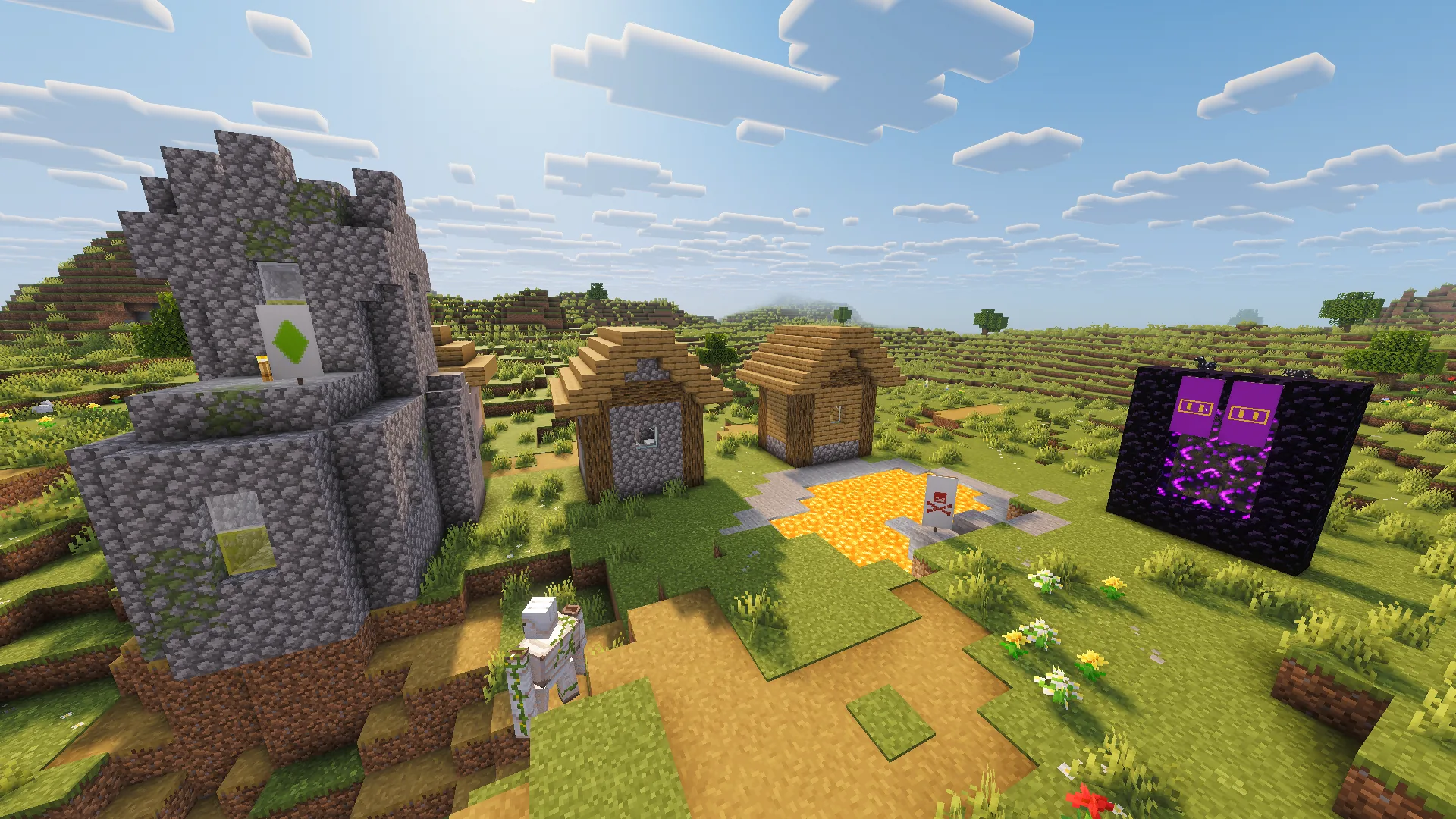
- Signs & Markers: Banners can be a great addition to your world by acting as a sign to mark the path, or mark a specific spot, mark a dangerous area, mark your fraction’s territory / property on an SMP. These marks can also have even more practical effect if they are actually added on the map in game, as it would act as both a sign in person and as marker for a specific spot on the map.
- Building: Banners are a huge deal for builders. It’s essentially a block the looks of which can be altered to substitute for many things, like windows or doors. Banners are a great addition to buildings to add color to them, or create builds that are simply cannot be created without banners, like hangers with clothes that are being dried.
How to Copy a Banner Design
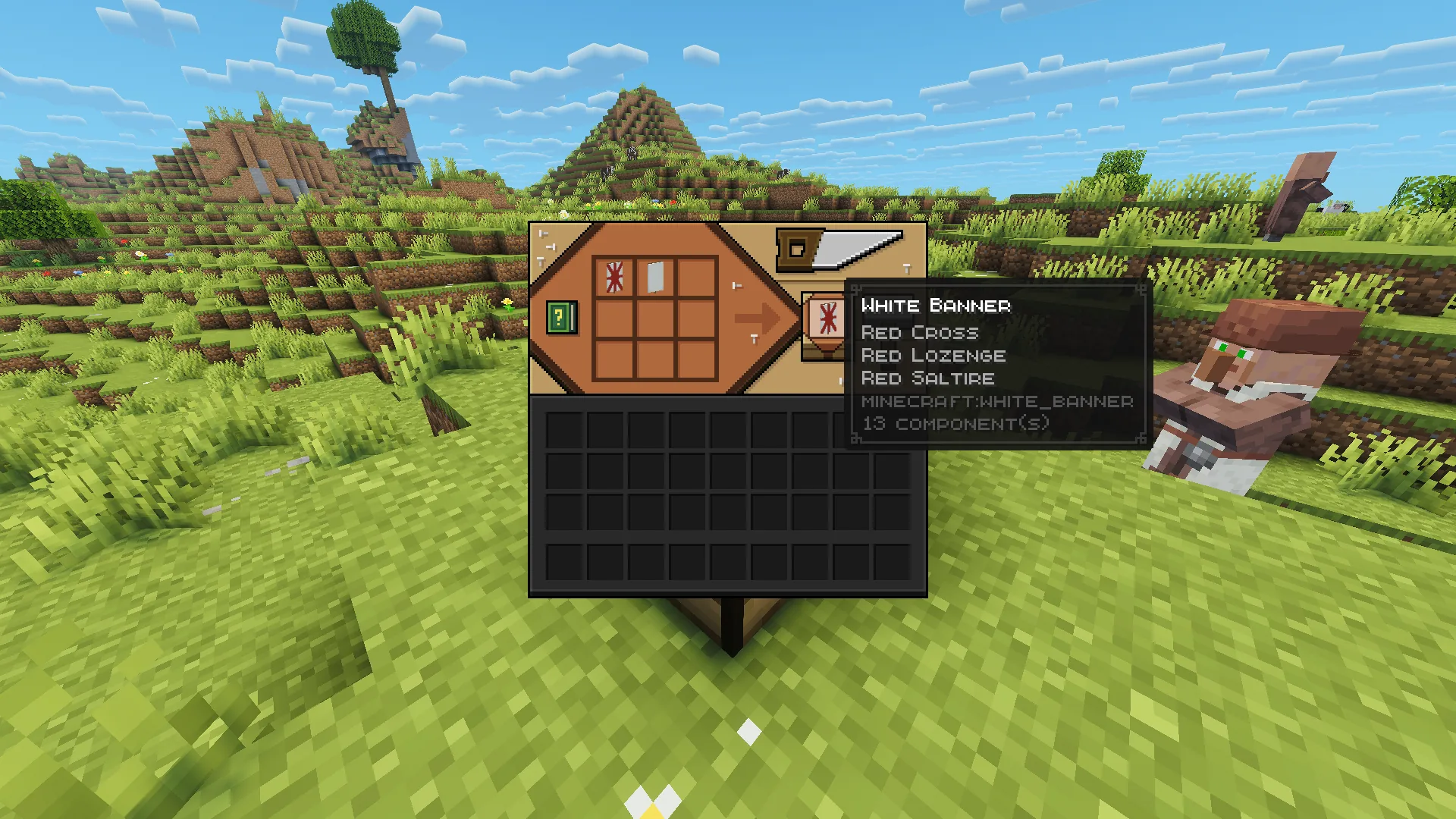
Copying a banner design is actually very simple in Minecraft. It can be a bit pricey, as it requires you to have another blank banner, but as long as you got the wool farm it’s as simple as snapping your fingers. To copy banner design, just place the banner you want to copy from into the crafting grid alongside wit ha blank banner, as a result — you will get another banner with the same design, the banner from which you were copying will not be consumed as the result of crafting.
There’s one thing you need to keep in mind though, the blank banner must have the same base color as the banner you are copying from. For example, take a look at the picture below. The base color of the banner i am copying from is white, and so is the blank banner.
Using Banners on Shields
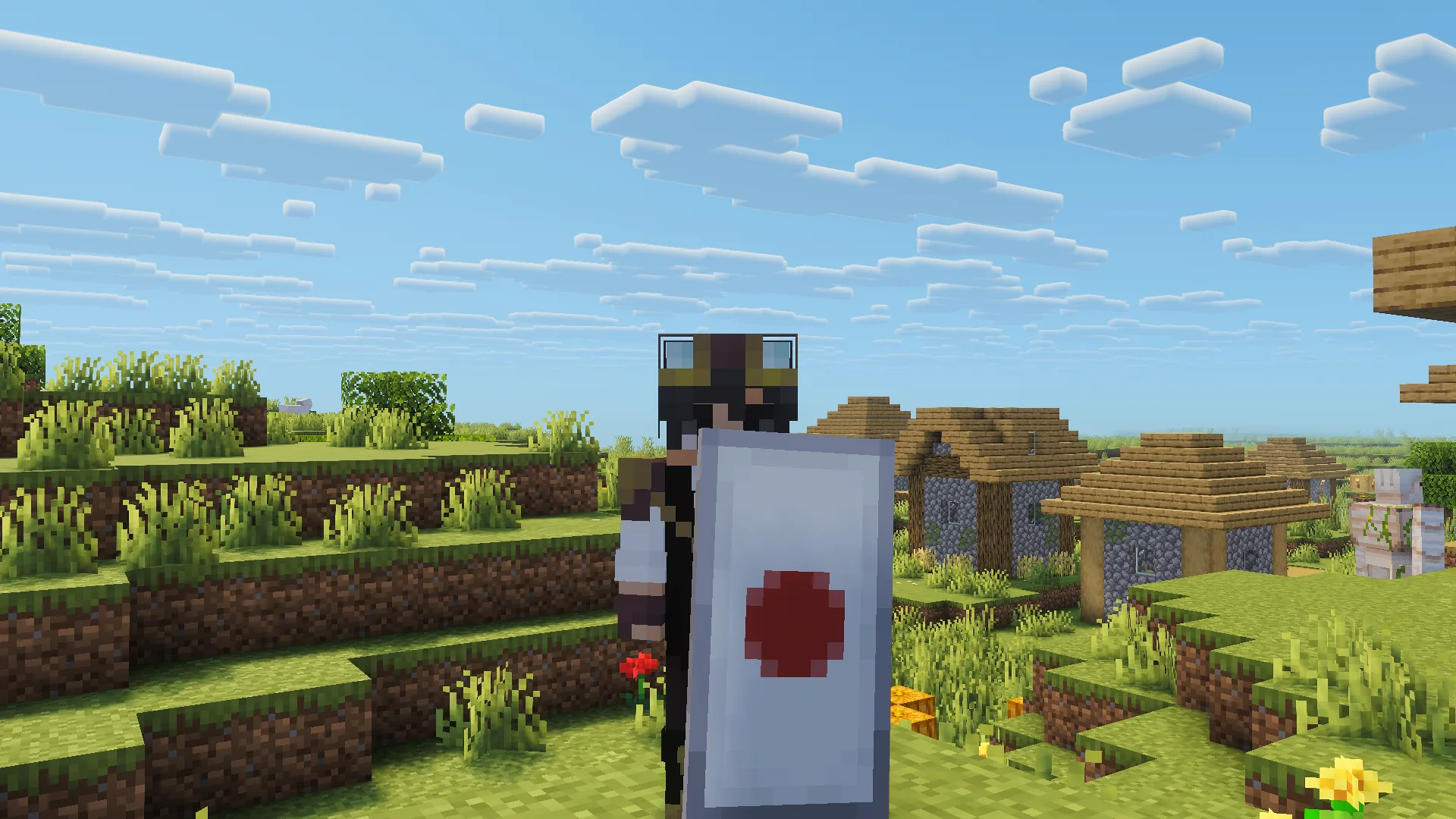
Using banners to customize shields is one of the coolest things about banners in general. Furthermore, doing it is very easy, just place a shield and a banner you want to apply into the crafting grid on a crafting table or in your inventory — as a result, you will get a shield with that banner applied.
Things to keep in mind:
- Banner consumption: Like you might’ve guessed, the banner is being consumed in the process, so if you want to preserve the banner it’s best to make copies of it beforehand.
- Texture quality: Although the design of a banner will transfer to the shield, the texture resolution for the banner on the shield is much lower compared to the default banner. So the design might look a bit more pixelated or cropped compared to the original.
Using Banners as Map Markers
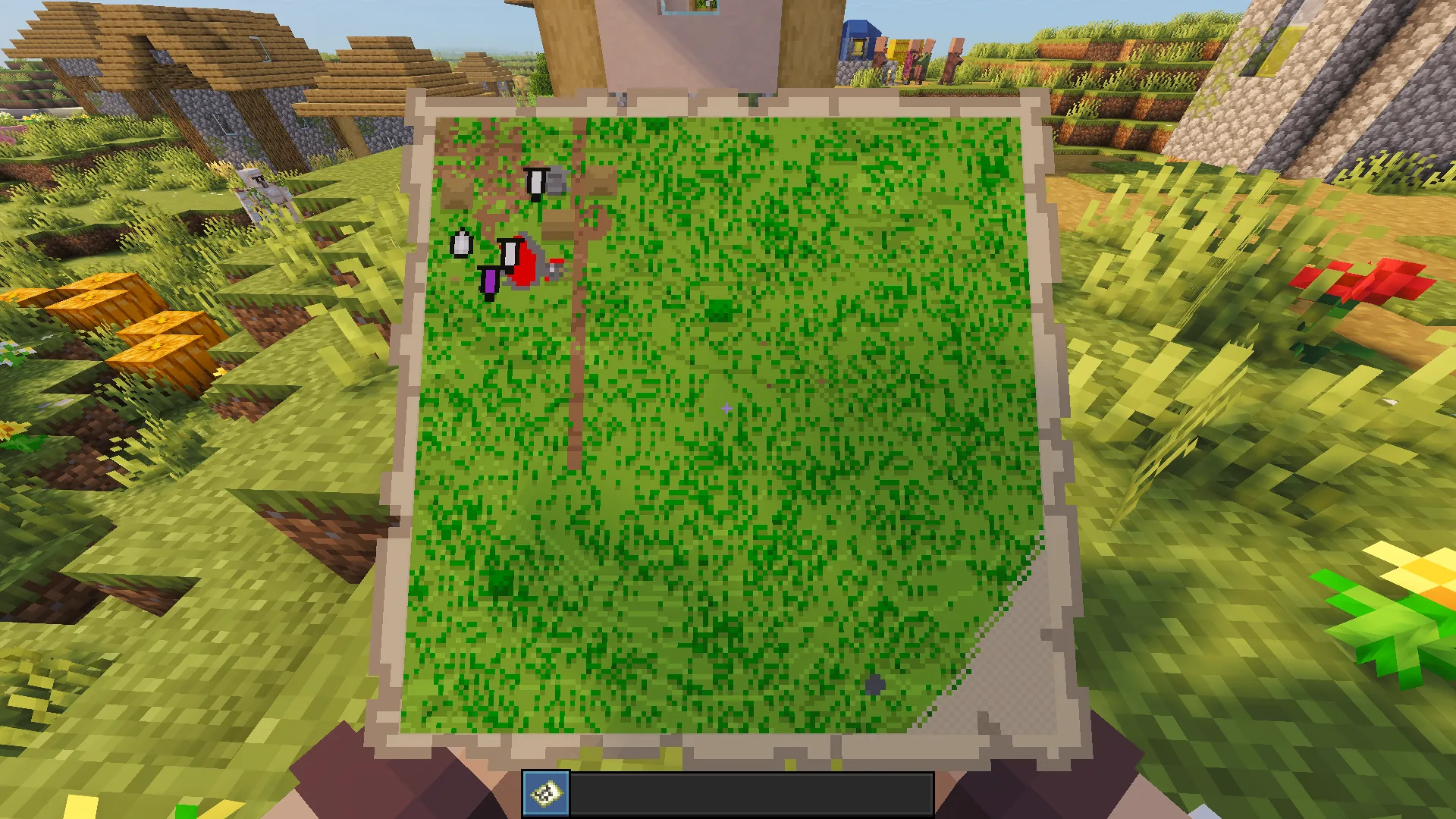
To use banners as a map marker, just like mentioned beforehand, you will need to place the banner at the location in the world you would want to mark, then while holding an already created map, right click on the banner for a colored marker to appear. The marker will have the same color as the base color of the banner.
To separate banners of the same color and to add more clarify in general, you can rename the banner on an anvil before placing it. This way the marker will have a name on top of it on the when displayed on the map.
The only limitation here is that the whole “banner as a map marker” feature is purely Java Edition exclusive, which is a shame, but a nuance you need to keep in mind.
Banners for SMP and Servers
Banners for SMP is a must, all due to the role-play nature of the server. It’s often divided into fractions, clans, cities, players often open shops and other businesses etc. What’s a better way to claim ownership, or mark something than a banner? That’s what many players thought and so, here’s the quick bullet list of what banners can be used on an SMP:
- Ownership: Claiming land, buildings, structures, resources is a core experience for most SMP servers. Usually the groups claiming have their own unique symbolic, and banners are perfect to represent ownership in a stylish way, without breaking the immersion.
- Symbolism: Just like mentioned in the first point, most groups in SMP servers have their symbols, and so to easier spot who’s the teammate and who’s an opposing group, custom shields with banners is the easiest and best solution of all.
- Building: Aside from teams and ownership, SMP is building heavy servers, so banners can be used in a variety of different ways: to customize spawn, create more unqiue buildings, replace non existent blocks with banners for a better immersion etc.
- Signs: Just like in the singleplayer use case example, banners can be used as signs to point direction or warn about hazardous and dangerous zones.
Common Mistakes to Avoid
Some common mistakes you would want to avoid to spare yourself a headache:
- Base color: The base color of the banner cannot be changed, so if you already started working with a banner that has the wrong base color, you will have so start over with a proper banner.
- Pattern layering: The patterns are applied to the banner layer by layer, if you accidentally apply them in the wrong order the banner won’t turn out like you planned for it to. Luckily if you noticed the mistake, you can simply “wash off” the last applied layer with a cauldron of water. If removing one last layer wasn’t enough, simply remove another one, this can be done up until you have the blank base color banner. Keep in mind that you might need to refill the cauldron with water, as each wash off consumes a bit of water from the cauldron.
- Wasting pattern items: Never throw away pattern items you find while looting the dungeon, you might have a hard time finding it again and regret ever throwing it out, when the time will come to make your custom banner!
- Shield texture resolution: Always account for the fact that banners on the shield have a lower texture resolution, so you won’t get disappointed by the result.
- Wrong edition of the game: Just like we mentioned before, “banners as map markers” feature is sadly unique to the Java Edition and cannot be used anywhere else.








 en | USD
 CHAT WITH GODLIKE TEAM