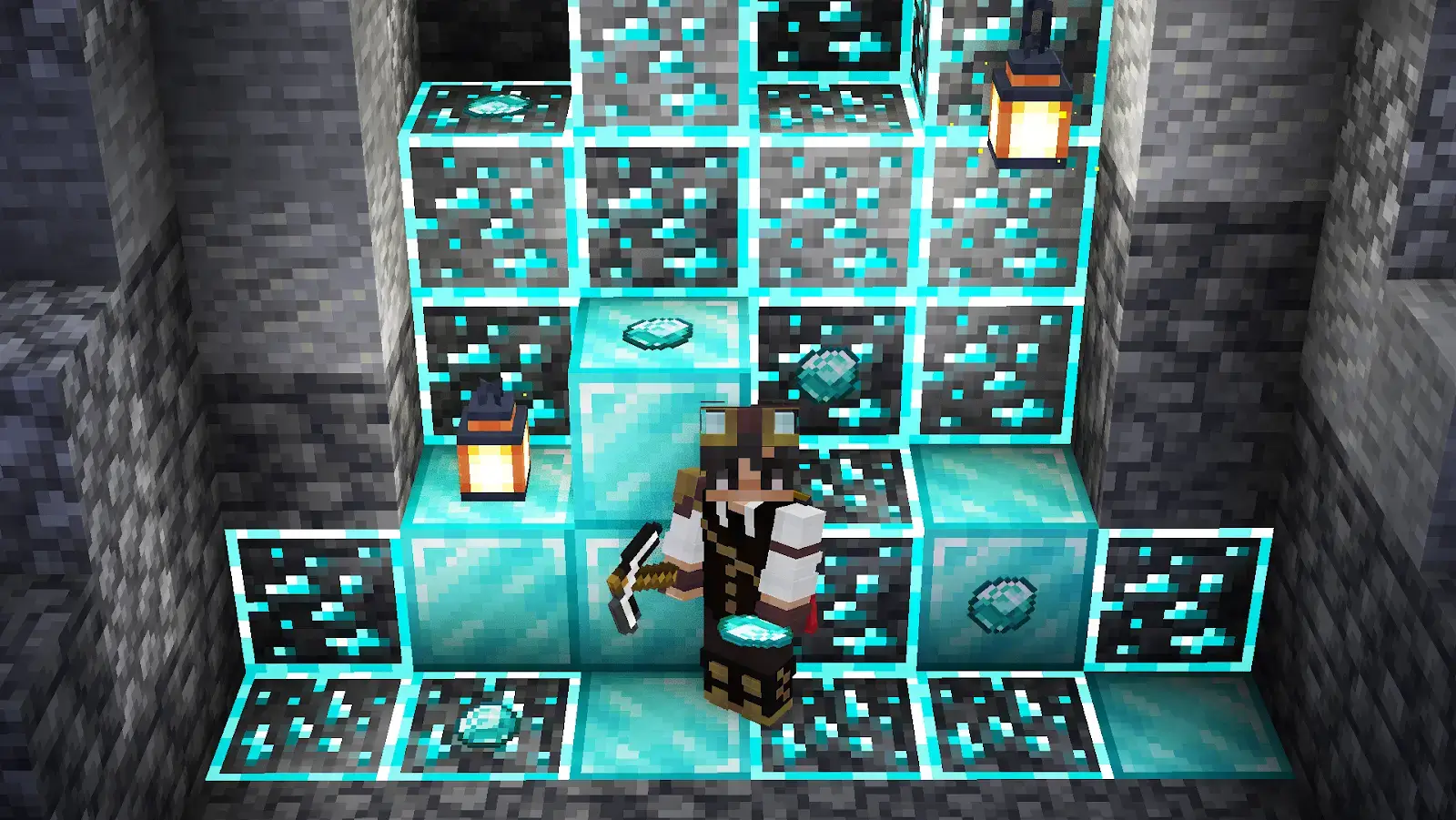
A beacon is a craftable block that projects a powerful beam of light and provides nearby players with helpful status effects such as Speed, Haste, Strength, and Regeneration. Furthermore, beacon beams act as jaw-dropping visual landmarks since you can change their color, and they can be seen from great distances.

Make your own FREE minecraft server
MINECRAFT FREE SERVER
In our Minecraft beacon guide, you’ll find out everything about this unique block. We’ll go through the crafting process, building pyramids, and revealing the maximum efficiency of using beacons in Minecraft.
What is a Beacon in Minecraft?
A Minecraft beacon is a late-game utility block that provides players within a specific radius with beneficial status effects when placed on top of a solid pyramid. In addition, it projects a beam of light, which makes it a great decoration for different structures and buildings.
How to Craft a Beacon
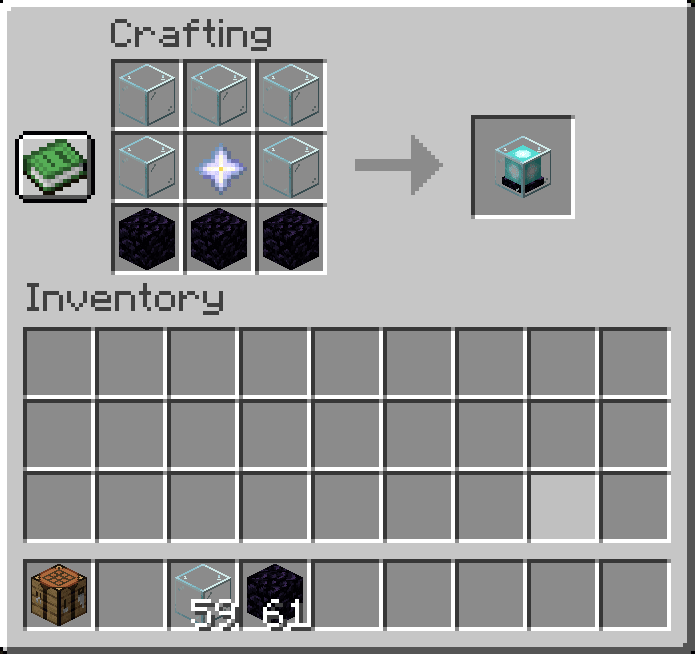
Before we dive into the specifics of pyramids, let’s discover how to make a beacon in Minecraft. First, you’ll need to collect the following items and materials:
- 5× Glass
- 3× Obsidian
- 1× Nether Star (you can obtain it by killing the Wither, which is why beacons are usually crafted during the late game).
Once you get all the necessary stuff, you can finally follow this Minecraft beacon recipe:
How to Activate a Beacon
You're probably wondering how to activate a beacon in Minecraft. First, you’ll need to build a solid pyramid. Consider that only specific mineral blocks can be used:
- Iron blocks
- Gold blocks
- Emerald blocks
- Diamond blocks
- Netherite blocks
You can freely mix these block types within the pyramid. Also, you must ensure that there is no obstacle between the beacon and the sky. However, you can still use transparent blocks like glass, water, or bedrock (the Nether ceiling).
Now, let’s find out how to use a beacon in Minecraft. After building the pyramid, place the beacon on its top and check whether it’s emitting a beam. Now, you must be able to open the beacon menu by right-clicking it. You’ll need to insert an ingot (iron, gold, or netherite) or a gem (a diamond or an emerald) to select the status effects that your beacon will give to the players.
In the menu, you’ll see some options to choose from the “Primary Power” section. Also, if you’ve placed a beacon on a 4-level pyramid, the “Secondary Power” will be available too. In this case, you can choose one status effect from Primary Power and Regeneration from Secondary Power. Alternatively, you can refuse to use Regeneration and upgrade the primary power to Level 2:
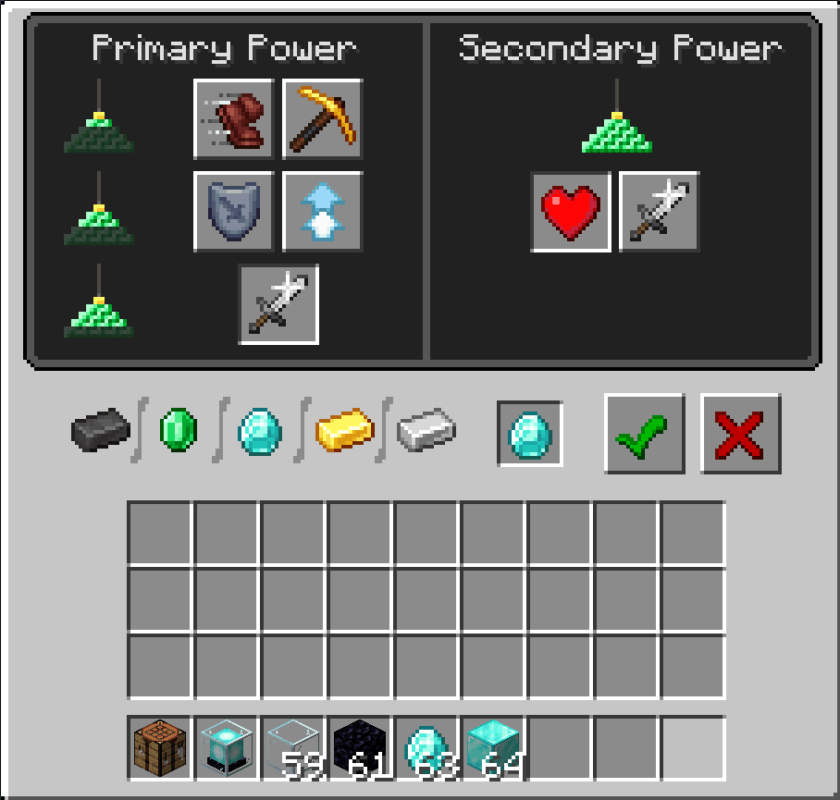
Once you’ve made your choice, press the “Done” button. Afterward, the beacon will consume your item and activate the selected status effect. If you want to alter your choice, you’ll need to donate an ingot or gem once more. Also, consider that breaking the pyramid may deactivate or weaken its power, depending on the level of this structure.
Minecraft Beacon Pyramid Levels
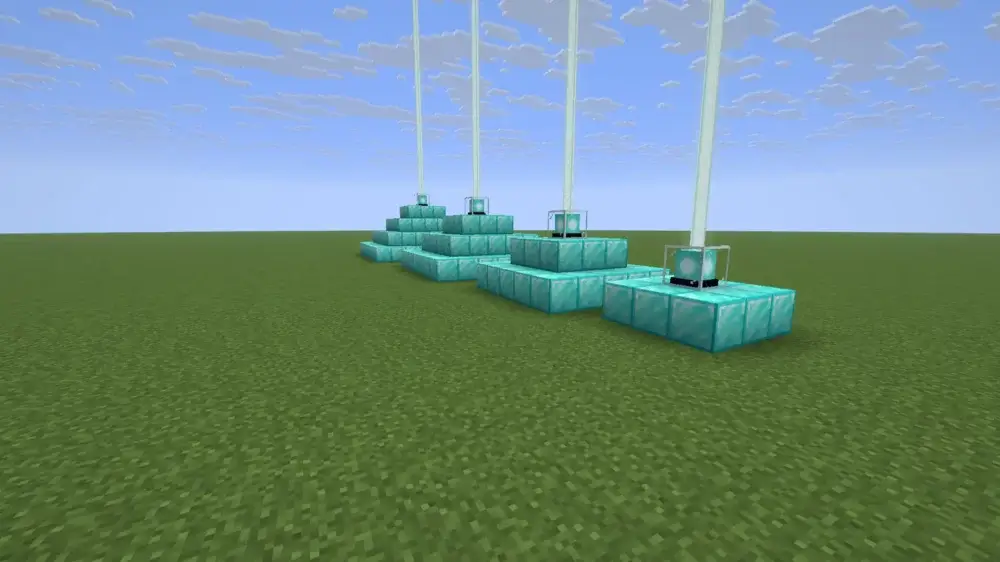
How many blocks do you need for a beacon in Minecraft? Well, the answer directly depends on the pyramid level you want to build. All in all, there are 4 Minecraft beacon pyramid levels, and building each requires a different number of blocks as well as offers different effects:
| Minecraft beacon pyramid level |
Mineral blocks needed |
Layers and structure |
Unlocks |
| 1 |
9 |
1 layer: 3x3 + beacon |
Basic Primary Powers |
| 2 |
34 |
2 layers: 5×5 + 3×3 + beacon |
Additional Primary Powers |
| 3 |
83 |
3 layers: 7×7 + 5×5 + 3×3 + beacon |
All Primary Powers |
| 4 |
164 |
4 layers: 9×9 + 7×7 + 5×5 + 3×3 + beacon |
Secondary Powers / Level 2 Primary Powers |
Full Beacon Setup in Minecraft
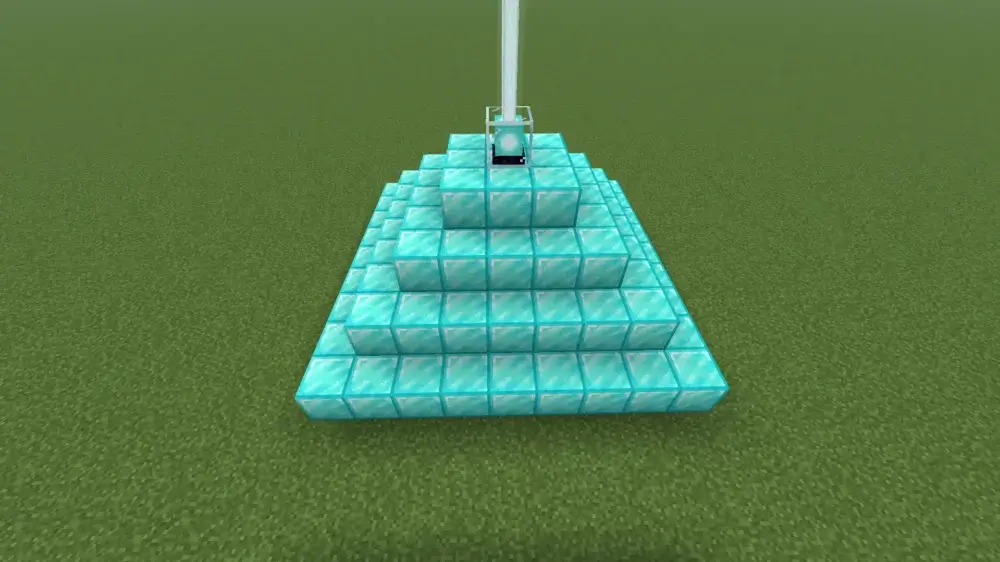
A full beacon is a level-4 pyramid, which you can build using 164 material blocks. Note that a combination of blocks (e.g., gold and iron) won’t affect the beacon powers. It’s reasonable to build a Minecraft beacon full-power pyramid to unlock access to the Secondary Power or upgrade a Primary Power to Level II.
Minecraft Beacon Effects
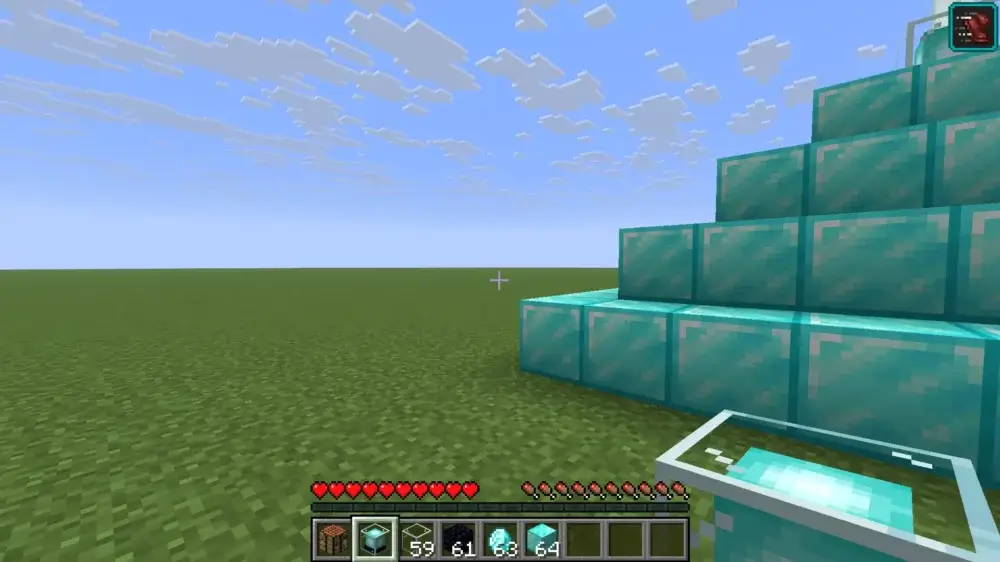
Although you know what blocks can power a beacon, you may still wonder which Minecraft beacon effects you can choose and how they can actually improve your performance. So, let’s review each of them in the table below:
| Effect Name |
Effect Type |
What It Does |
Where to place beacon |
| Speed |
Primary |
Increases movement speed |
On the roads and at the player’s base |
| Haste |
Primary |
Boosts mining and attack speed |
Near mines and farms |
| Resistance |
Primary |
Decreases incoming damage |
At the player's base |
| Jump Boost |
Primary |
Improves jumping distance and height |
Near building areas |
| Strength |
Primary |
Increases melee damage |
At the player's base and mob farms |
| Regeneration |
Secondary |
Regenerates health |
At the player's base |
Best Beacon Effects
First of all, you must understand that there are no best beacon effects in Minecraft, since each of them may be useful in this or that in-game situation. Let’s briefly review when you should choose each power (you can still experiment with status effects to find the ideal combination that matches your specific playstyle):
| In-Game Situation |
Appropriate Minecraft Beacon Powers |
| Mining |
Haste |
| Base movement |
Speed |
| Combat |
Strength / Resistance + Regeneration |
| Building |
Jump Boost / Speed |
| General survival |
Haste/Speed + Regeneration |
Minecraft Beacon Range
Minecraft beacon range has the shape of a square column, and its size directly depends on the pyramid platform. So, you should perfectly know the range granted by each pyramid level if you don’t want to accidentally leave the area affected by your beacon:
| Pyramid Level |
Effect Range in Blocks |
Effect Duration in Seconds |
| Level 1 |
20 |
11 |
| Level 2 |
30 |
13 |
| Level 3 |
40 |
15 |
| Level 4 |
50 |
17 |
A player gets active effects only while staying within the beacon’s range. Nevertheless, once you leave it, positive status effects will still be active for a specific period, which also depends on the pyramid level. Also, consider that within the beacon’s range, your distance to the beacon block doesn’t affect the intensity of the provided powers.
How to Change Beacon Beam Color
After playing on custom online servers, you might have noticed exciting light beams of different colors. At the same time, most new players don’t know how to change beacon color in Minecraft. So, if it’s also a secret for you, we’re glad to share detailed instructions:
- Prepare a stained glass or a stained glass pane of the desired color and place it directly above the beacon.
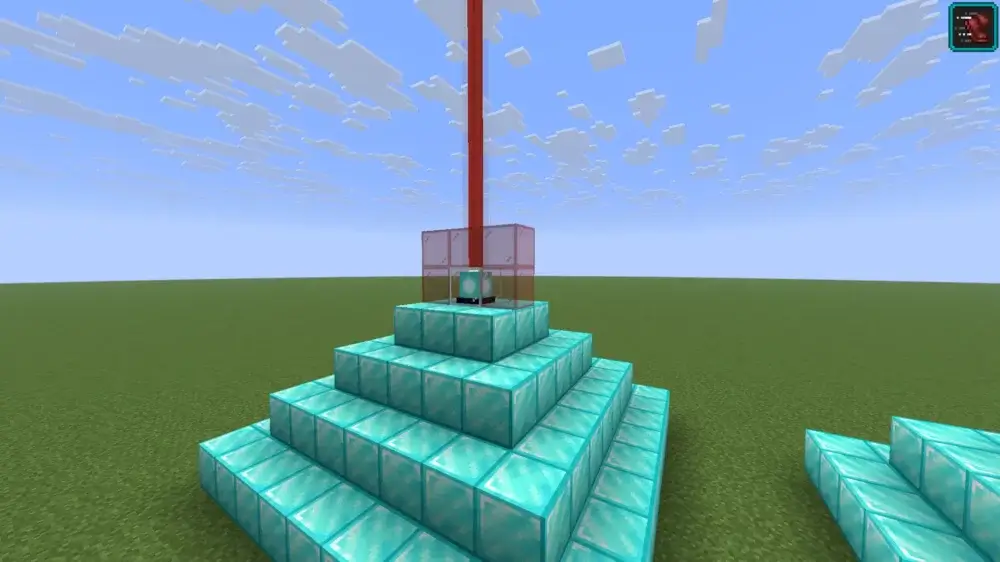
- You can stack additional stained glass blocks or panes above the first glass block to experiment with different beam colors.
Why Is My Beacon Not Working in Minecraft?
Have you barely killed the Wither and built a pyramid, but you face a problem when your Minecraft beacon isn’t working? Well, there may be some reasons, which we’ll review and offer appropriate solutions:
| Problem |
Possible Reason |
Solution |
| No light beam |
1. Invalid pyramid
2. Beam is blocked by an obstacle above |
1. Ensure that your pyramid’s structure is appropriate.
2. Remove all solid blocks located above the beam. |
| No powers available |
1. Wrong blocks used
2. Pyramid incomplete |
1. Use only verified mineral blocks to construct a pyramid.
2. Verify whether you’ve completed building a pyramid. |
| Status effect doesn’t apply |
1. Power isn’t selected.
2. Player is out of the beam’s range |
1. Open the beacon’s menu and select the power, donating an ingot or a gem.
2. Move closer to the beacon. |
| Beacon stopped working |
Pyramid is damaged |
1. Check the pyramid’s structure and repair it if you discover any blocks missing. |
Beacon Differences in Java and Bedrock
Overall, beacon logic in Java and Bedrock editions is similar, so you won’t face any differences. However, consider that in Java you can place lava over the beacon without any negative consequences. At the same time, in the Bedrock edition, this action will prevent a beacon from projecting the beam.








 en | USD
 CHAT WITH GODLIKE TEAM