A Minecraft Bundle is a portable storage item that helps you organize your inventory. You can craft it using String and Leather. Although this tiny bag lets you keep different items in a single inventory slot, its capacity is limited to the equivalent of one regular stack, usually 64 items. Therefore, Bundles are best used for organizing small quantities of items rather than as a replacement for a backpack.

Make your own FREE minecraft server
MINECRAFT FREE SERVER
In our Minecraft Bundle guide, we’ll review everything you should know about this item to ensure you can use it efficiently. We’ll cover the crafting and dyeing processes, explain how Bundle storage works, and compare Bundles with other storage items and blocks in the game.
What Is a Bundle?
Minecraft Bundles are tiny bags that take up one slot in a player's inventory. At the same time, each Bundle can store a mix of different items up to the equivalent of one full stack. This makes Bundles useful for storing small quantities of stackable items, such as Ender Pearls, gold, or diamonds, while reducing inventory clutter, which is especially useful when exploring new locations.
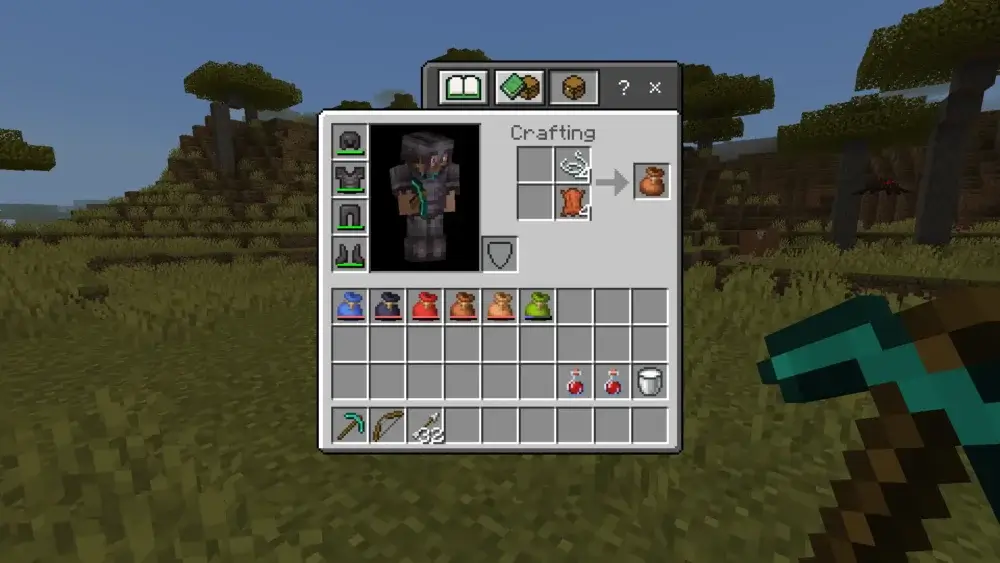
Minecraft Bundle crafting isn’t difficult, although you may find many outdated recipes on the internet. However, for the current game version, you need only 1 Leather and 1 String to create this item. The Minecraft Bundle recipe is so simple that it allows you to craft this bag even without a Crafting Table:
How Bundle Capacity Works
To understand how to use Bundles in Minecraft, first learn this bag’s storage capacity. A Bundle can hold up to 64 units of capacity. Therefore, using a Bundle to store a full stack of building blocks is usually pointless, as the full stack already occupies only one inventory slot. Players in the Minecraft community agree that Bundles are the best for organizing small quantities of different items rather than providing large extra storage.
At the same time, you should consider that space usage in a Bundle also depends on the normal maximum stack size of the items you want to put inside:
- Stackable items with a max stack of 64: Each item takes up 1 unit of Bundle capacity (e.g., Strings or Sticks).
- Stackable items with a max stack of 16: Each item takes up 4 units of Bundle capacity (e.g., Eggs or Ender Pearls).
- Unstackable items: Each item takes up all 64 units of Bundle capacity (e.g., Pickaxe or Sword).
To properly calculate your Minecraft Bundle storage, you’ll need to know the mathematics basics. For instance, if you put 32 Sticks (taking up 32 units of capacity) and 8 Ender Pearls (taking up 32 units, or 8 × 4), you'll fill the Bundle completely. It’s also inefficient to use Bundles to store unstackable items.
As you can see, a Bundle still occupies one inventory slot and does not provide extra space like a Shulker Box, which adds 27 additional slots. At the same time, it’s great that you can keep different types of items inside, allowing you to manage the inventory more efficiently.
How to put items into a Bundle
There are several ways to put items into a Bundle:
- Use your cursor to take a bundle and left-click (by default) on the item you want to store.
- Use your cursor to take an item and left-click directly onto a bundle in your inventory.
You don't need to constantly count how many units of space are left in each bundle. A player can check the progress bar at the bottom of the Bundle icon, which shows how much of its capacity is being used. To see it, simply hover your cursor over a Bundle:
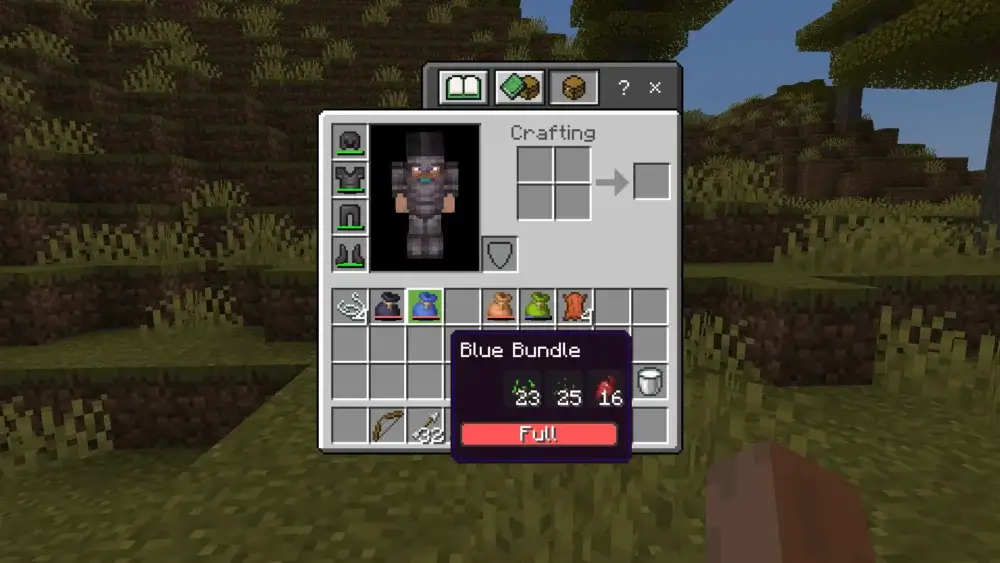
A Bundle's 64 units of capacity aren't much, so use it wisely. There is no need to keep most of the traditional blocks inside, but it’s way more reasonable to place small things that occupy an entire slot in your inventory. For example, you can store some sticks, spider eyes, diamonds, and other small quantities of items. You can use several Bundles to divide the items by different categories.
How to take items out of a Bundle
To take items out of your Bundle, hold a Bundle in your hand and right-click it. Doing so empties the Bundle's contents onto the ground. This method is useful when you want to empty the Bundle quickly, but it works best when you know what will fall out of it. You can also right-click a Bundle in your inventory to make it empty items without dropping them on the ground.
Another, more precise method is to open your inventory, hover over the Bundle, and use the mouse wheel to select the item you want to remove. However, controls differ slightly across platforms. For example, on consoles, you may need to use bumper buttons or look around the bundle interface to select and pull out the item you need.
Can You Dye Bundles in Minecraft?
Yes, players can dye Bundles in 16 different colors. You can do this directly in your inventory. Simply combine a Bundle with the desired dye:
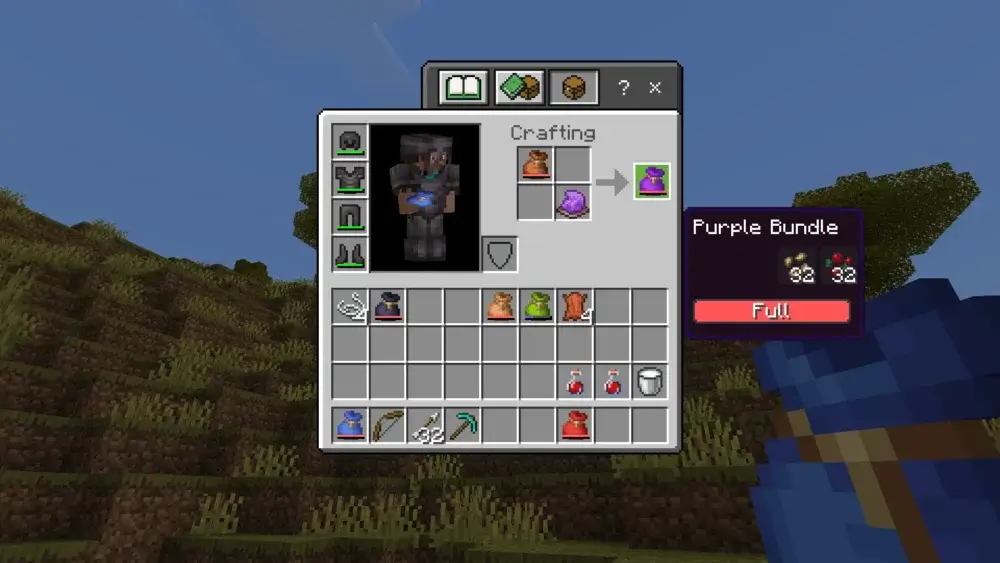
Dyeing helps you create Bundles for different categories and manage your items. For example, you can use different colors for food, mining, or flower Bundles.
Best Uses for Bundles in Minecraft
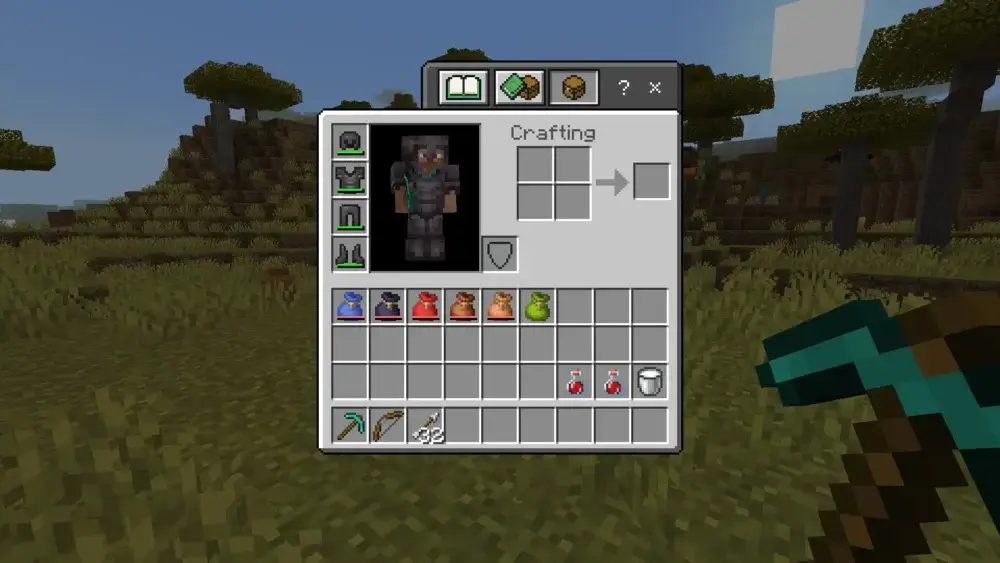
Many new players underestimate how useful Bundles are in Minecraft. These inventory-management items can help you:
- Properly organize your stuff: You can use separate bags to store mob drops, exploration loot, seeds, or different food types before moving them to special storage at your base. You can also prepare a dedicated Bundle for valuable items such as diamonds, emeralds, and gold.
- Utility kits: Bundles may be used as role kits on survival and RPG Minecraft servers. For example, after joining the game, a player may get a bundle with items for their class or job.
- Early-game Shulker Box alternative: Although a Bundle doesn’t provide you with extra slots, it’s still a great early-game option until you find your first Shulker Box.
Minecraft Bundle vs Shulker Box
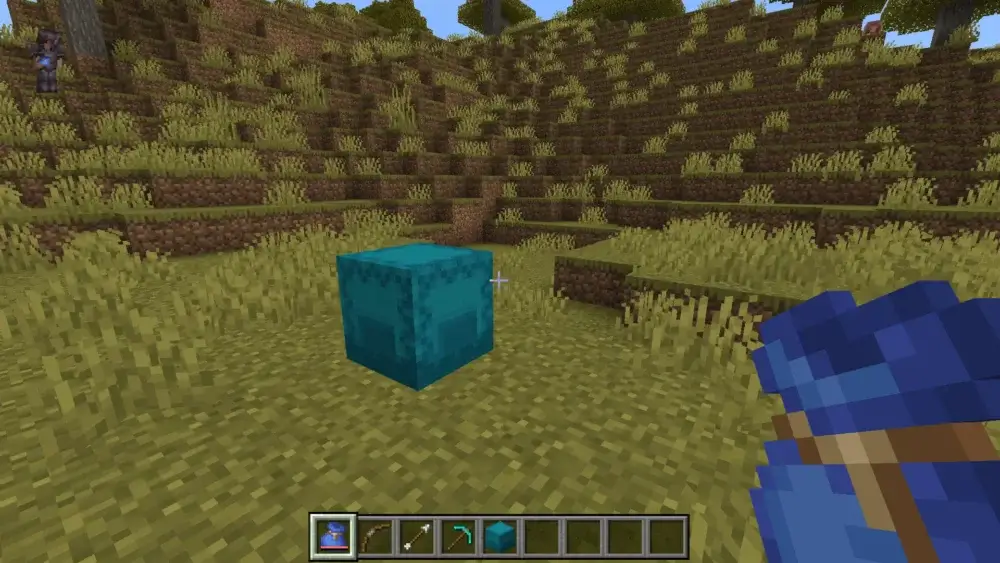
New players often think that there is no big difference between Bundles and Shulker Boxes. However, there are many dissimilarities, which you can check in the table below:
| Main Differences |
Bundle |
Shulker Box |
| Game Stage |
Early-game item |
Late-game item |
| Capacity and Slots |
64 regular stackable units |
27 full inventory slots |
| Crafting/Obtaining |
Cheap recipe |
Requires access to the End |
| Accessing Stored Items |
Can be accessed directly through inventory |
Requires placing the Shulker Box in the world to access its contents |
| Usage Recommendations |
Good for mixed small items |
Excellent portable storage |
Bundle vs Chest / Barrel / Ender Chest
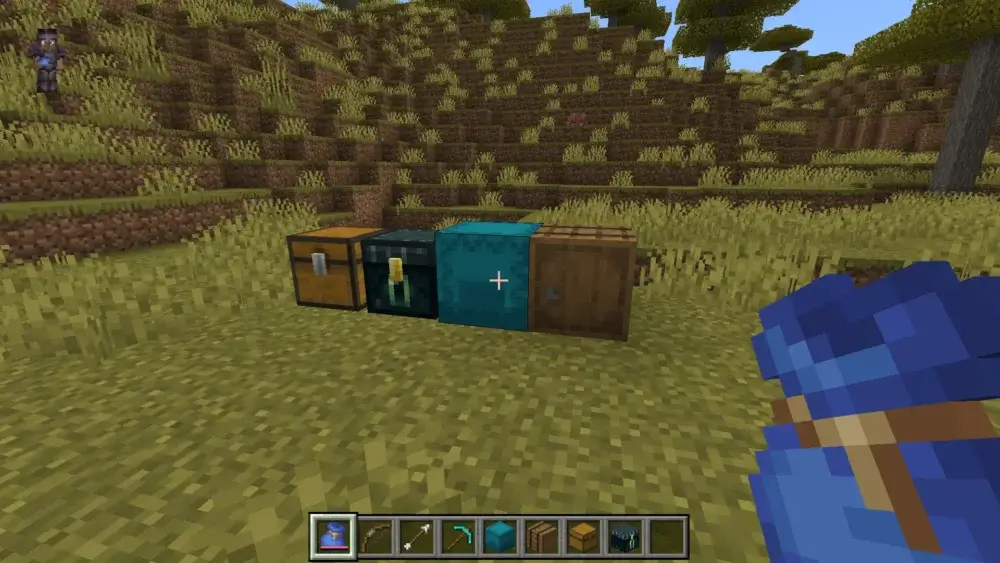
Now, let’s compare some of the main storage items and blocks available in Minecraft, so you can finally understand the differences between them:
- Chests and Barrels: Used as main storage blocks on the player’s bases.
- Ender Chests: Used as personal storage that can be accessed from different locations.
- Shulker Boxes: Used as late-game portable storage, which you can hold in your inventory, but you have to place them like regular chests to access their stored items.
- Bundles: Used as inventory organizers for different small items.
Bundles for SMP and Servers in Minecraft
Admins can use Bundles on multiplayer Minecraft servers as rewards for new players or as valuable loot during events. Some of the most popular scenarios include:
- Starter Kits: Whether you run a survival or RPG server, you can provide new players with Bundles that include essential items (food, seeds, potion ingredients) to help them start their journey.
- Role Kits: If a server features a role system, players can get Bundles with job- or class-specific items.
- Event Kits: Want to celebrate Halloween, New Year, or another holiday on your server? Along with thematic decorations, you can give every player Bundles that include useful items.
- Quest Rewards: If you run an RPG Minecraft server, you can create a reward system that provides players with Bundles that include diamonds, gold, or emeralds after a successful quest.
Even if you run a shared world with your friends, Bundles may stand you in good stead. Not only can you manage small items without unnecessary chests, but you can also create gift Bundles for your buddies.
Common Mistakes in Using Minecraft Bundles
Once you know how to make a Bundle in Minecraft and how to use it, let’s take a brief look at some of the most common mistakes and why you should avoid them.
| Mistake |
Reason to Avoid |
| Using a Bundle as a backpack |
Don’t expect a Bundle to replace Shulker Boxes or backpacks from mods. This item should be used only for organizing and storing small things. |
| Storing full stacks inside one Bundle |
It’s just unreasonable to place a stack of some blocks or items inside a Bundle since it still occupies one slot without providing any additional inventory space. |
| Placing non-stackable items inside a Bundle |
Just like with full stacks, placing non-stackable items in Bundles results in the inefficient use of their limited capacity. |
| Using the old Rabbit Hide recipe |
The original Bundle recipe was different because Bundles were initially introduced as an experimental feature. However, now you need only 1 Leather and 1 String to craft it. |
| Not dyeing your Bundles |
Don’t let several similar Bundles bring even more chaos to your inventory. Use dyes to create separate Bundles for different item categories and ensure swift access to them. |








 en | USD
 CHAT WITH GODLIKE TEAM