Although Minecraft has no electricity, it has something way better — redstone! This in-game resource allows players to create automated mechanisms, circuits, and complex contraptions. You can even build a working PC in Minecraft using redstone circuits.

Make your own FREE minecraft server
MINECRAFT FREE SERVER
At the same time, new players often don’t know how to create their first simple mechanisms. In our ultimate Minecraft redstone guide, you’ll learn how to use redstone properly, understand its signals, and learn about key components. We’ll also cover how to build your first simple mechanisms and avoid common mistakes.
What Is Redstone?
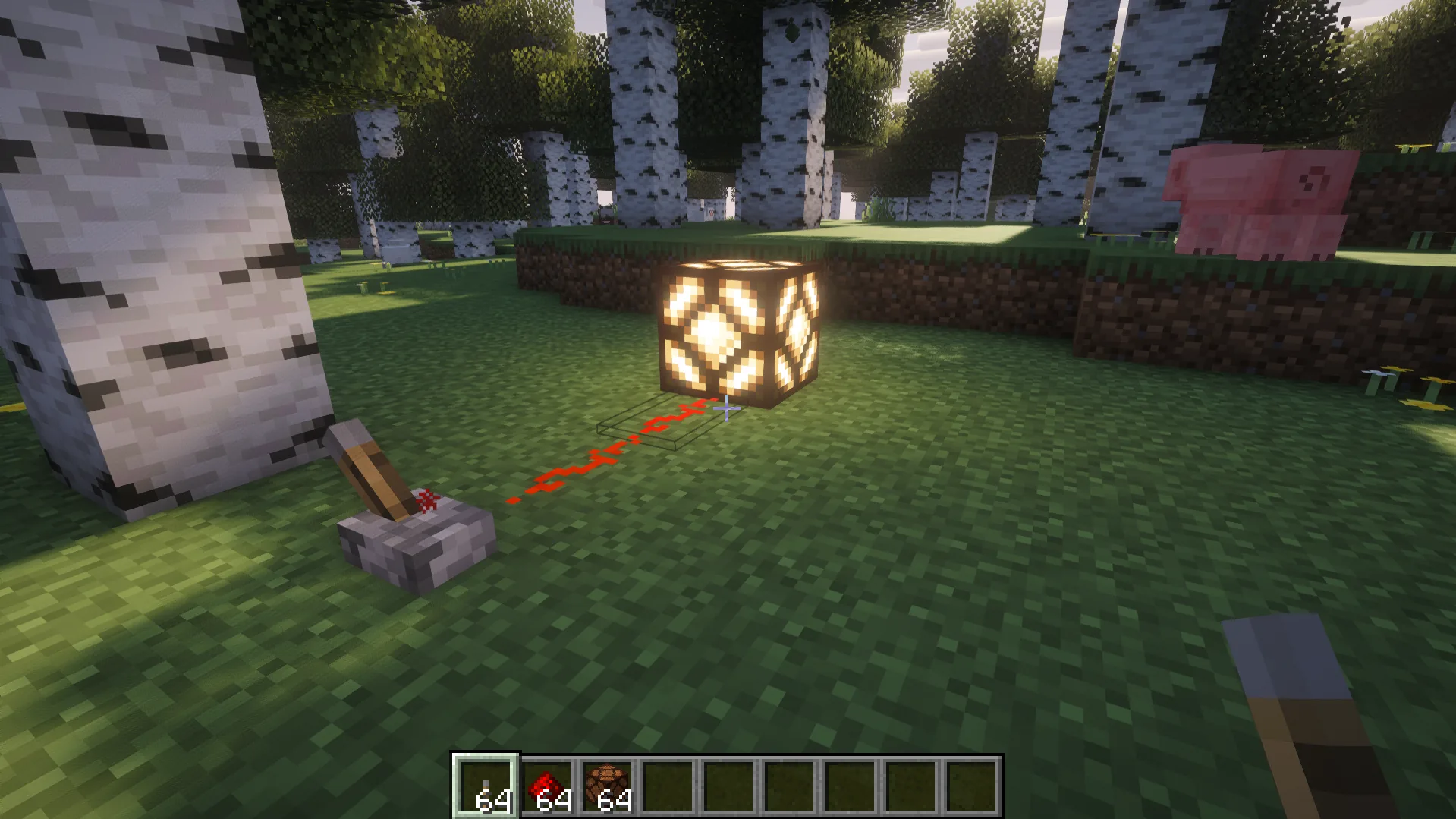
Minecraft redstone is a material and power source that acts like in-game electricity. Players can place dust as a wire to transmit power signals from a power source to different mechanisms. Overall, this process works as follows:
An input from a power source → Signal → Output in a mechanism
For example, a player uses a lever as a power source. It creates a signal that travels through redstone dust to a lamp, turning it on. This is a basic principle of how all mechanisms work in the game.
Where to Get Redstone?
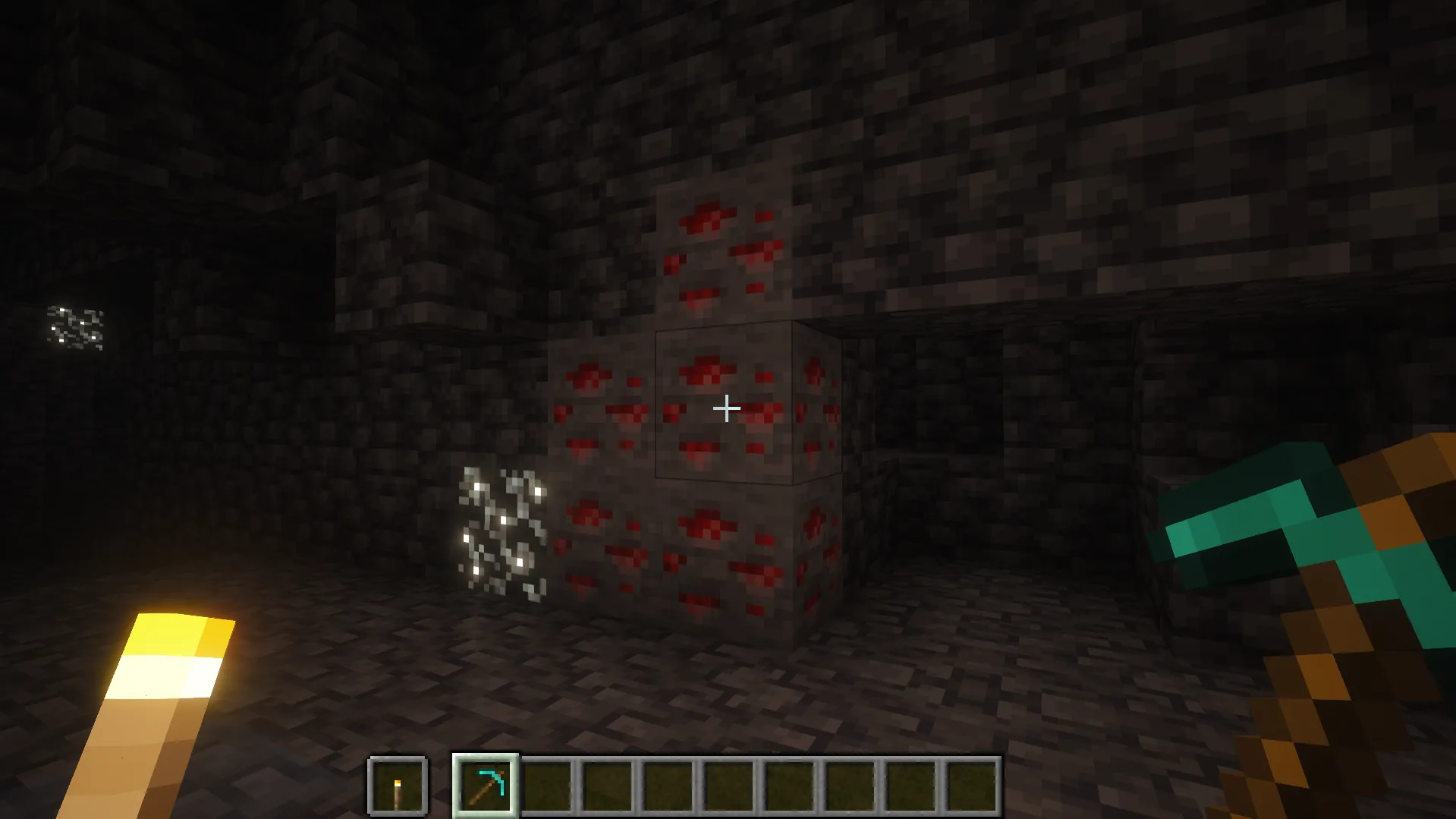
Before you learn popular Minecraft redstone builds, you need to obtain the dust, which you can get by mining redstone ore with an iron pickaxe or better. Alternatively, you can obtain redstone dust from chests in various structures, by killing witches, or through trading.
How Does Redstone Work in Minecraft?
Many Minecraft mechanisms can respond to redstone signals. Depending on the block, a redstone signal can activate, deactivate, or otherwise change its behavior. You should understand the difference between two conditions:
- Unpowered: A block receives no redstone signal, which means its mechanism stays inactive.
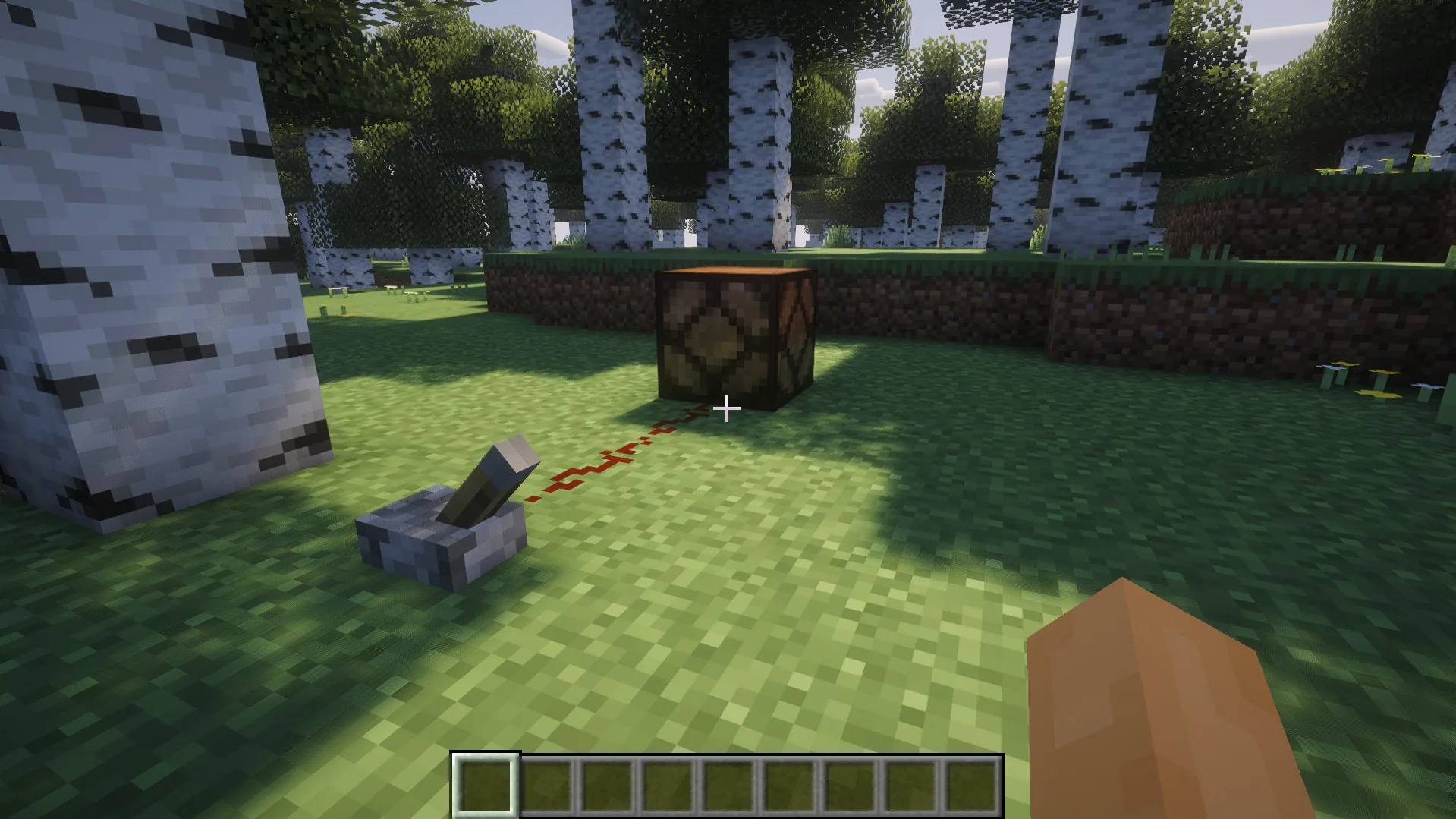
- Powered: A block receives a redstone signal, which immediately activates its mechanism (e.g., makes a trapdoor open).
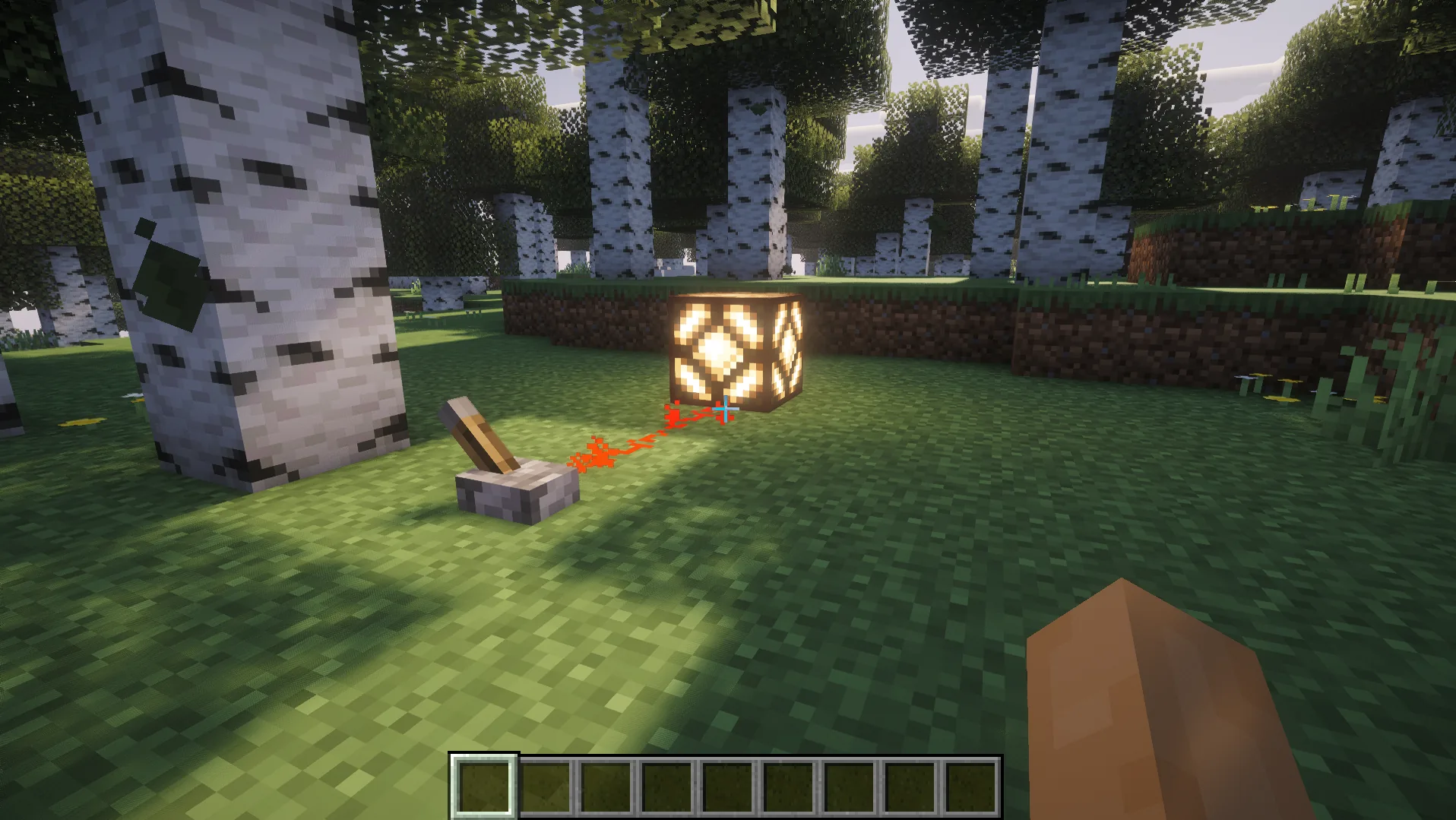
To power a mechanism up, you need a power source, such as a lever, a redstone block, or a redstone torch. It generates a signal that is transmitted through redstone dust directly to the mechanism.
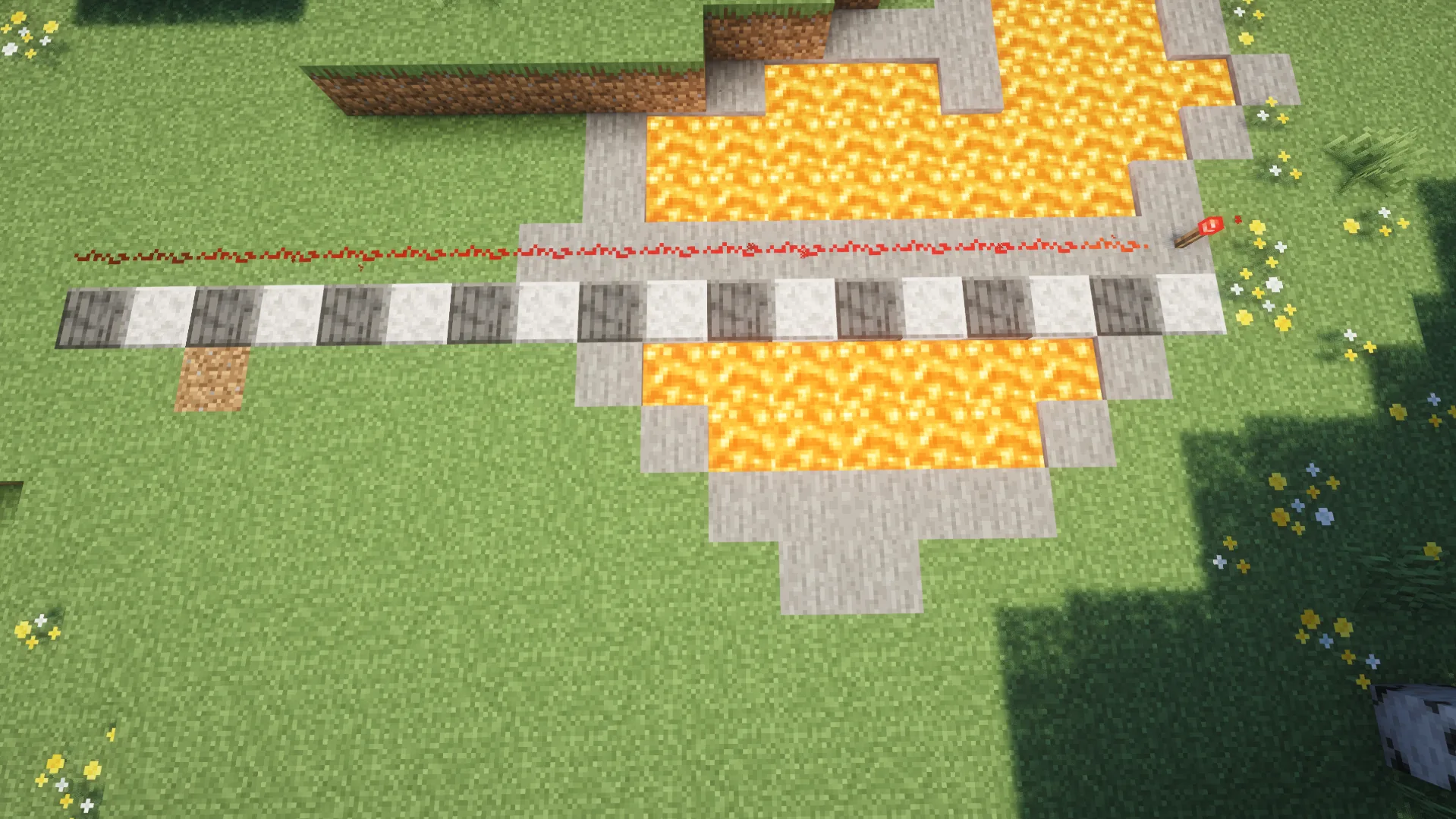
A redstone signal has a maximum strength of 15 and loses 1 strength level for each block of redstone dust it travels through. Therefore, redstone dust can carry a signal for up to 15 dust blocks. However, in case you need to create longer circuits, you can use redstone repeaters. Also, in some cases, the direction of the dust matters for proper mechanism activation.
When learning how to use redstone in Minecraft, you should clearly understand what generates a signal, what transfers it, and what can receive it to activate a mechanism. Let’s review each of these categories:
- Input blocks (generate signals): Levers, buttons, pressure plates, redstone torches, redstone blocks, jukeboxes, lecterns, daylight detectors, sculk sensors, target blocks, lightning rods, tripwire hooks, detector rails, trapped chests, and observers.
- Signal components (transfer and/or manipulate signals): redstone dust, repeaters, and comparators.
- Output/activated components (mechanisms that can be powered up by a signal): Pistons, sticky pistons, dispensers, droppers, hoppers, doors, trapdoors, powered rails, note blocks, redstone lamps, copper bulbs, TNT, campfires, soul campfires, and fence gates.
Main Redstone Components
In this part of our Minecraft redstone guide for beginners, we’ll have a closer look at the most important elements of popular mechanisms. The table below reviews these blocks, their main purposes, and examples of where you can use them.
| Component |
Main Purpose |
Usage Example |
| Redstone Dust |
Transfers signal |
A lever that activates a lamp |
| Redstone Torch |
Generates and inverts signal |
Hidden mechanisms |
| Repeater |
Extends and delays signal |
Long-circuit mechanisms |
| Comparator |
Reads and compares signal strength |
Storage detector |
| Observer |
Detects block changes |
Automatic farm |
| Piston |
Pushes blocks |
Door |
| Sticky Pistons |
Pushes and pulls back blocks |
Hidden door |
| Hopper |
Moves items |
Automatic storage |
| Dispenser |
Uses or ejects items |
Automatic traps |
| Dropper |
Drops and transfers items |
Automatic storage |
Redstone Repeater
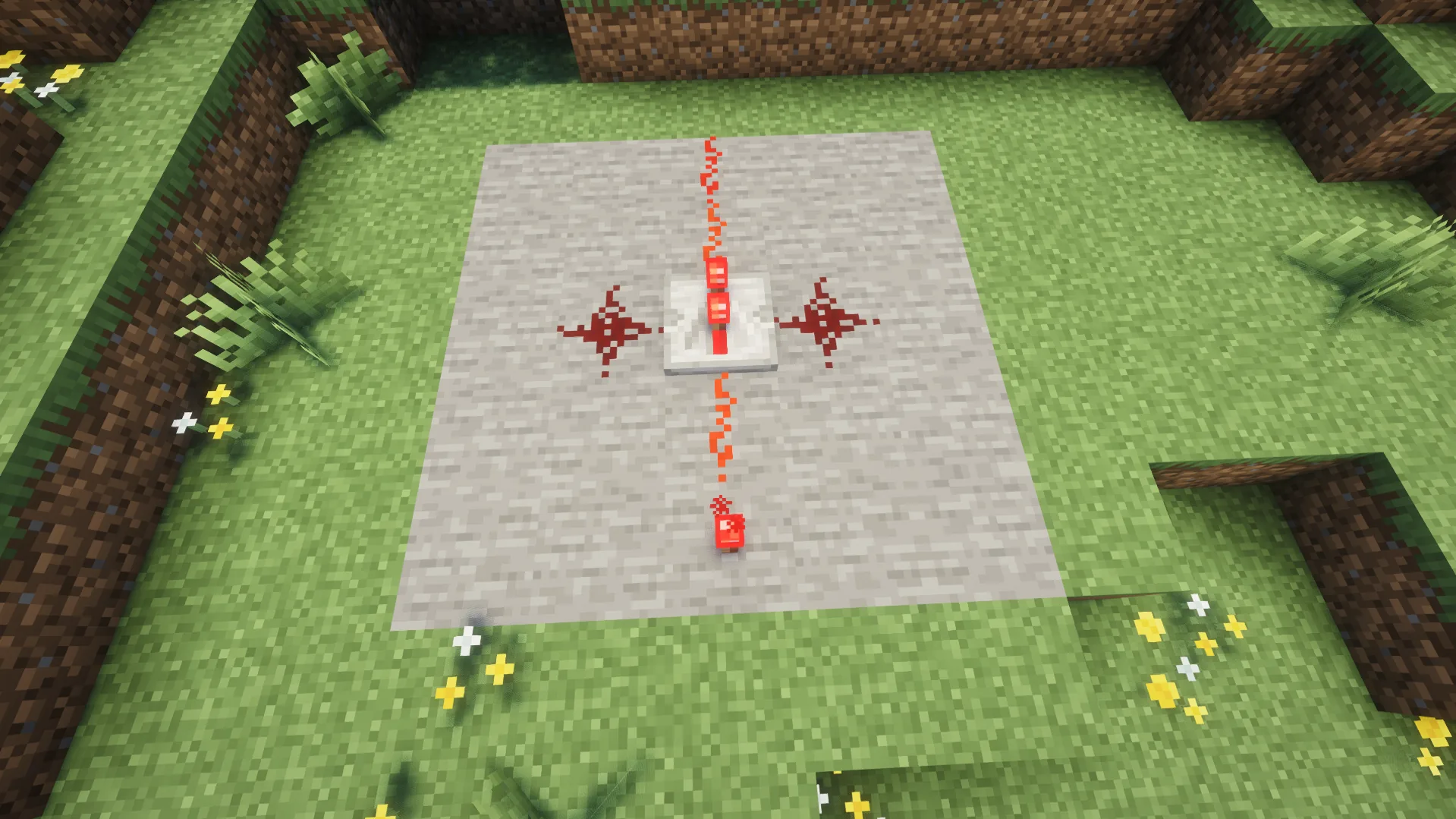
A repeater is one of the most important redstone components in Minecraft since this block restores a redstone signal to full strength, redirects it, and adds a configurable delay. It’s extremely useful when you need to create a mechanism with adjustable timing. If you want to build structures with complex redstone circuits in Minecraft, learning how to craft and use a repeater should be among your key topics to learn.
Redstone Comparator
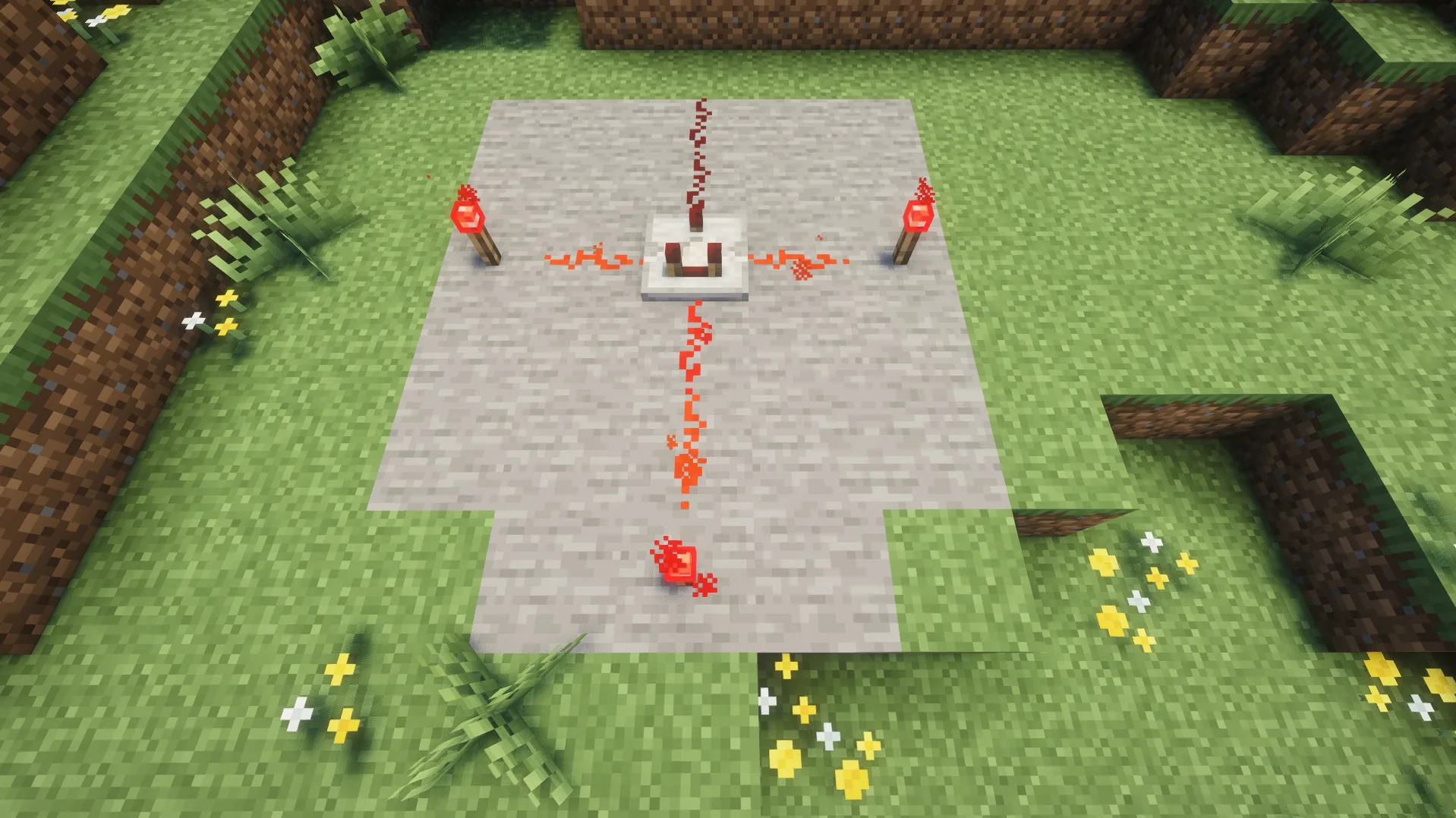
A redstone comparator is a Minecraft block that can compare, subtract, or measure signal strengths. It has a front (marked with an arrow and a small torch), a back, and two side inputs. A comparator can work in two modes, which make it useful for creating automated storage systems:
- Comparison Mode: In this mode, the comparator outputs the rear input signal only when it is at least as strong as the strongest side input.
- Subtraction Mode: A comparator subtracts the highest side signal strength from the rear input signal strength.
Observer
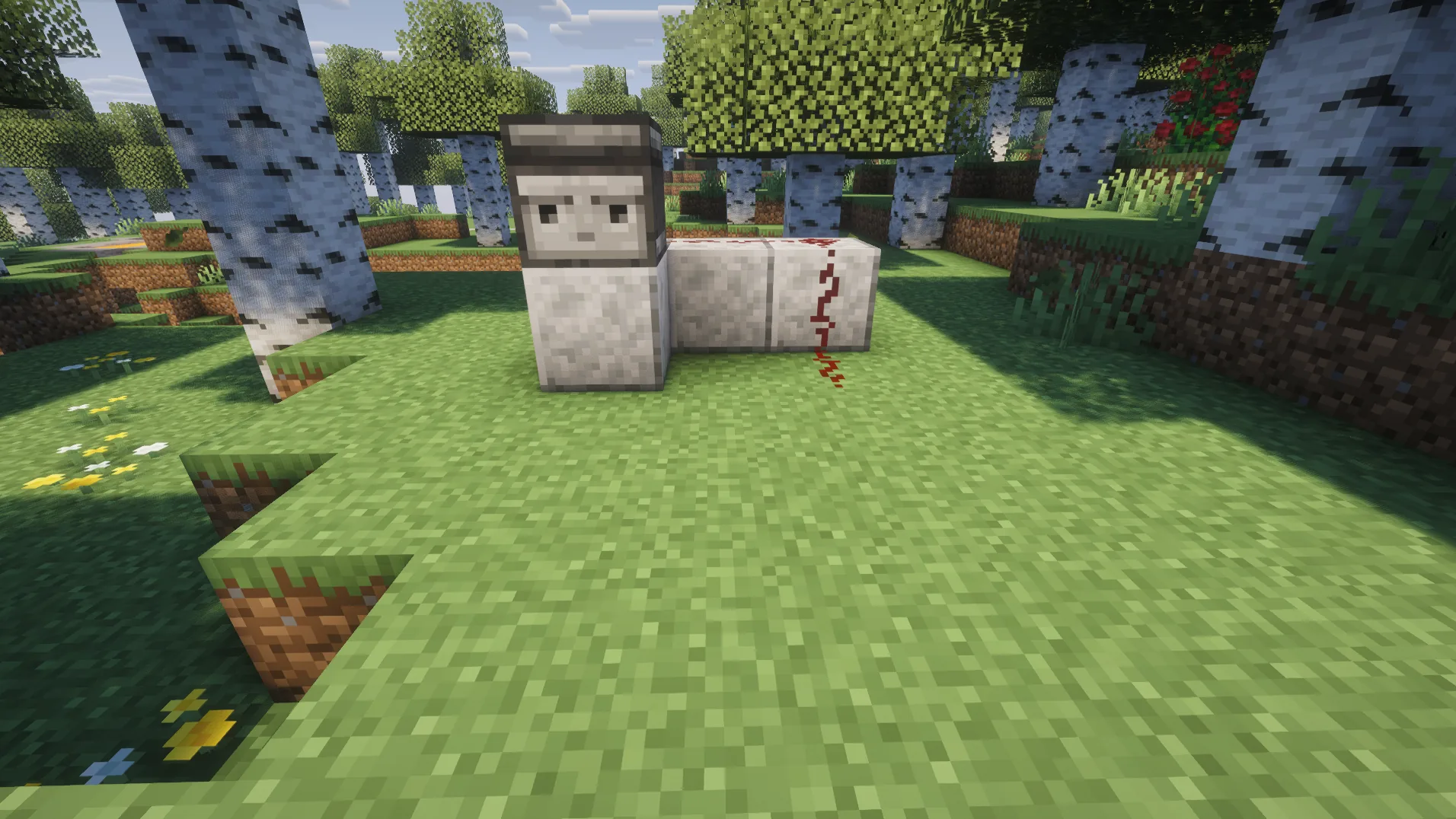
An observer is a mechanism block that you can use to build a simple Minecraft redstone farm. It detects changes or updates to the block directly in front of its face and emits a short signal from its back. For example, it can be used to spot the growth of sugar cane, bamboo, cactus, or trees and automate their collection. Also, you should consider the differences in how Observer works in Java and Bedrock editions:
| Observer’s Behavior |
Java Edition |
Bedrock Edition |
| Detection Principle |
Detects underlying block state or shape changes |
Detects physical block changes |
| Sticky Piston Interaction |
When powered by a 1-tick signal, sticky pistons can leave the pushed block behind |
Regardless of the signal length, sticky pistons always pull the blocks back |
| Moving Observers |
Emits a signal after being moved by a piston |
Emits a signal both before and after being moved by a piston |
Minecraft Redstone Builds for Beginners
In this part of our Minecraft redstone tutorial, you’ll learn how to build the simplest mechanisms for your world. You can integrate them into your buildings or use them to form a basement for more complex creations.
First build: Redstone Lamp
First, let’s get a hands-on experience of how redstone works in the game. You’ll need a lever or a button, some redstone dust, and a lamp. Place them as shown in the image below:
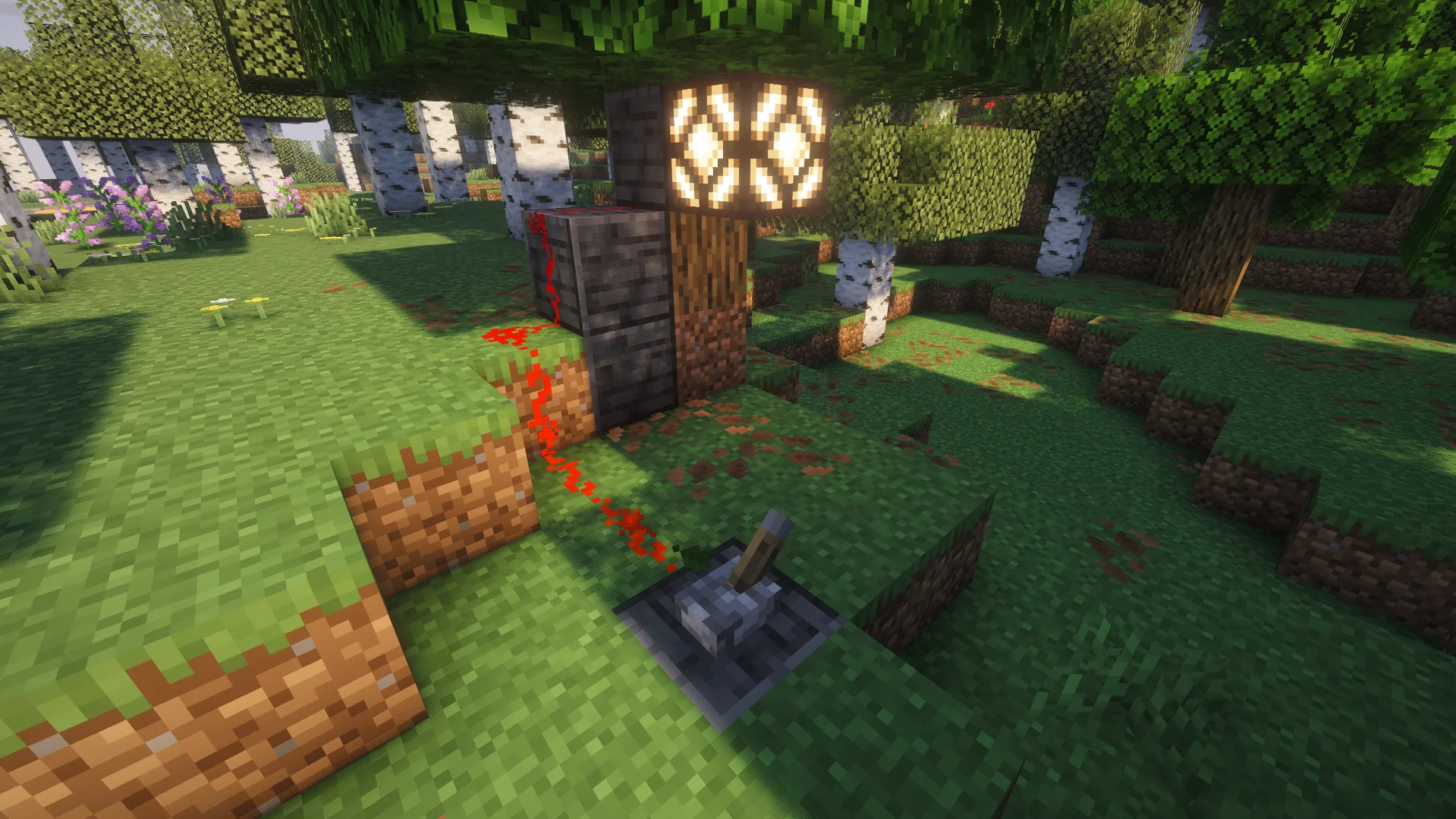
Now, you can clearly see how a basic redstone chain works. When you use a lever or a button, it creates a signal transferred by redstone dust to activate a lamp.
Second build: Automatic Door
Learning basic Minecraft redstone automation is also exciting, since it allows you to create different mechanisms that can simplify moving around your base. For example, using a pressure plate, a door, and some redstone dust, you can create an automatic door that opens once you approach it:
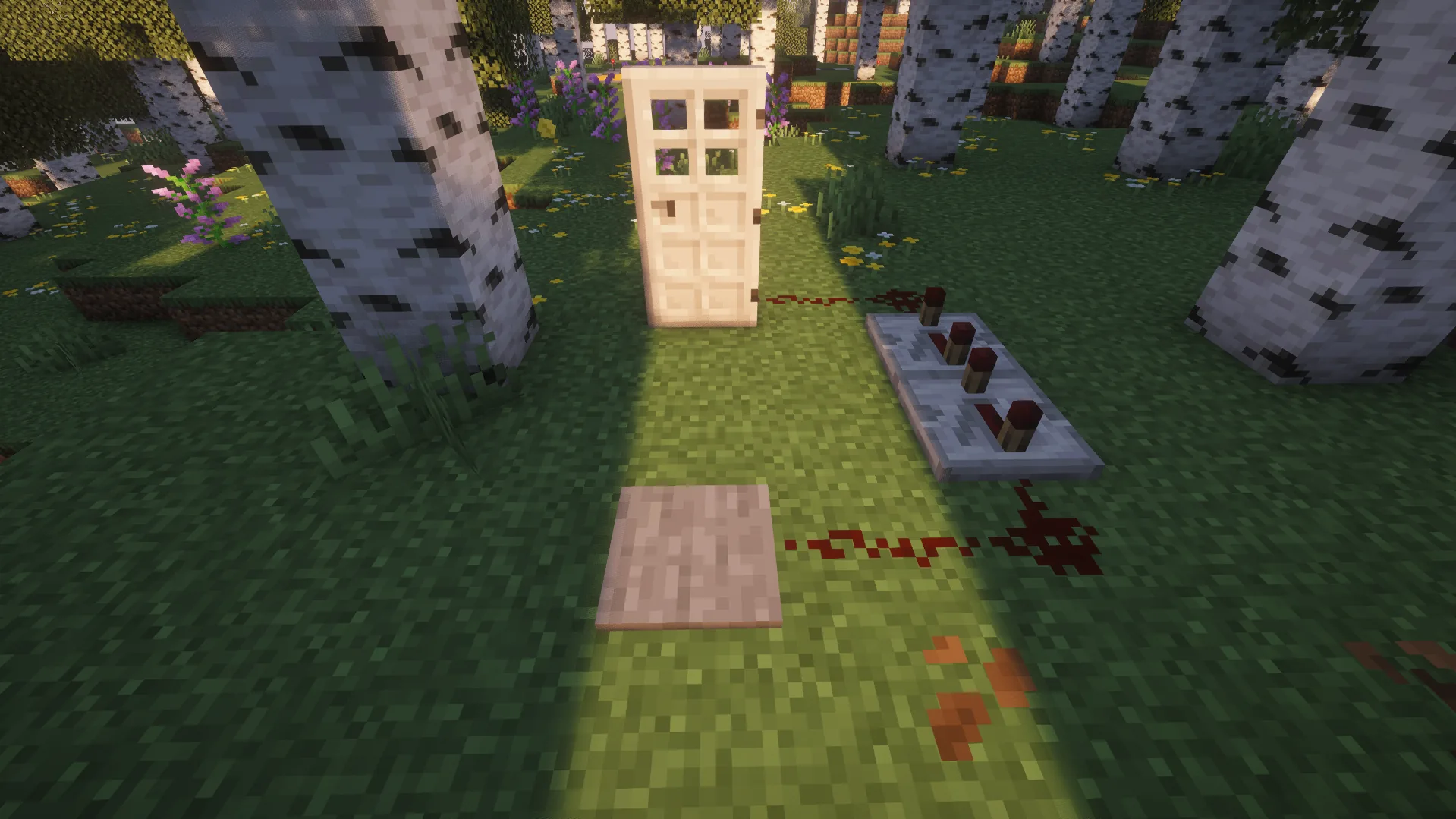
You can place two pressure plates on either side of the door, or replace them with buttons or levers.
Third build: Hidden Entrance
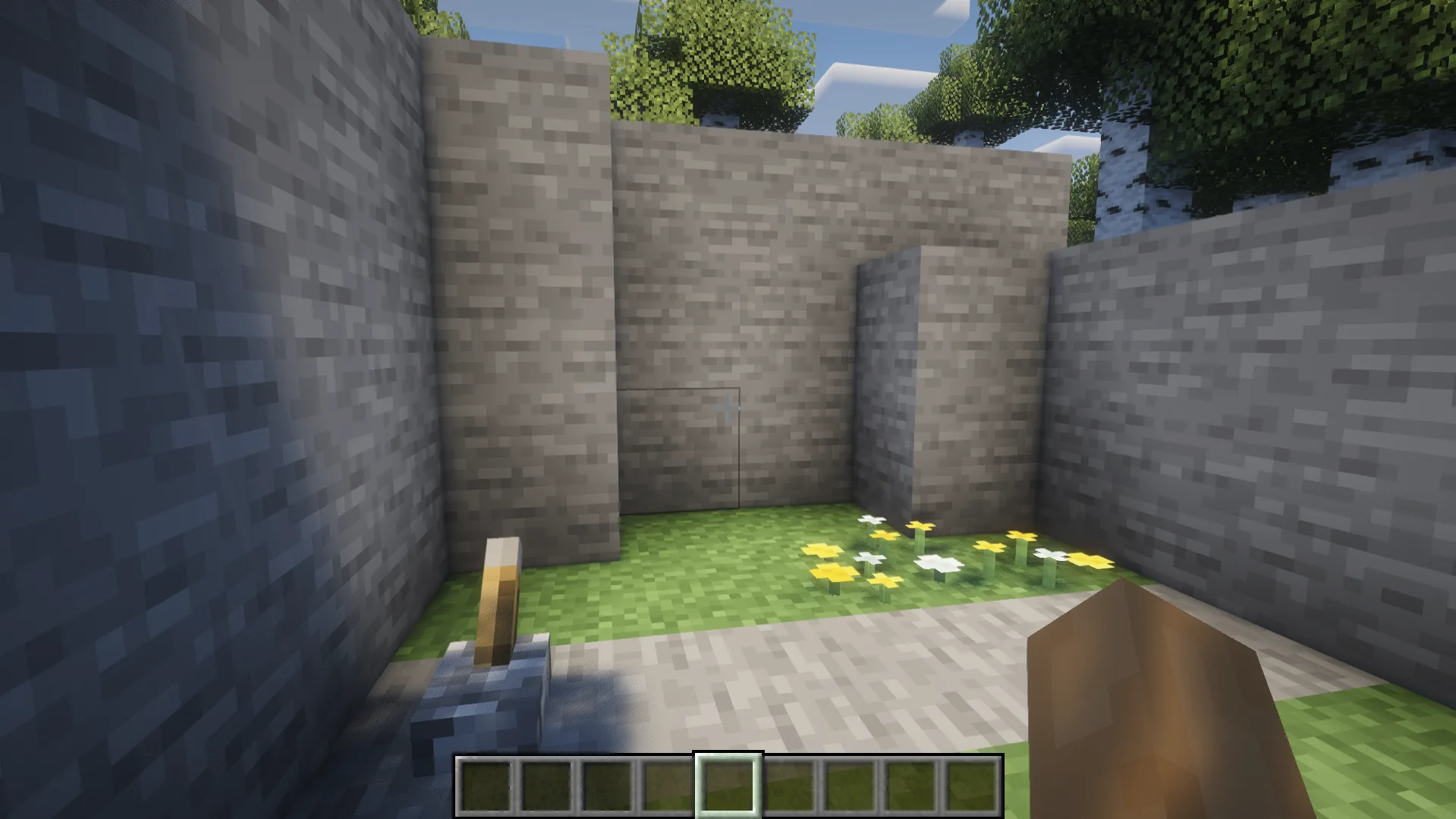
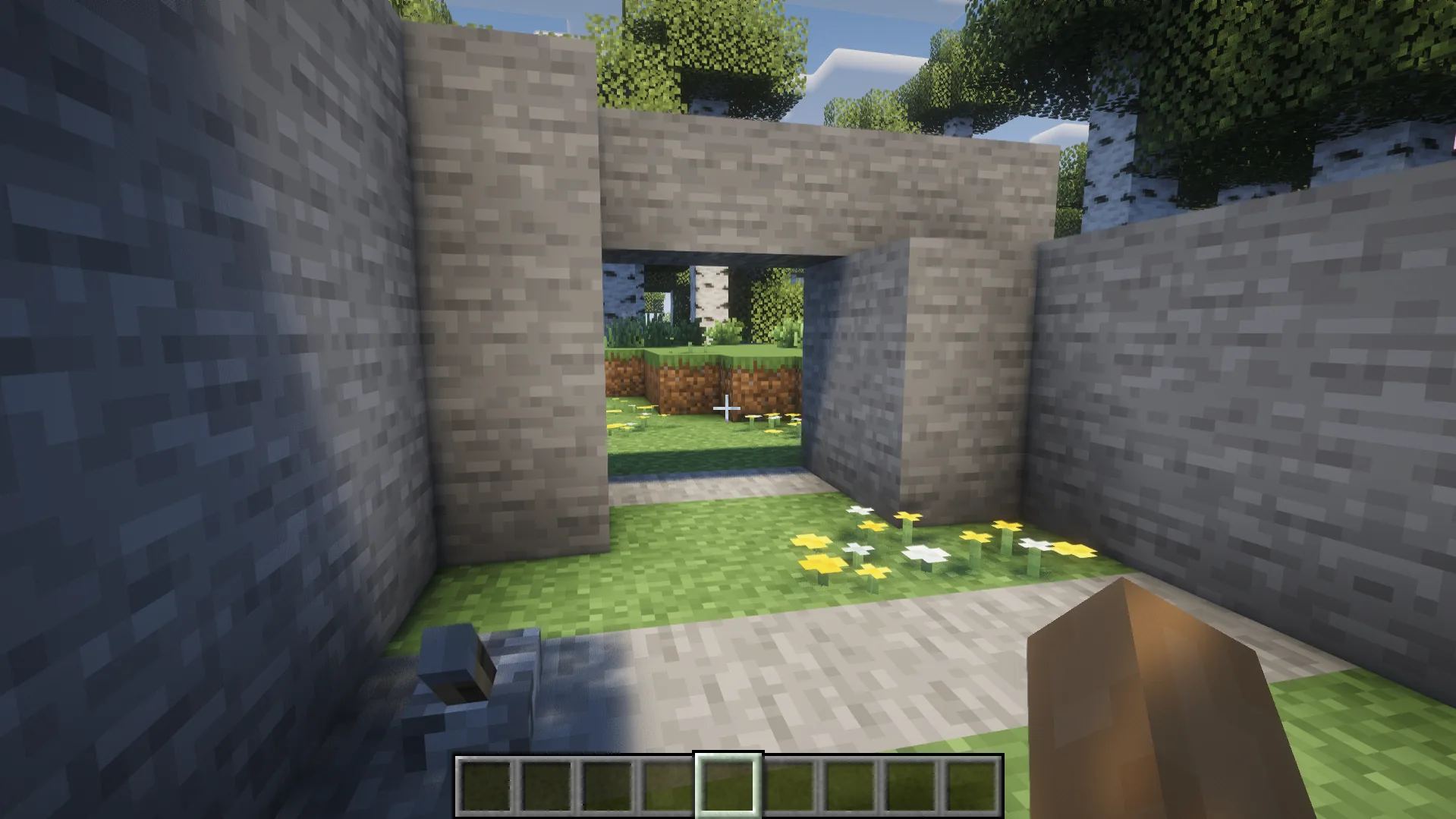
Here is one of the most interesting mechanisms in our Minecraft redstone guide — a hidden 2x2 entrance. This mechanism is more complex than the previous ones, since it also requires the use of sticky pistons and repeaters. Overall, the design looks like this:
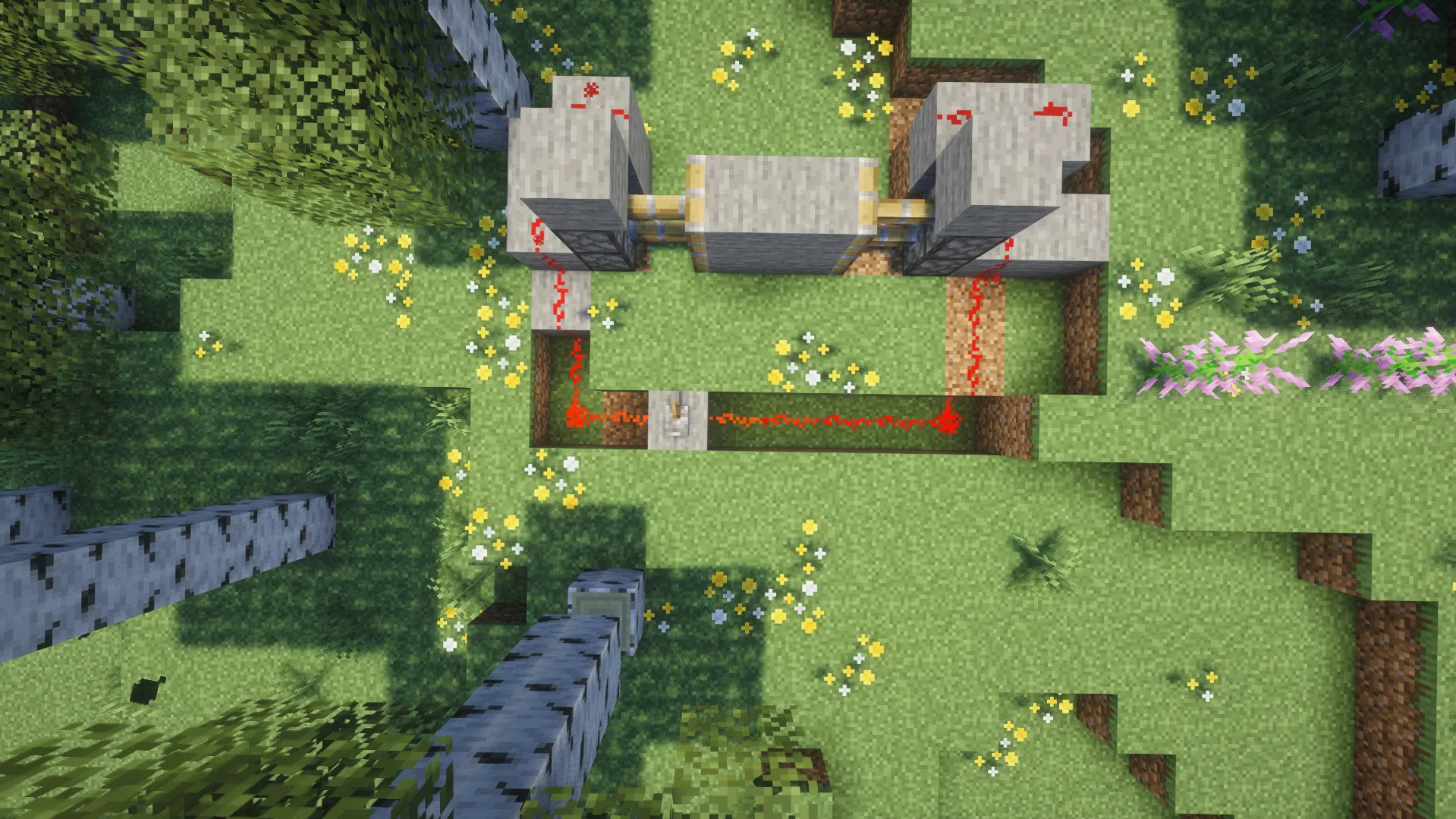
Once you prepare everything, you need to hide it in the wall or a mountain to make it difficult to notice. Consider that this is the simplest version of a hidden entrance, which you can use to create more complex mechanisms.
Fourth build: Automatic Farm
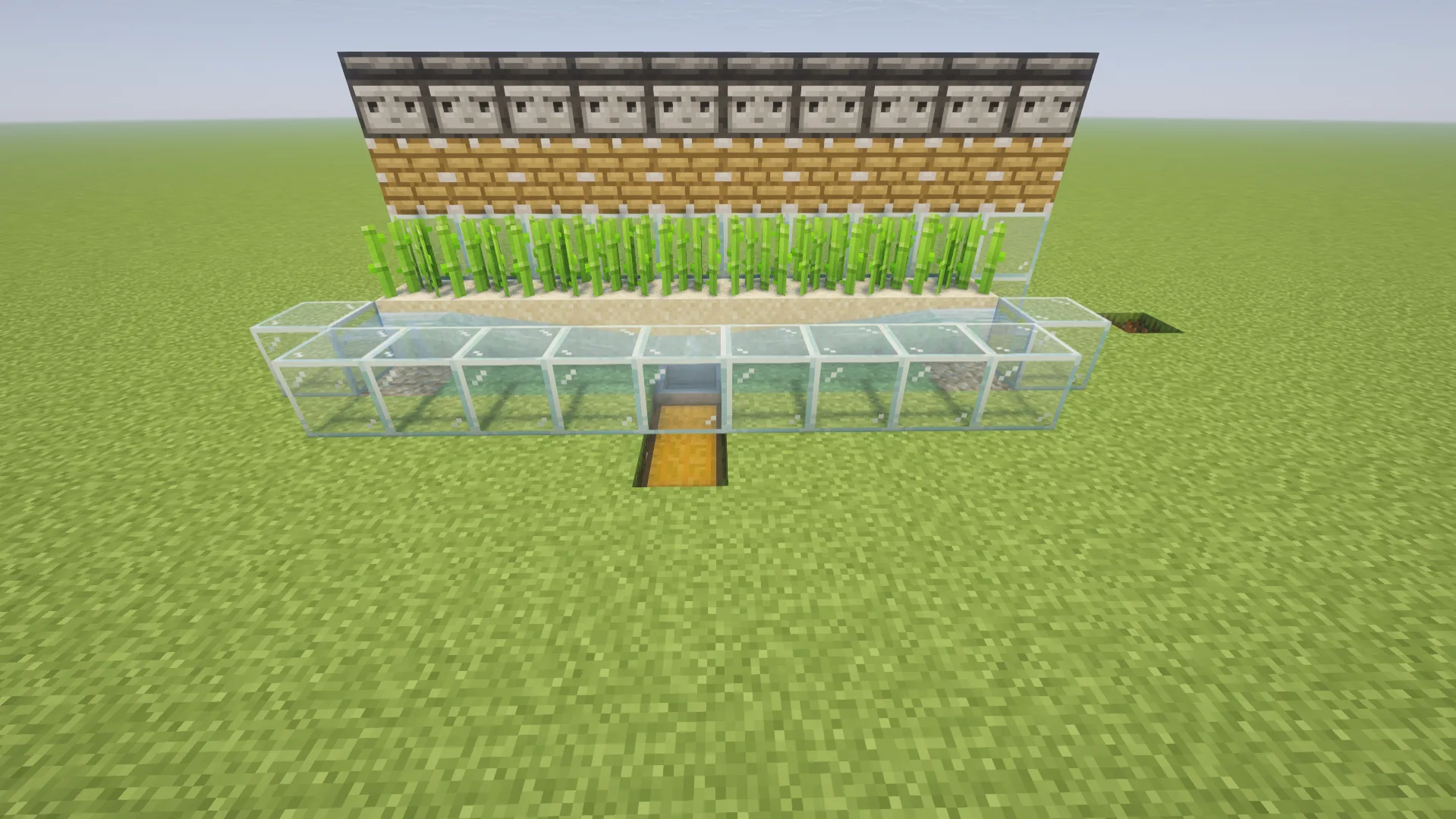
Automatic farms significantly simplify collecting resources such as sugar cane or bamboo. It’s enough just to build a farm and an automatic system to ensure a stable flow of resources. At the same time, this is still one of the easiest redstone builds for beginners, which requires an observer, a piston, and a hopper. The simplest circuit looks like this:
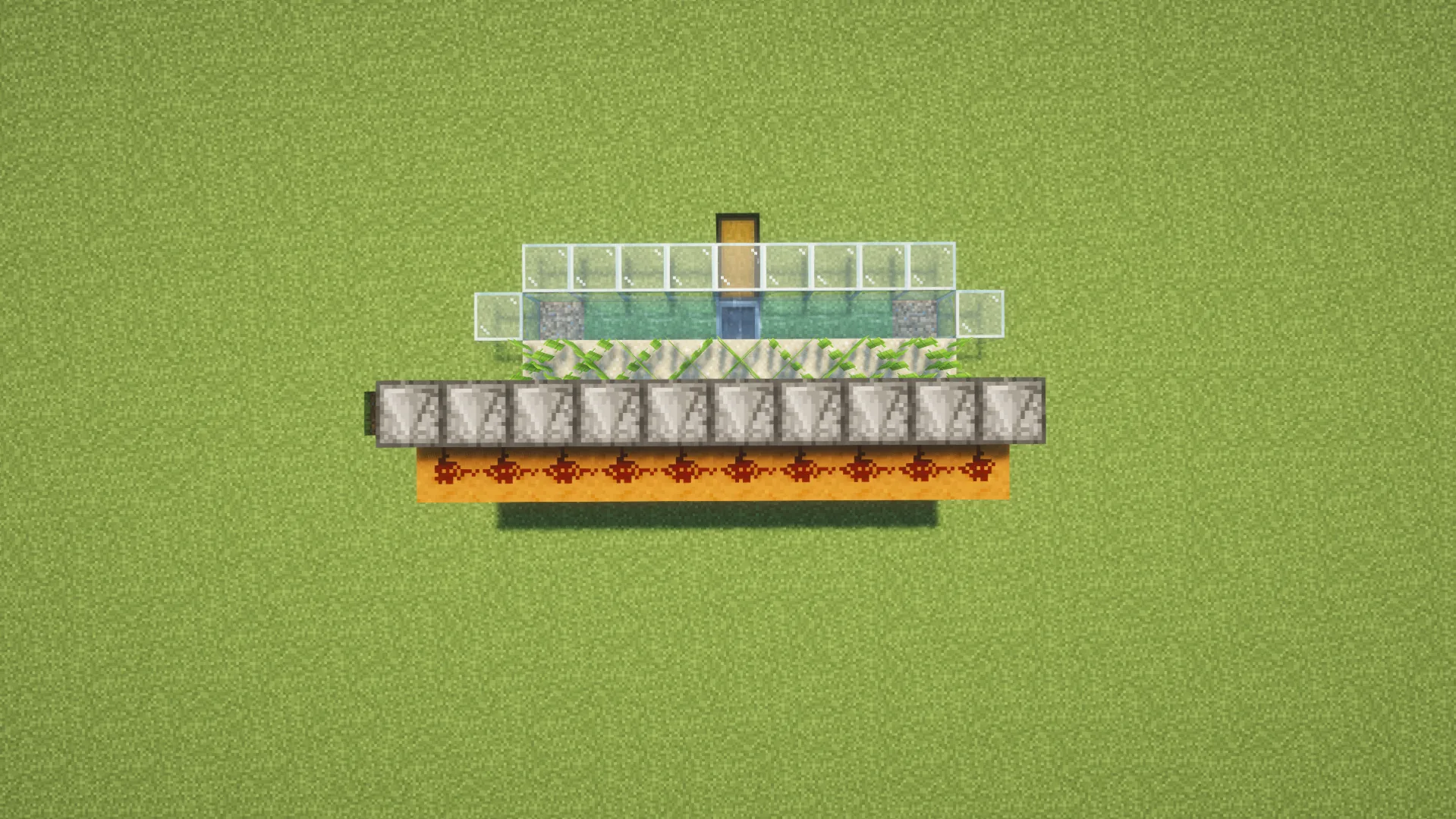
Of course, you can improve this scheme, making it more advanced. You can even make a redstone mechanism for differentiating cane and bamboo to collect them in different chests.
Fifth build: Simple Item Collection System
Talking about item collection systems, it’s just the right time to make one of them. For this redstone circuit, you’ll need a hopper, a chest, a redstone torch, a repeater, and a comparator. Arrange these elements as follows:
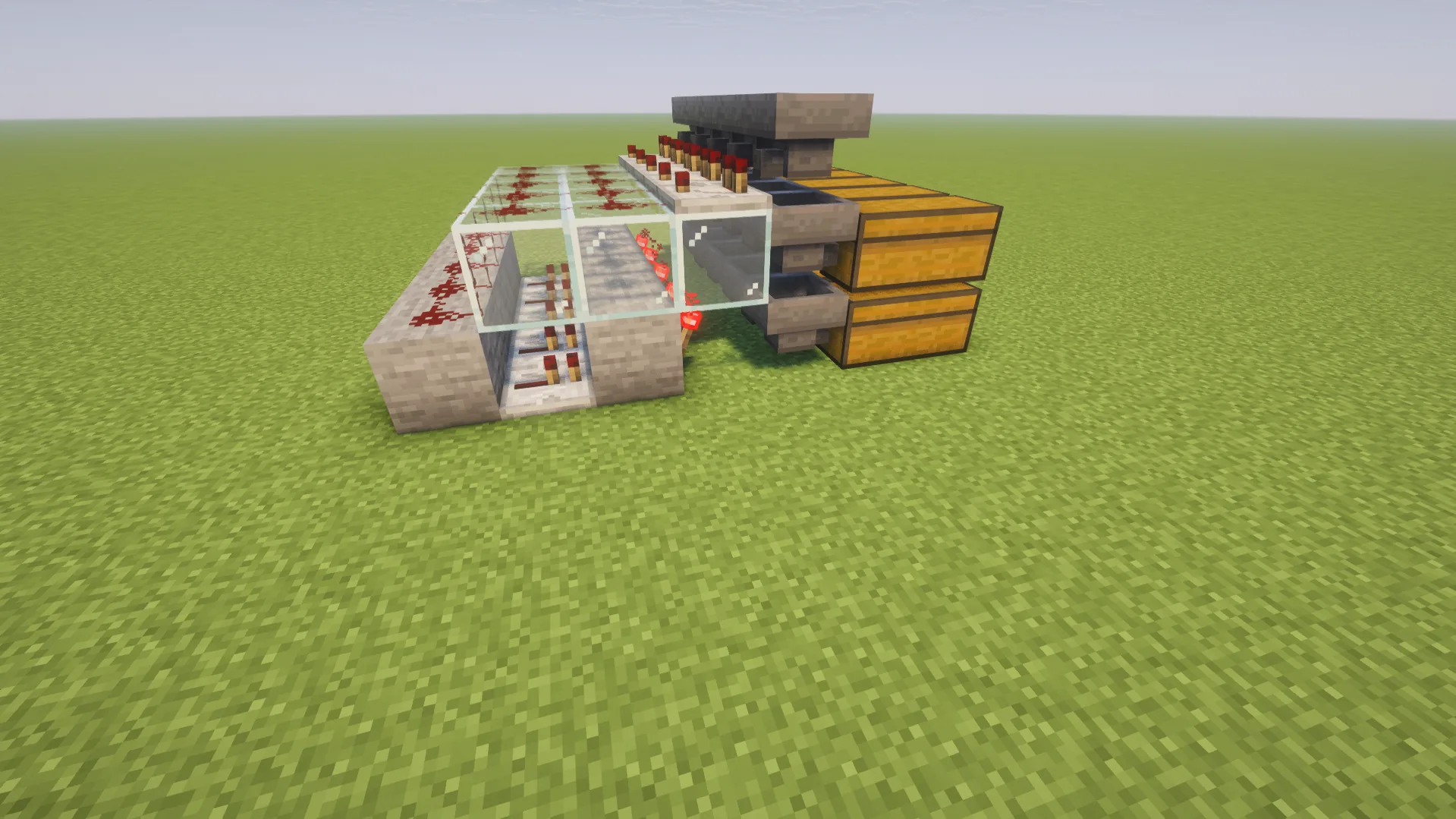
Of course, you can experiment with the transportation of the items and the length of the entire system. For instance, you can create a system that will automatically sort the resources you’ve found when mining.
Sixth build: Hidden Light System
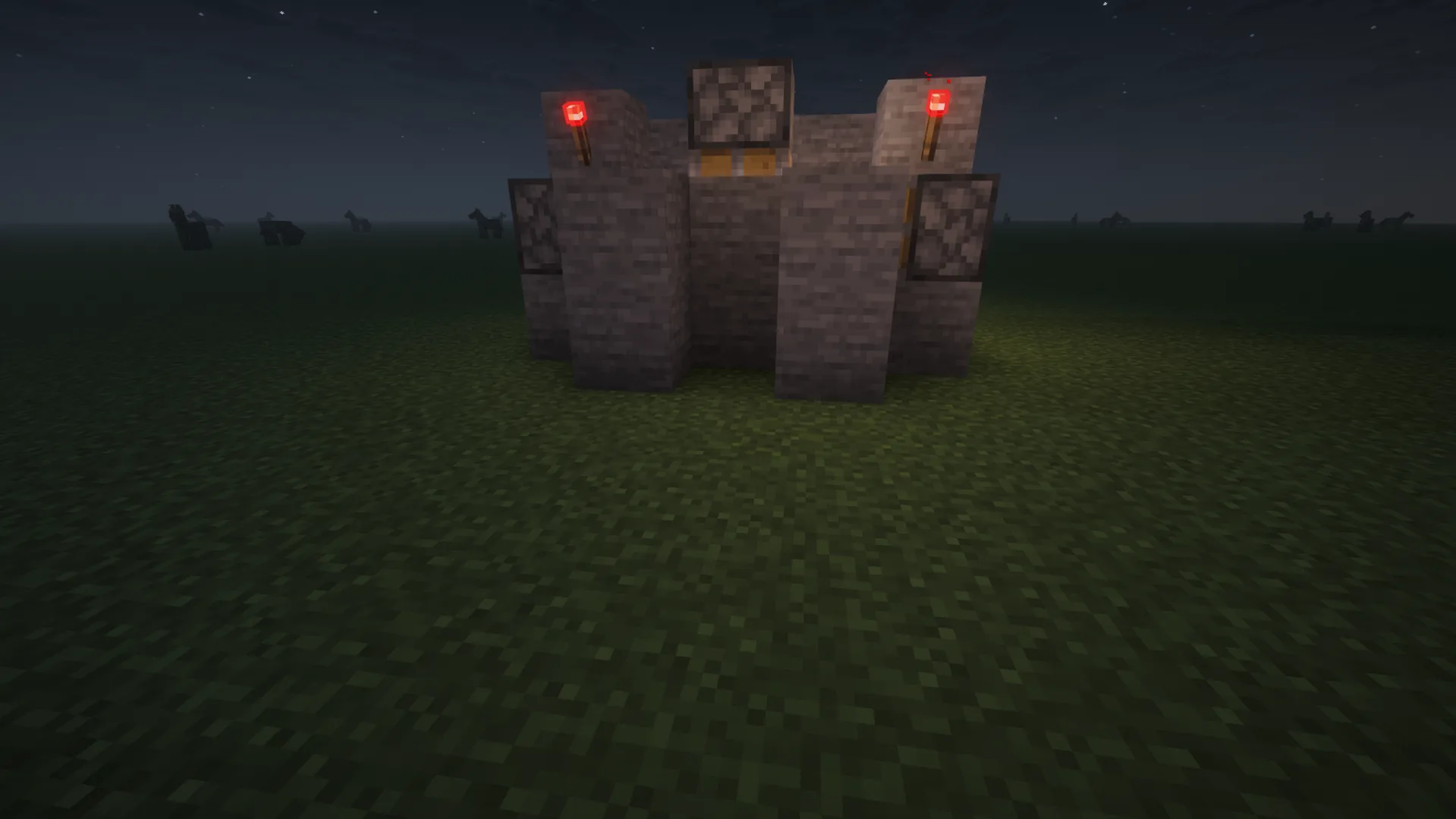
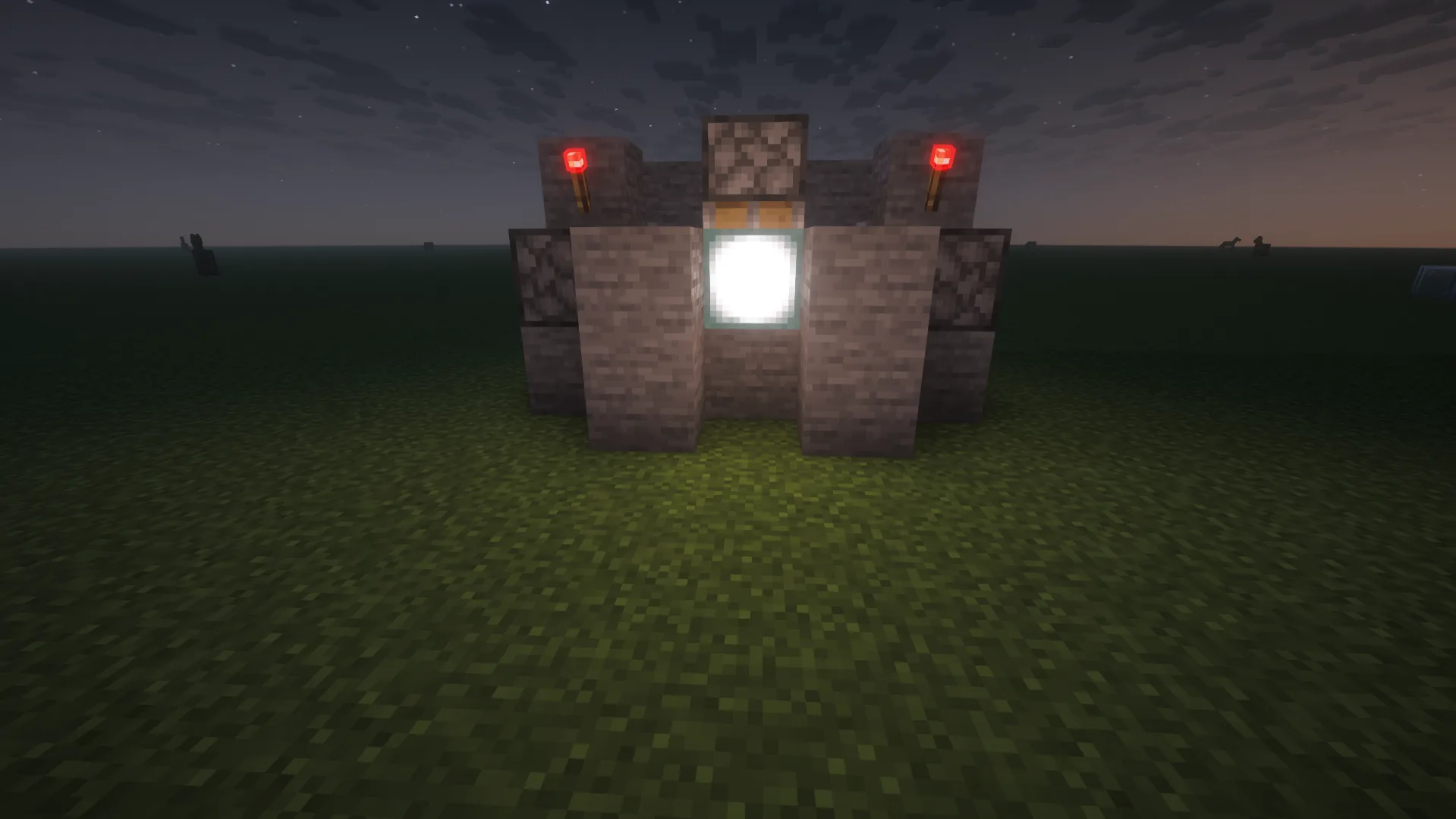
Have you dreamed of building a home with a modern light system that activates only when you use a specific button or a lever? For example, you can take some sticky pistons, sea lamps, a lever, and cover blocks to create a hidden lighting system using the following redstone circuit:
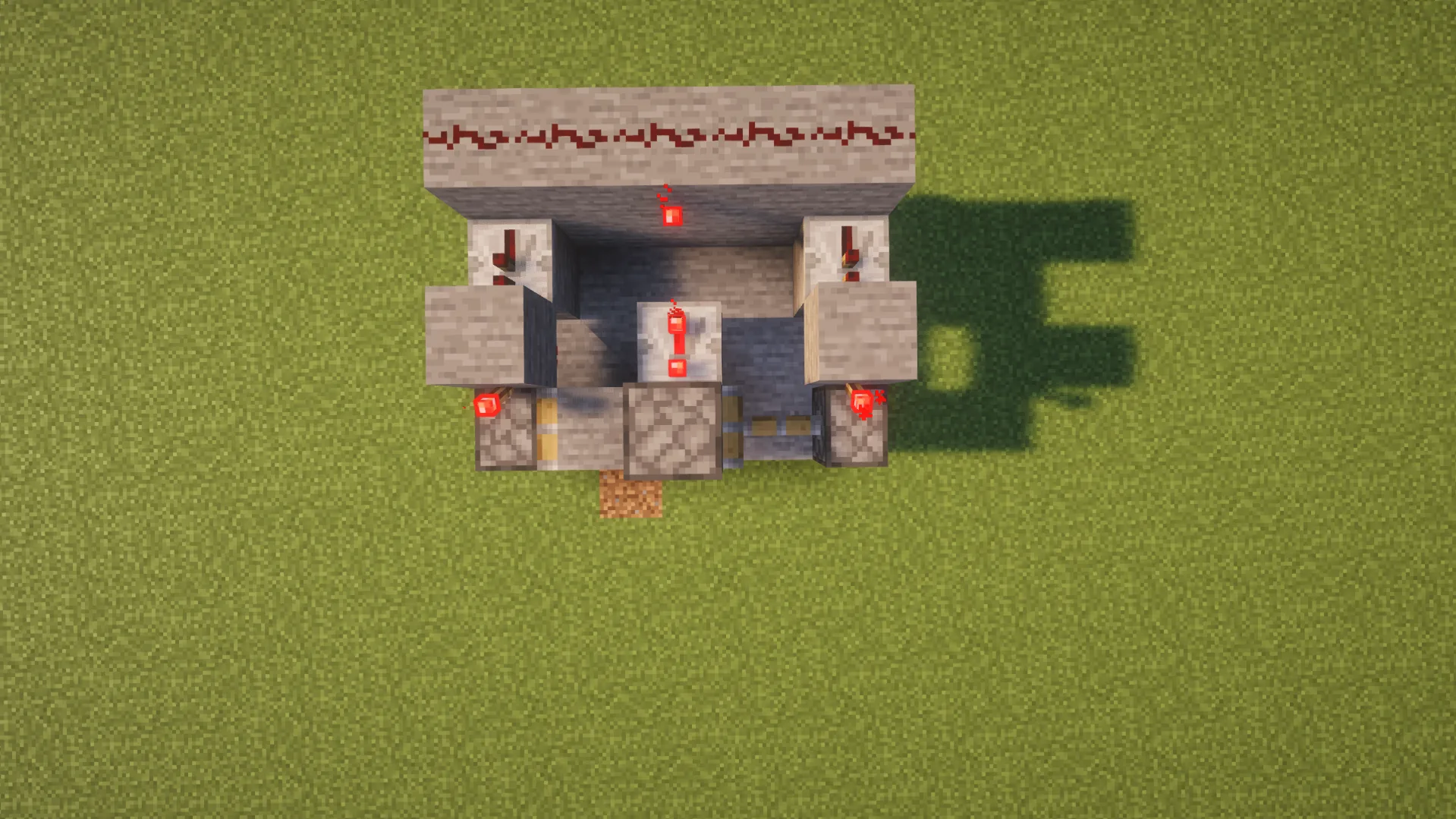
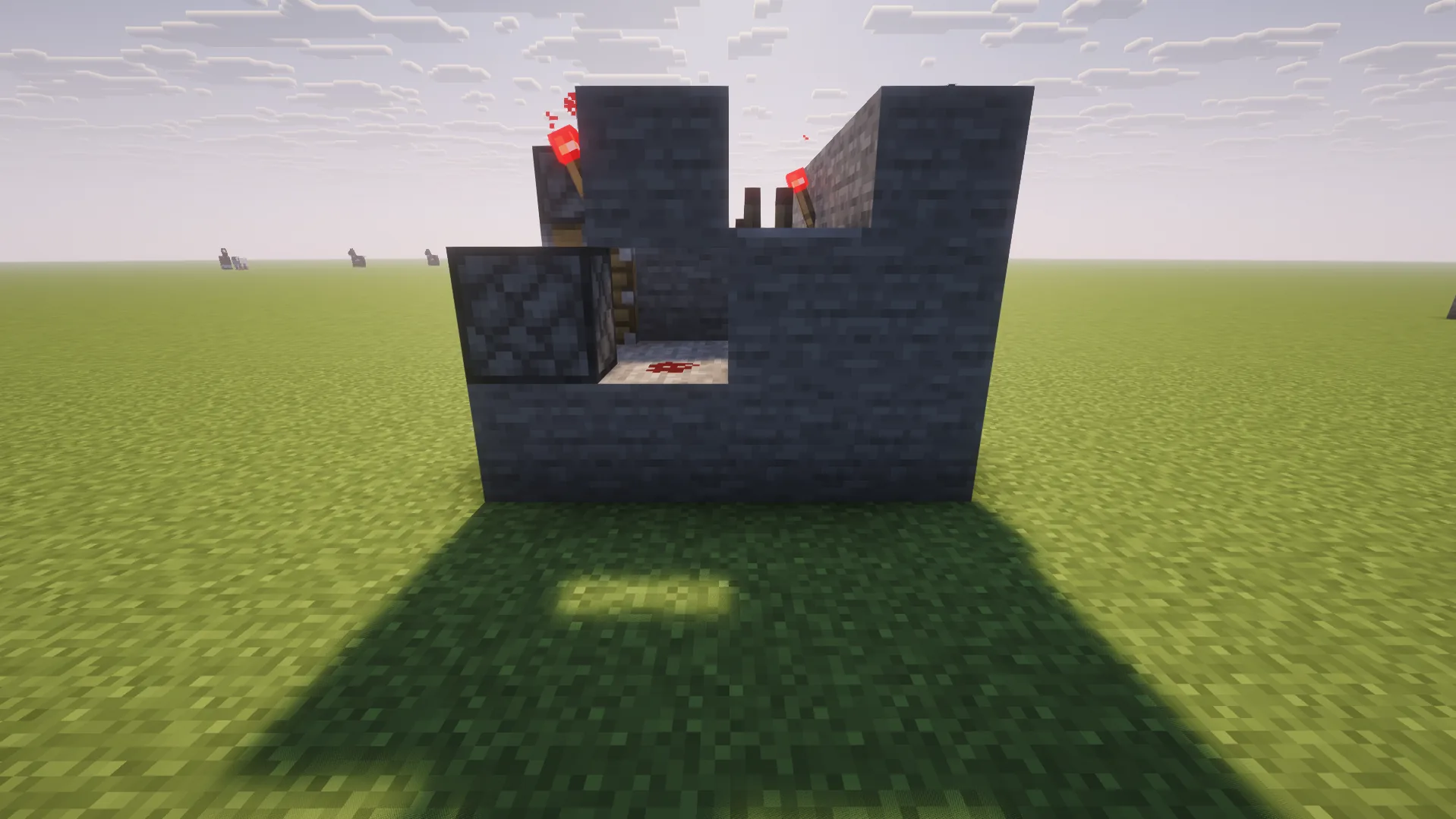
Note that you can experiment with input and output blocks. For example, you can replace a lever with a daylight detector to make the system activate automatically when night comes.
Seventh build: Simple Redstone Clock
Finally, you can build a simple redstone clock by using redstone torches and repeaters or other elements depending on the mechanism complexity. The simplest design looks like this:
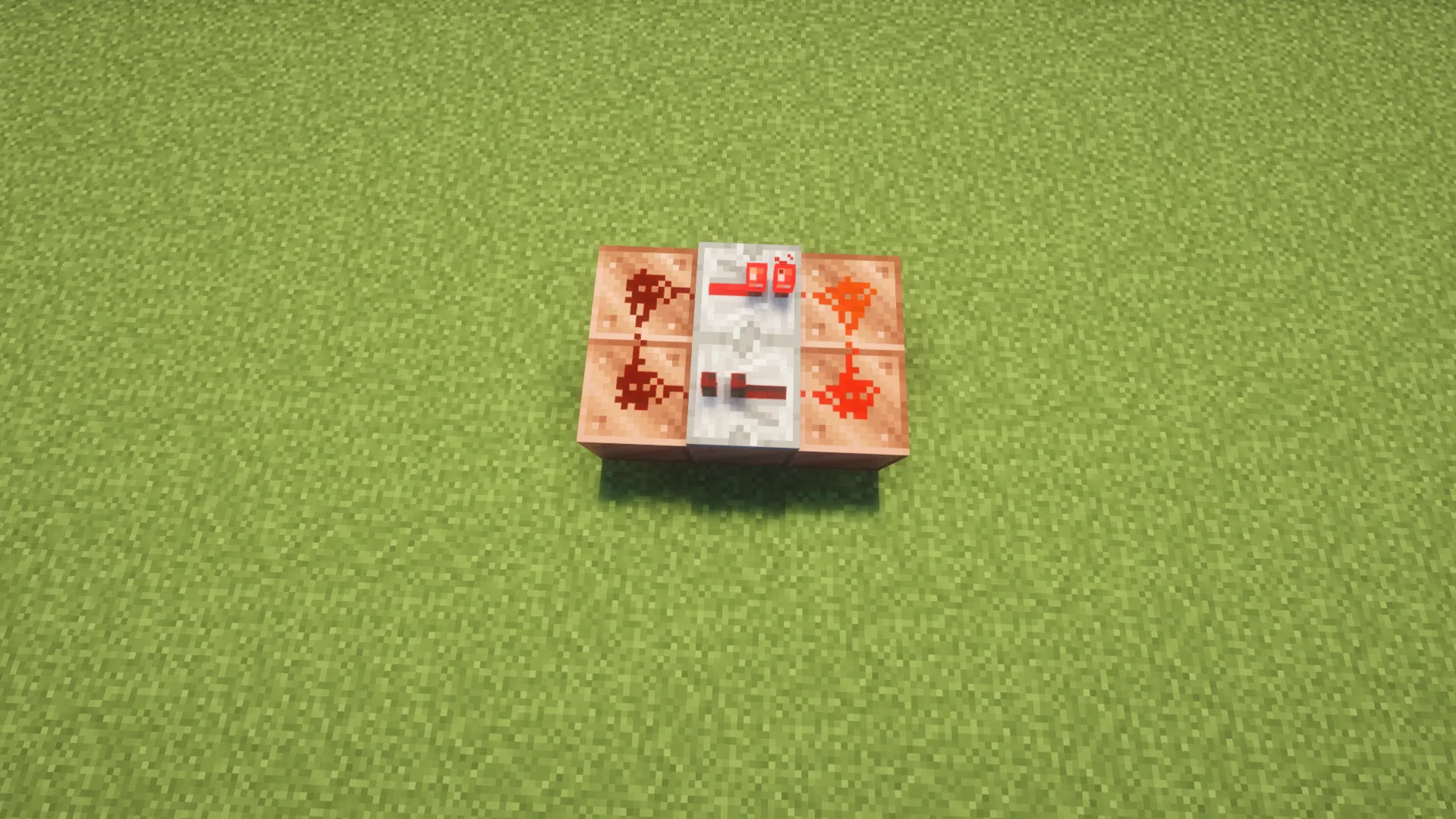
This is the so-called Repeater Loop 1-Clock. Note that you can remove the torch and redstone block once the clock is launched, since the signal will already be running.
When building such mechanisms, you can experiment with timing and outputs. You can create automatic farms, blinking lights, or exciting decorations for your buildings.
Redstone for Farms and Automation
Using Minecraft redstone input and output blocks, you can also create advanced automated farming and storage systems. Moreover, you can combine them in one complex mechanism that will ensure a steady flow of different resources. In the table below, you can get acquainted with popular automated farms and mechanisms:
| Automatic System |
Redstone Usage |
| Crop Farms |
Observers watch your crops grow, triggering dispensers with bone meal to fertilize crops or pistons to break them. |
| Bamboo and Sugar Cane Farms |
Observers spot when bamboo or sugar cane grows and activate pistons to break them |
| Mob Farms |
Use a clock circuit and water-dispensing system to flush spawning mobs off platforms into a killing chamber. Afterward, you can use an automatic collecting system to gather resources. |
| Smelting System |
Redstone may be combined with hoppers and chests to automatically feed different ores and fuel into furnaces and pull out the finished products. |
| Storage |
Use redstone to create circuits with comparators, hoppers, and redstone torches to sort and store different items into specific chests automatically. |
| Door |
You can use a simple redstone system with pressure plates for a smooth, hands-free base entry. |
| Lighting |
A simple combination of redstone dust, a daylight sensor, and lamps can help you create an automatic light system that will work only when the sun goes down. |
Redstone in SMP and Multiplayer Servers
Once you know how to create the best redstone builds for survival, you probably can’t wait to share your mastery with friends on your SMP server. Moreover, you can go even further and create:
- Exciting minigames
- Traps and secret rooms
- Decorations for server events
- Player shops
- Automatic rail systems and subways
Actually, you and your friends are limited only by your imagination. At the same time, you should also consider your hardware limits. The more active mechanisms you create, the greater the load on the server becomes, which may be critical if you run a server on your PC.
It’s better to avoid uncontrolled automation to ensure you won’t face any lag while playing. Alternatively, you can opt for Minecraft server hosting and choose an optimal plan for your specific needs. For example, you can choose a server plan with more RAM to build advanced redstone mechanisms.
Java vs Bedrock Redstone Differences
Overall, redstone works similarly in both Java and Bedrock Editions. However, as you know, some blocks like the Observer work differently in these versions. Thus, we’ve prepared a table that highlights the most notable differences between the two Minecraft editions:
| Feature |
Java Edition |
Bedrock Edition |
| Quasi-Connectivity |
Yes (some output blocks can be powered diagonally or from two blocks above) |
No |
| Movable Block Entities |
No (e.g., pistons can’t move chests) |
Yes |
| Sticky Piston Spitting |
A 1-tick signal makes a sticky piston leave a connected block behind |
Regardless of the signal speed, sticky pistons always hold onto their blocks |
| Redstone Dust Direction |
Both visual and functional |
Mainly visual |
Redstone Common Beginner Mistakes
Our step-by-step Minecraft redstone guide wouldn’t be complete without reviewing the common mistakes beginners make when they first use redstone. We strongly recommend getting acquainted with them to avoid spending hours trying to figure out why your schemes don’t work:
- Placing redstone dust beyond the maximum range of a signal source.
- Not checking the direction of repeaters.
- Using directional components inappropriately.
- Powering the wrong blocks.
- Confusing the behavior of different signal sources.
- Trying to build too complex mechanisms without mastering the basics.
- Copying schemes from Java Edition in Bedrock Edition or vice versa without checking the work principles of the mechanisms used.
- Failing to ensure mob safety around automated farms.
- Changing several parts of your scheme without checking whether each one of them works.
How to Troubleshoot Redstone
New players often try to recreate redstone builds from different guides, but they may still face different issues that prevent their mechanisms from working properly. Thus, we’ve prepared an ultimate checklist that includes things to inspect to ensure that your redstone scheme works just the way you want:
- The signal input source is powered and connected to your scheme.
- The redstone dust lights up when you turn on the entire mechanism.
- The signal reaches the output block.
- All repeaters in your scheme face the correct direction.
- You don’t have circuits without repeaters, extra signal sources, or comparators that extend beyond 15 blocks of redstone dust.
- No blocks are interrupting the connection in your scheme.
- Your build meets the specific redstone behavior of your Minecraft edition.
- If you build a complex mechanism, you’ve tested each section separately.








 en | USD
 CHAT WITH GODLIKE TEAM