Although you can’t place a bed in the Nether, you still can set a spawn point there using a Minecraft Respawn Anchor. Using Crying Obsidian and Glowstone, you can craft this useful block to keep exploring this hellish dimension immediately after an unexpected death.

Make your own FREE minecraft server
MINECRAFT FREE SERVER
In our Respawn Anchor guide, we’ll carefully review how to craft this block, charge it, and properly place it for the most efficient usage. We’ll also compare it with other respawn blocks and methods, and answer the most common questions about it.
What Is a Respawn Anchor?
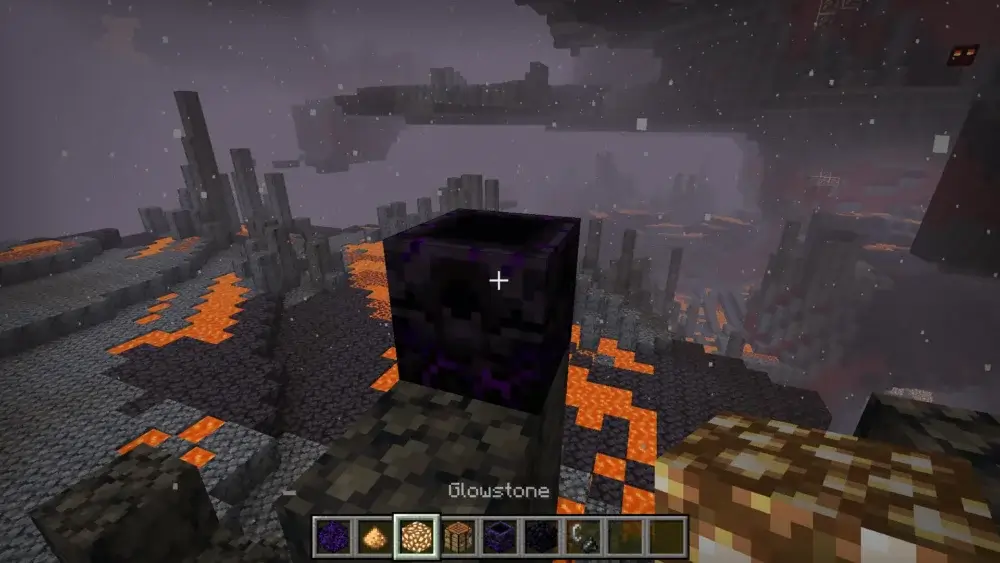
Respawn Anchor is a Minecraft Nether respawn block that allows players to respawn in the Nether after death. It can save a lot of time, since there is no need to spend time getting to the Overworld portal to return. Players usually use this block to explore different dangerous structures in the Nether, such as Fortresses and Bastions, as well as to build ultimate bases or hubs.
At the same time, consider that a Respawn Anchor can’t replace a bed in the Overworld. Moreover, if you place it there and try to charge it, the block will immediately explode. The outcome will be similar if you set a Respawn Anchor in the End.
How to Craft a Respawn Anchor
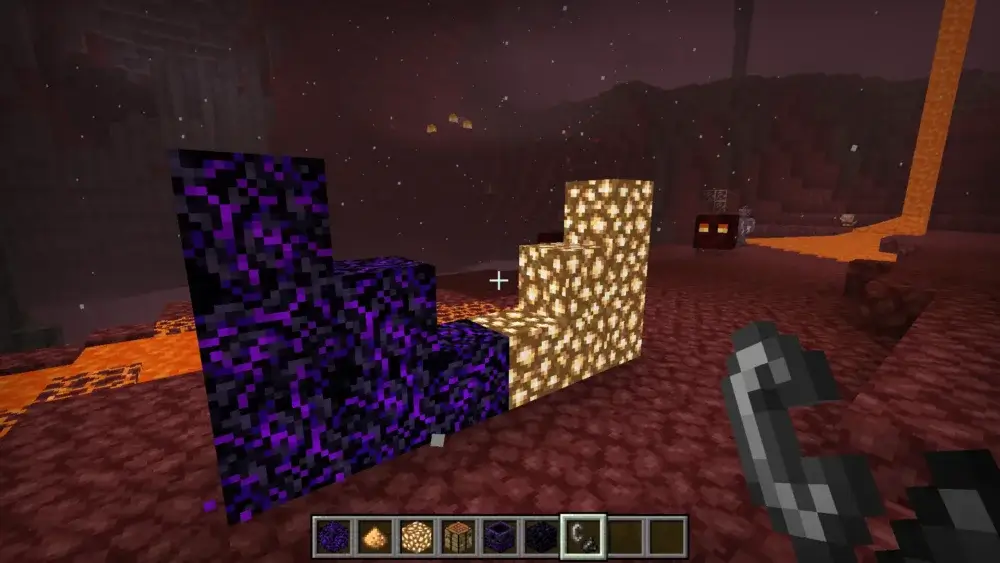
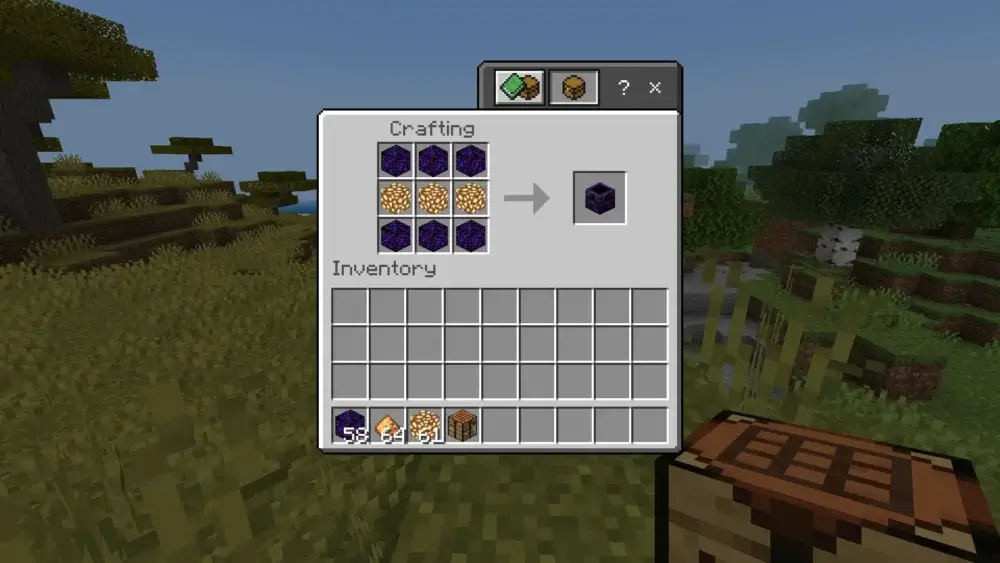
So, how to make a Respawn Anchor in Minecraft? First of all, you need to collect all the necessary ingredients:
- 6 Crying Obsidian
- 3 Glowstone blocks
Once you get the mentioned items, go to the Crafting Table and follow this recipe:
How to Get Crying Obsidian and Glowstone
Getting Glowstone for a Respawn Anchor is the easiest part, since you can easily find these blocks in the Nether. Simply use the obtained Glowstone dust to craft Glowstone blocks:
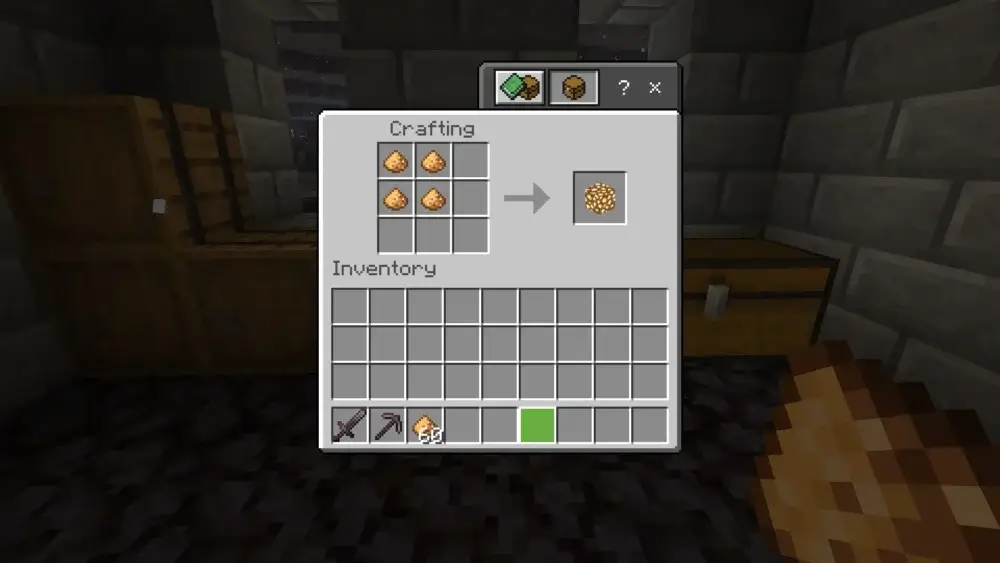
The situation is slightly more difficult when obtaining the Crying Obsidian needed for a Respawn Anchor, but you still can get them if you spend some time. All in all, there are three ways to get these blocks:
- Looting Bastion chests;
- Bartering with piglins;
- Mining Crying Obsidian at ruined portals. Note that in this case, you’ll also need a diamond pickaxe.
How to Charge a Respawn Anchor with Glowstone
Unlike a bed, it’s not enough just to place a Respawn Anchor in the Nether. This block also needs to be charged to respawn players. You’ll need at least four Glowstone blocks to fully charge a Respawn Anchor. Once you get them, stick to the following instructions:
- Keep Glowstone blocks in your hand, approach the Anchor, and right-click it.
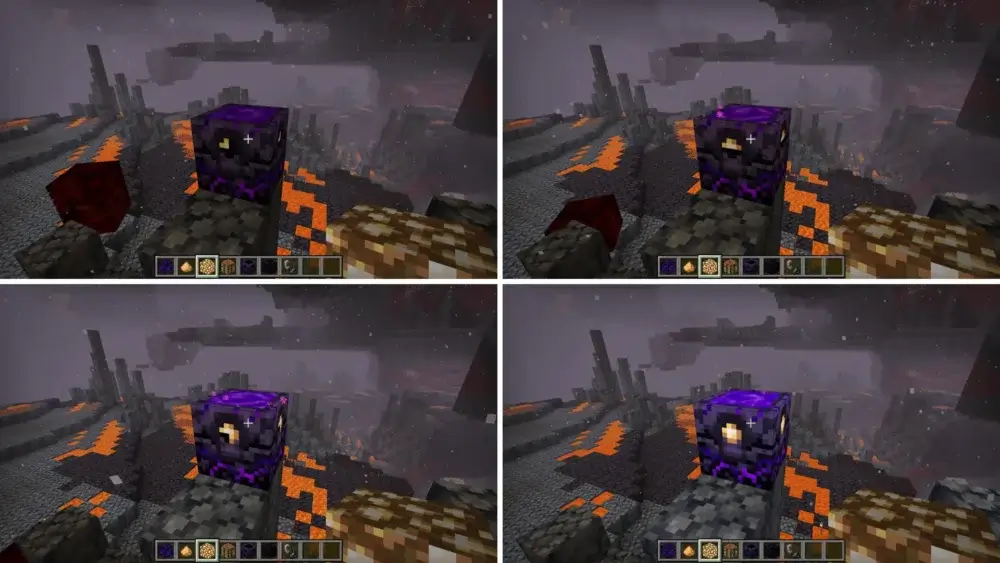
- Each Glowstone block adds one charge. The Respawn Anchor can hold up to 4 charges.
- The Respawn Anchor's visual look changes with each charge level, so you can easily see how full it is.
How to Set Your Minecraft Nether Spawn Point
Now, it’s time to learn how to use the Respawn Anchor in Minecraft. After you set it in a safe place and charge it with Glowstone blocks, interact with the block while holding nothing in your hand. This sets your spawn point in the Nether, and the game will show you the confirmation message:
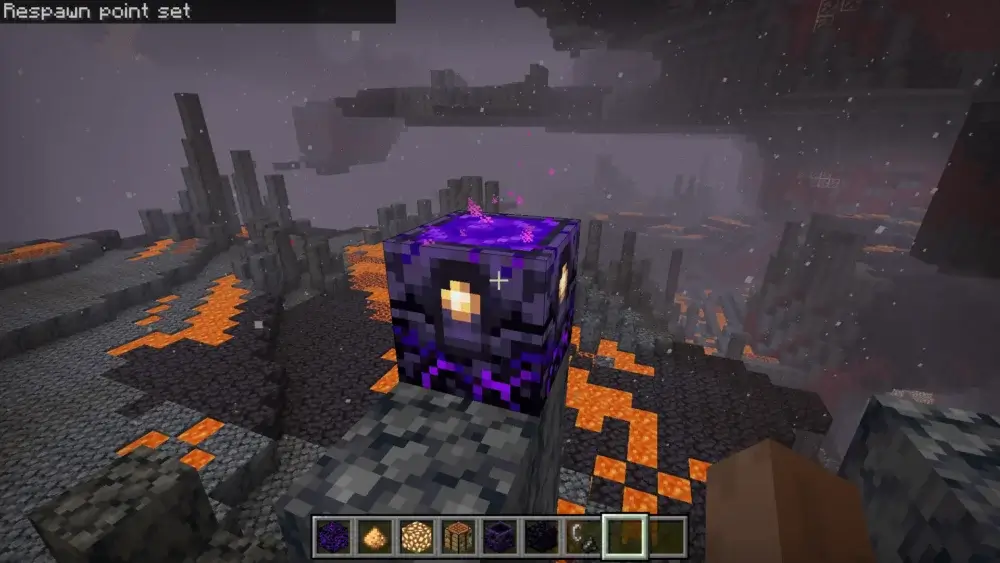
Always watch your Respawn Anchor to make sure it doesn’t run out of charges. Also, keep some extra Glowstone blocks nearby to replenish its charge when needed. If your Respawn Anchor runs out of charges, you’ll respawn at your normal spawn point in the Overworld.
Where to place a respawn anchor?
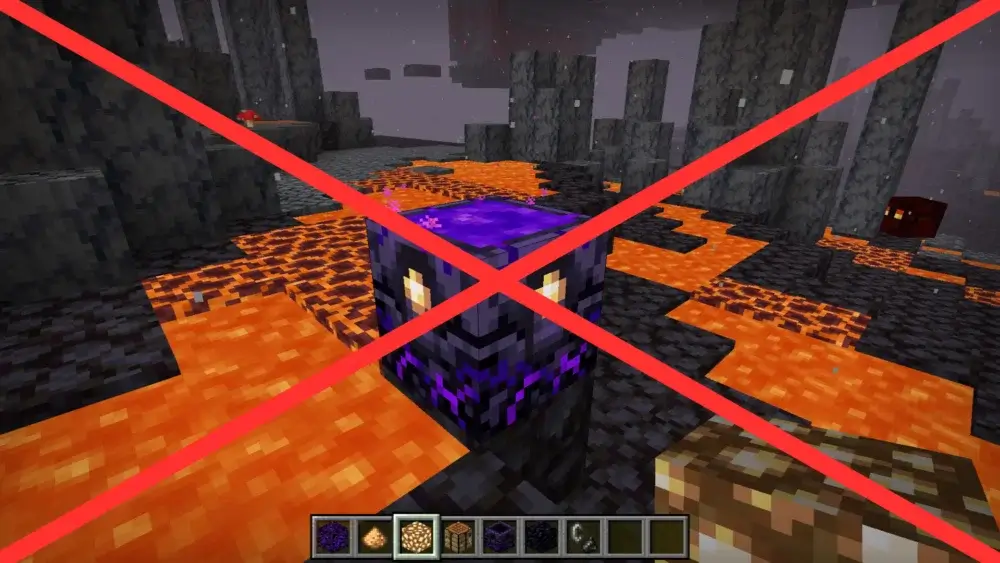
It’s not enough just to know how to set a spawn in the Nether in Minecraft. You should also ensure that the place where you’ll come back to life meets some of the following criteria:
- It’s located inside a protected, covered Nether base.
- There are no lava lakes nearby.
- The room with a Respawn Anchor also features a chest with backup gear and a Glowstone block supply.
- There is enough free space in a spawn room.
Your base or a hub is certainly the best place to put a Respawn Anchor in the Nether. At the same time, we strongly recommend avoiding Bastion rooms and unprotected Fortress corridors or bridges. You surely don’t want to respawn just to immediately get attacked by Piglin Brutes, Ghasts, or other mobs from the Nether.
What happens when a respawn anchor runs out of charges?
If your Respawn Anchor runs out of charges and you die, you will respawn at your default world spawn point. Note that each time you respawn using a Respawn Anchor, one charge is consumed. Besides, there will be other changes:
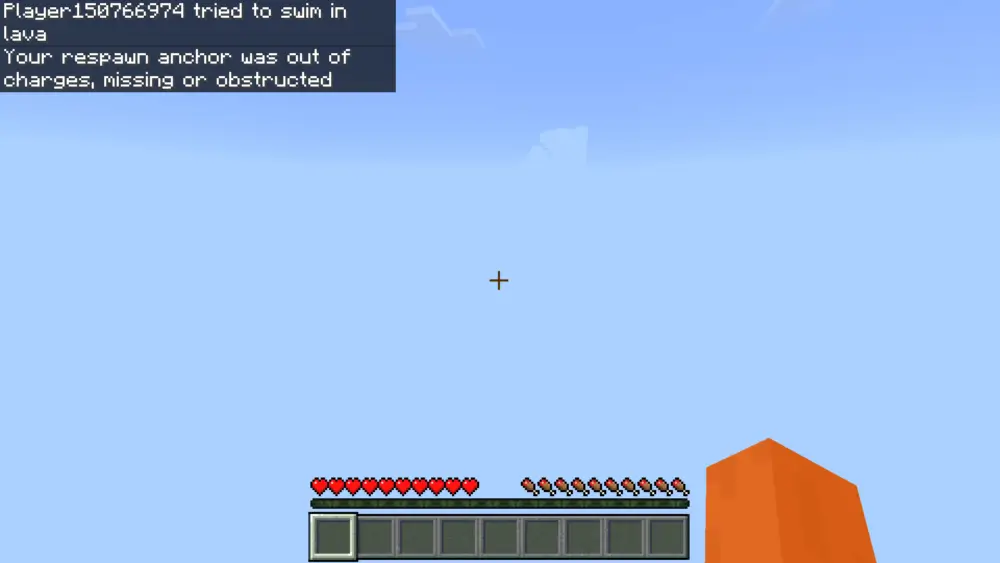
- You’ll receive a message saying your Respawn Anchor is out of charges, missing, or obstructed.
- The anchor will remain completely uncharged and dark in the Nether.
When you're playing on an SMP server, you and your friends can use one Minecraft Respawn Anchor for a Nether base. However, you may run out of charges much faster.
Minecraft Respawn Anchor vs Bed
Both a Minecraft Respawn Anchor and a bed can be used to respawn a player. However, there are significant differences between them:
| Feature |
Respawn Anchor |
Bed |
| Location to place |
The Nether |
Overworld |
| Explosion |
Yes (Overworld, the End) |
Yes (the Nether, the End) |
| Power Source |
Glowstone blocks |
- |
Also, beds in Minecraft are commonly used as an inexpensive way to damage the Ender Dragon. And if you have dyes, you can use them to customize your beds.
Respawn Anchor vs Server Spawn Commands
In addition to a bed and a respawn anchor, it’s also possible to manipulate a player’s spawn using console commands (such as /spawnpoint or /setworldspawn) and plugins. The difference between Respawn Anchors and server commands is significant:
| Feature |
Respawn Anchor |
Server Spawn Commands |
| Location to place/apply |
The Nether |
Any dimension |
| Influence |
Individual survival player |
Individual players or the entire world |
| How it works |
Crafted, placed, and charged with Glowstone blocks |
Entered by a player with the required permissions (OP) |
| Activation |
At least one Glowstone block |
- |
| Permanence |
Persistent until destroyed or depleted |
Permanent (until an admin changes it) |
Can You Use Respawn Anchor in the End?
Unfortunately, you can’t use a Respawn Anchor as a normal respawn point in the End. Once charged, it’ll simply explode and deal damage, so we strongly recommend avoiding it. If you want to kill the Ender Dragon with explosions, beds are a much more cost-effective option. And if you’re looking for a way to respawn near the End swiftly, the best option is to place your bed near the Stronghold in the Overworld.
Respawn Anchor for Nether Structures
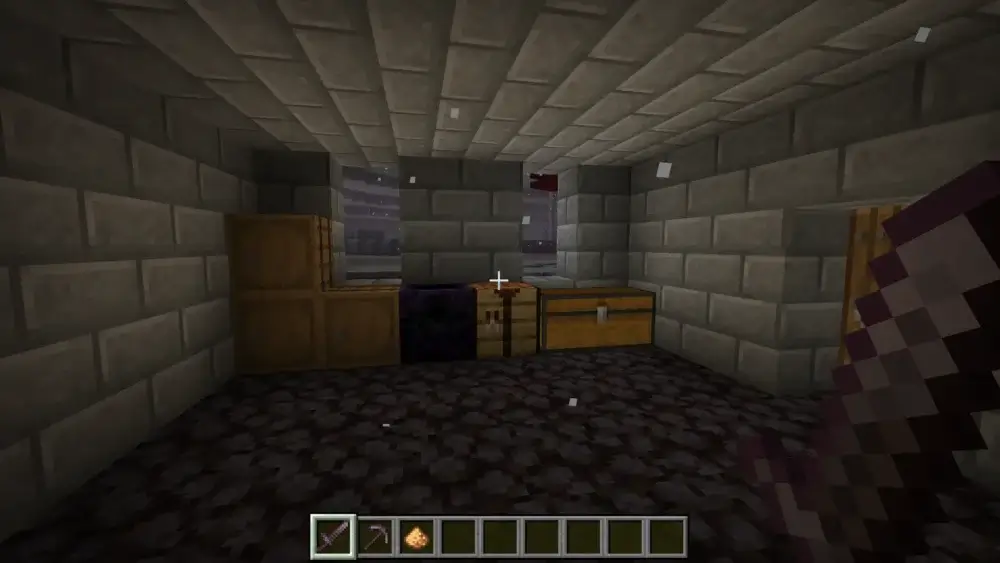
Respawn Anchor can bring a player back to life immediately, letting them continue exploring Nether structures such as fortresses, bastions, and ancient debris. However, there are some important safety rules to follow during your adventures to use this block safely:
- Build a base near a Nether Fortress to place a Respawn Anchor instead of setting it inside this structure’s dangerous corridors.
- Always prepare backup gear before Nether exploration, Netherite mining, and blaze rod farming.
- Ensure that your Respawn Anchor is fully charged before a Bastion raid.
- Build an outpost with a Respawn Anchor inside before mining Ancient Debris and Basalt Deltas.
- Always keep some Fire Resistance Potions in your inventory to avoid dying in lava pools.
- Even with a fully charged Respawn Anchor, you still should be careful in the Nether, avoiding lava and hostile mobs. Although you’ll immediately respawn, you may lose all your items if they burn in a lava pool.
Respawn Anchor in SMP and servers
If you run your own Minecraft survival multiplayer server for you and your friends, you definitely need to prepare some respawn anchors when you enter the Nether. Of course, you can use one block, but it may run out of charges quickly, especially if your entire group dies at once.
Place anchors inside your checkpoints, farming outposts, and mining stations. You can also organize different events in the Nether. For example, how about dividing the players on your server into two teams to fight in the hellish dimension? In this case, it’ll be a good idea to provide each member of this epic battle with a Respawn Anchor, so they can immediately respawn and join the encounter.








 en | USD
 CHAT WITH GODLIKE TEAM