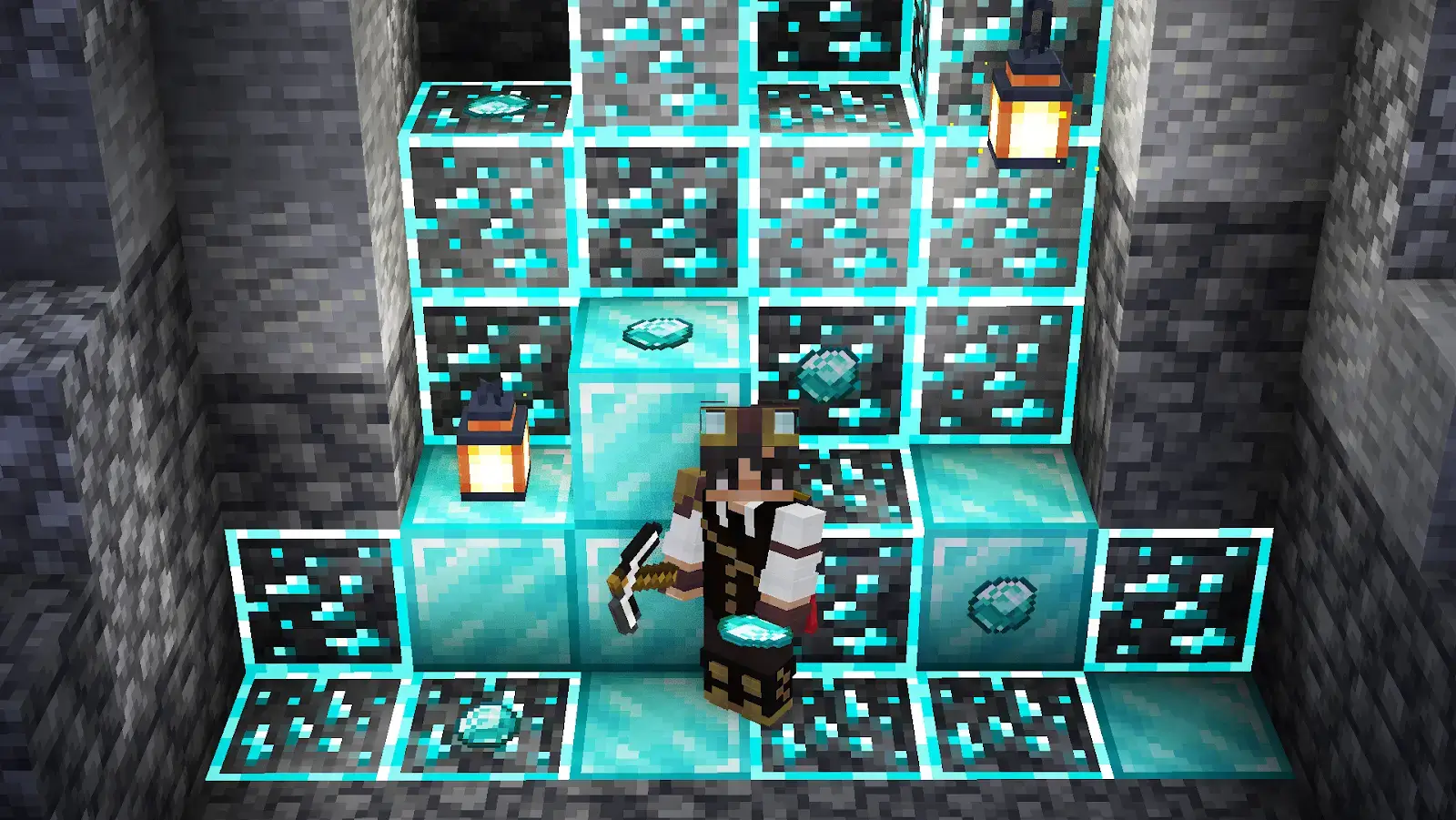
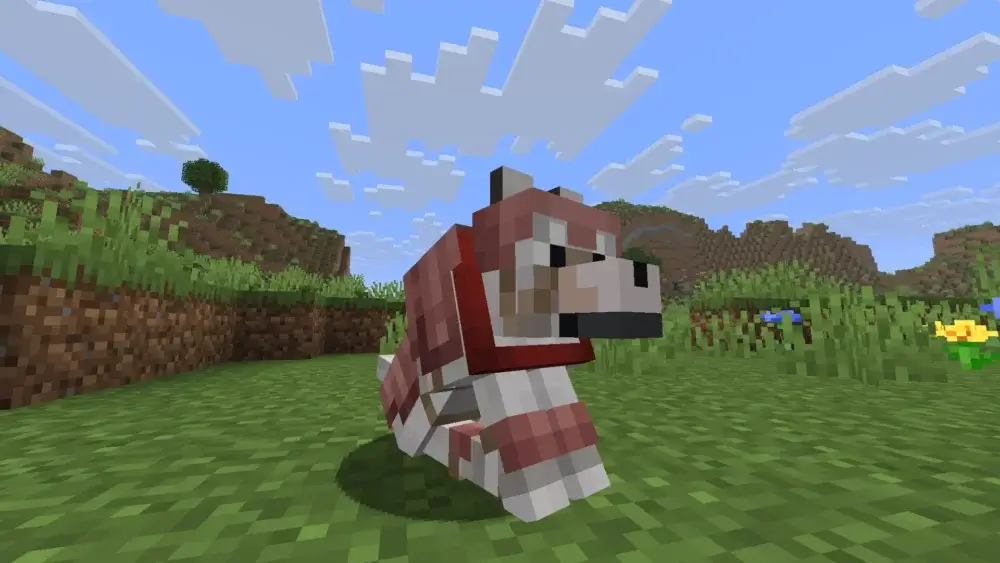
Wolf armor, or like it is more casually referred by many players — “dog armor”. A protective item that was added to the game in the recent 1.20.5 update called “Armored Paws”. It is specifically designed for the tamed adult wolves, and like you might’ve guessed by now helps to keep your pet safe.

Make your own FREE minecraft server
MINECRAFT FREE SERVER
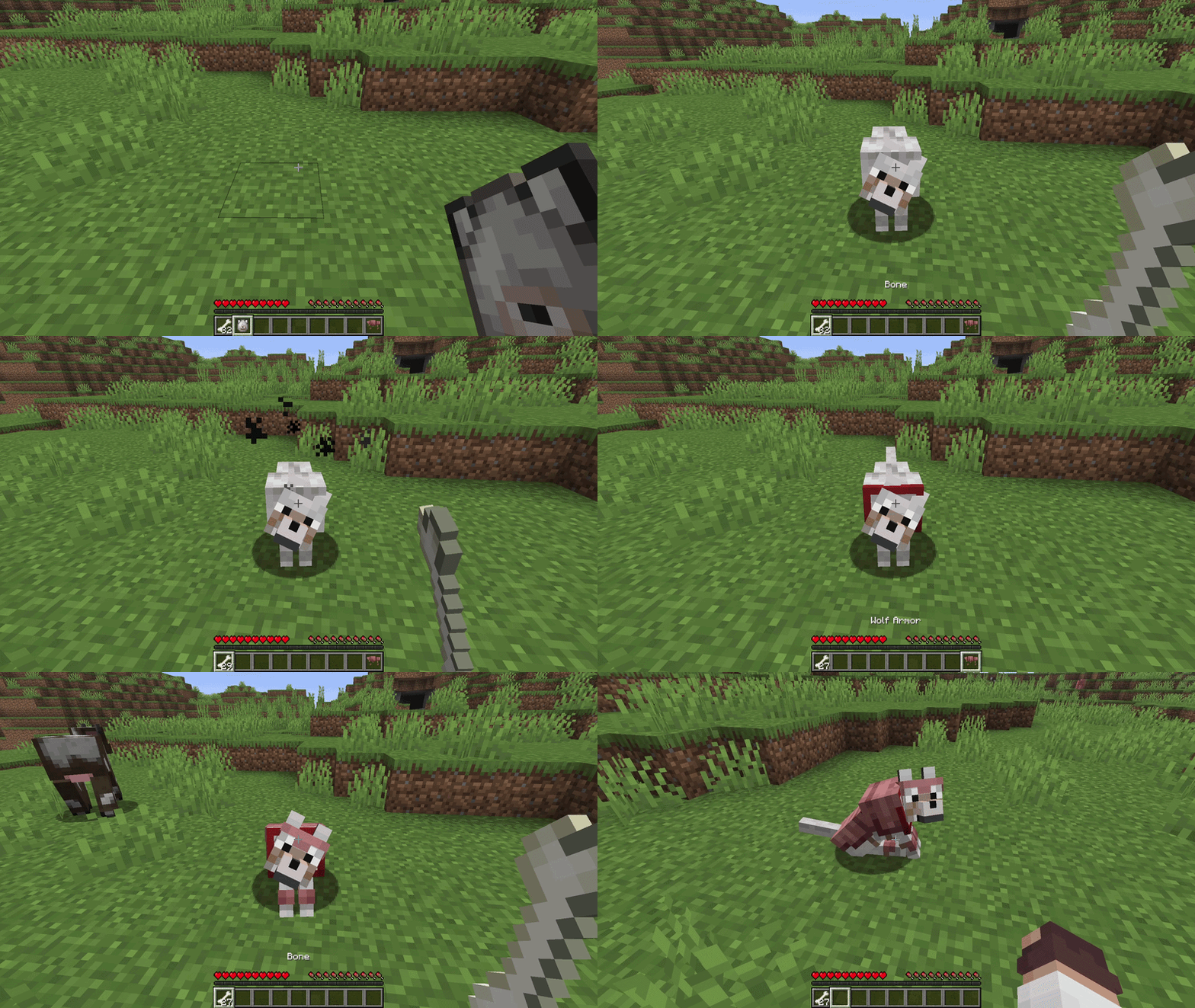
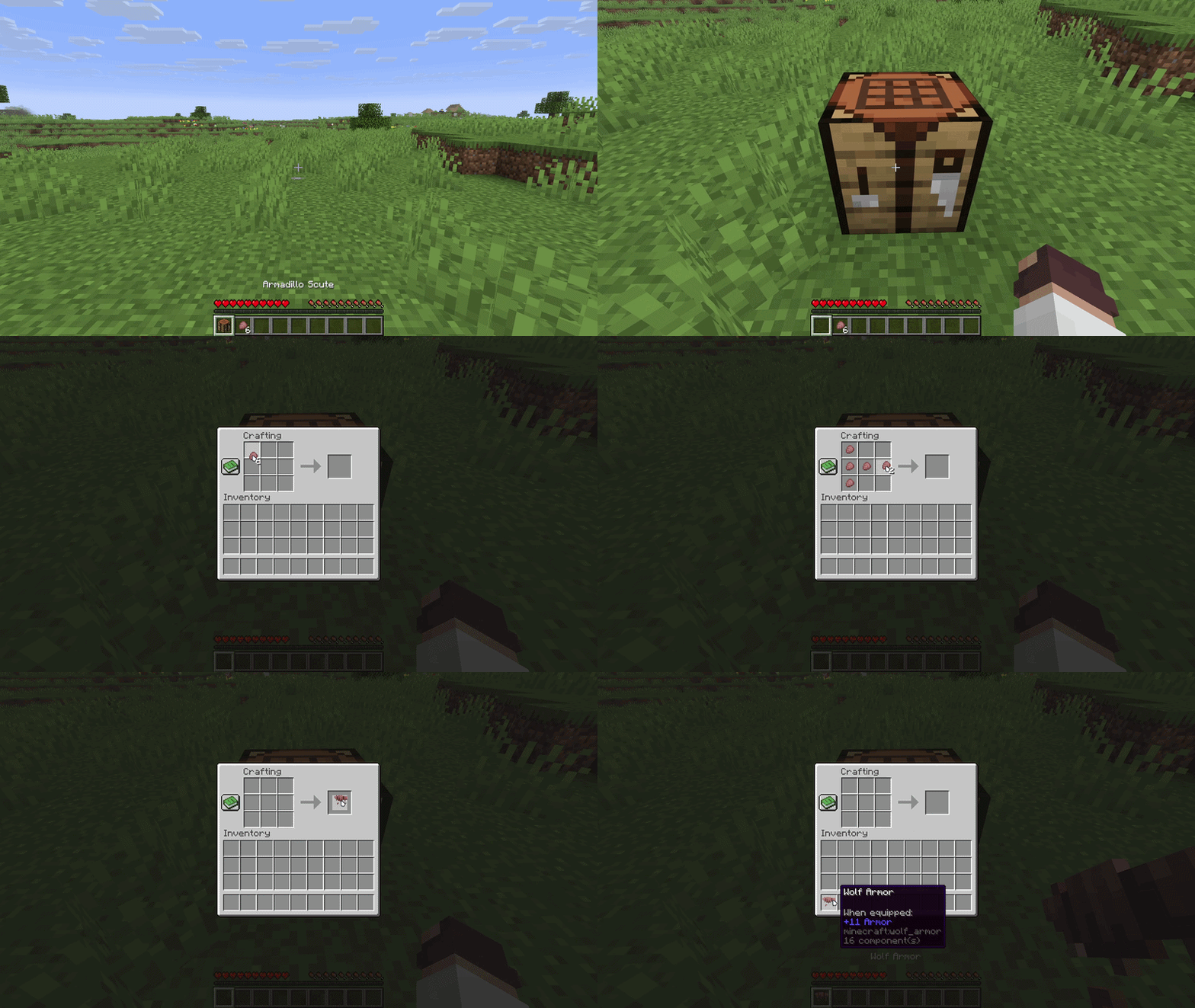
The armor can be easily crafted using the 6 Armadillo Scutes on a crafting table. Once that’s done, armor can be equipped on your pet by simply right clicking on it. After that it will be acting as a shield for your pet, absorbing the incoming damage. It can also be dyed into any available color in the game, repaired or removed using shears.
While this is pretty much all there is to the wolf armor guide, there are still lots of minute details that can be crucial to know. Hence, let’s dive deeper into the wolf armor guide!
What is wolf armor?
Like is was mentioned before, wolf armor is a new protective item, added in the update 1.20.5 “Armored Paws”. It is meant strictly for the tamed adult wolves. It’s a perfect item for the dog lovers, since now you can easily bring your pet to explore the world or fight alongside you, without fearing for their life in every chance encounter with hostile mobs.
How to craft wolf armor?
We’ve briefly mentioned that the wolf armor is crafted on the crafting table, using 6 Armadillo Scutes. However, to fully cover the question, let’s also explore how to get the Armadillo Scutes and the exact way how to craft the armor.
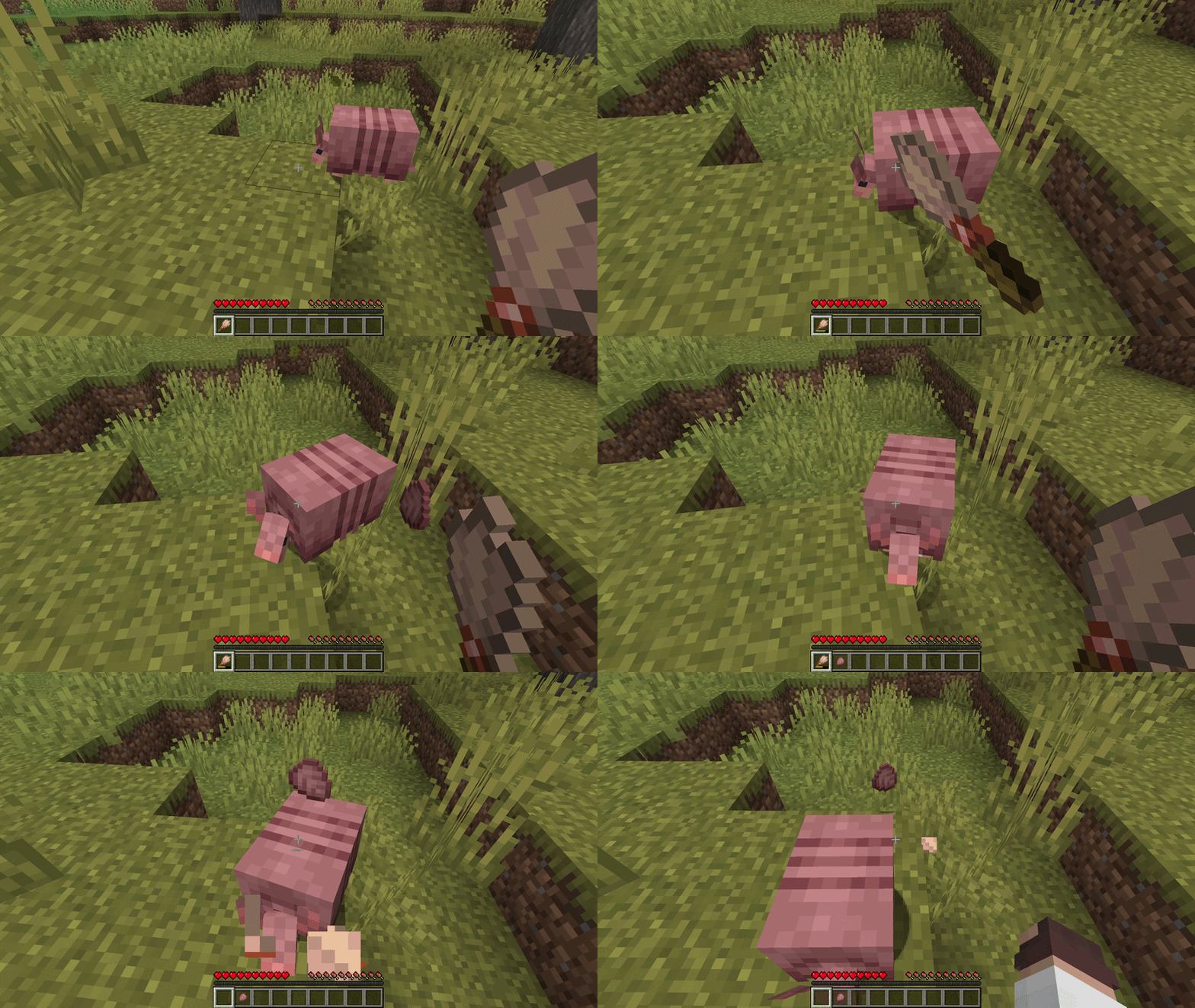
Starting off with the item required for the craft. Armadillo Scutes — a new drop item added in the update 1.20.5 “Armored Paws” alongside with the mob that drops it, (you guessed it) Armadillo. Armadillos can be found in the Savanna and Badlands biomes. It’s a passive mob, so there is no need to fear being attacked by it.
So, how do you acquire the scutes? Do you need to kill the armadillo? While this is counterintuitive, it’s actually the opposite — killing them won’t drop any scutes at all. There is 2 ways to actually get them:
- Waiting: Armadillo naturally drop one scute every 5 to 10 minutes.
- Brushing: While waiting is just fine of a method, it’s a bit too slow. To force an armadillo to drop a scute instantly, you can use a brush on it. However, keep in mind that while this is the fastest method, it will heavily drain the durability of the brush.
Once you acquired the armadillo scutes, 6 of them to be exact, you can proceed with crafting the wolf armor following this exact “h” shaped pattern on the crafting table:
How to equip and remove wolf armor
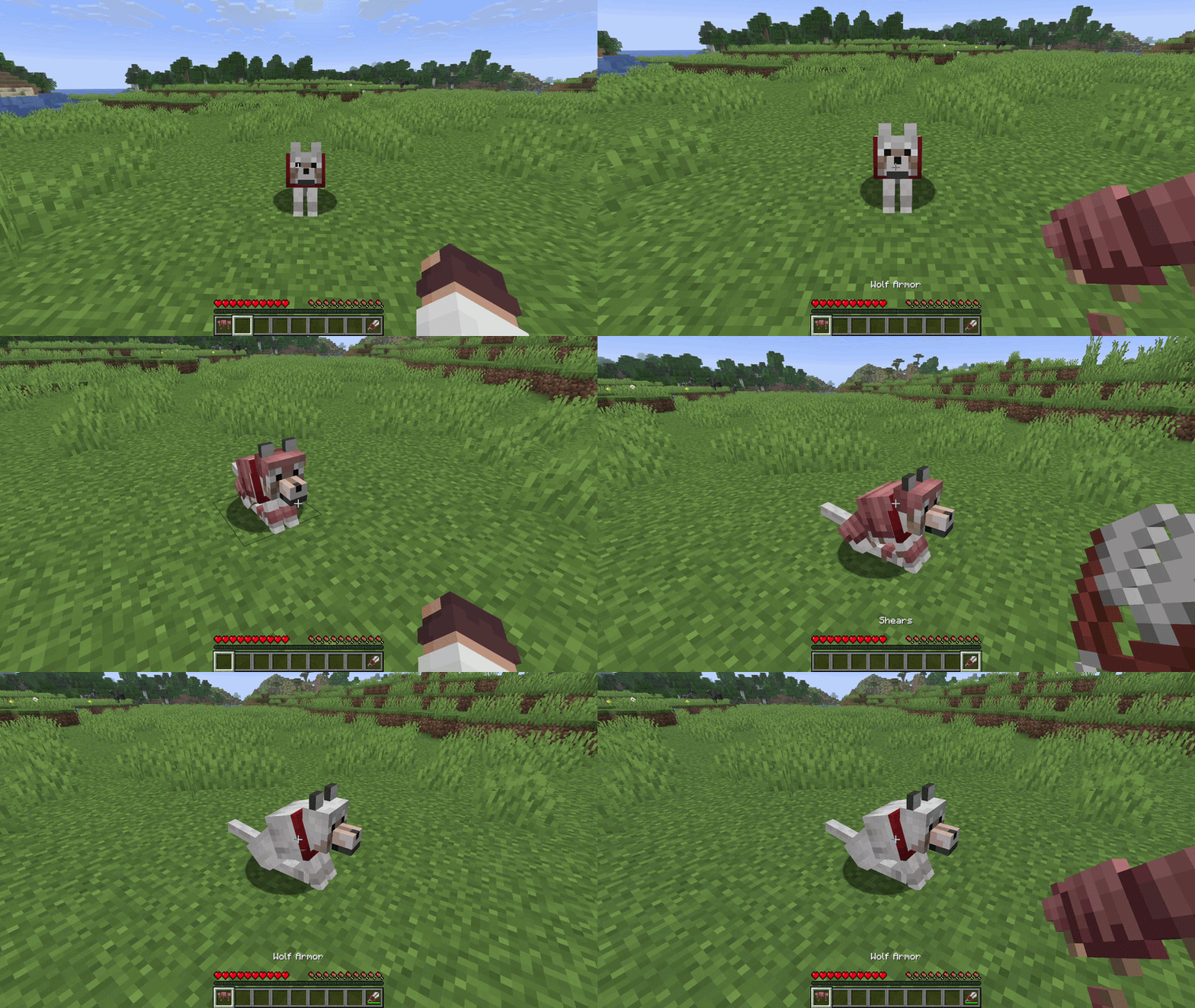
To put the armor on the wolf, you need to do the following:
- Make sure that the wolf is tamed. You can tell if it is by a few factors: the wolf follows you around, you can make it sit in place by right clicking on it, it has a small red (by default) collar around its neck. To tame the wolf, just feed it bones until you see hearts pop up around it.
- Make sure the wolf is a full grown adult. Small kid wolfs cannot have the armor equipped.
- Hold the wolf armor in your main hand and right click on the wolf.
That’s, as simple as that!
To remove the armor however, you will need a tool, as you cannot just do it barehanded — shears. While holding shears in your main hand, right click on the wolf with armor equipped, and it will drop the armor.
Only the owner of the wolf can equip or remove its armor
How to dye and customize wolf armor
While the default wolf armor looks just fine on its own, after a while it gets boring. More over, if you have a whole pack of wolves tamed, and don’t have nametags to give a name to each one of them, they will look absolutely identical in the armor.
However, there is a solution to this problem, and it’s noting less then a fashion statement of its own — dying the wolf armor. The process differs a bit depending on the edition of the game you play on, let’s break it down step by step for each one:
Java Edition:
Place the wolf armor and any dye into a crafting grid in your inventory or a crafting table and done, the armor was dyed into the color of the dye you used!
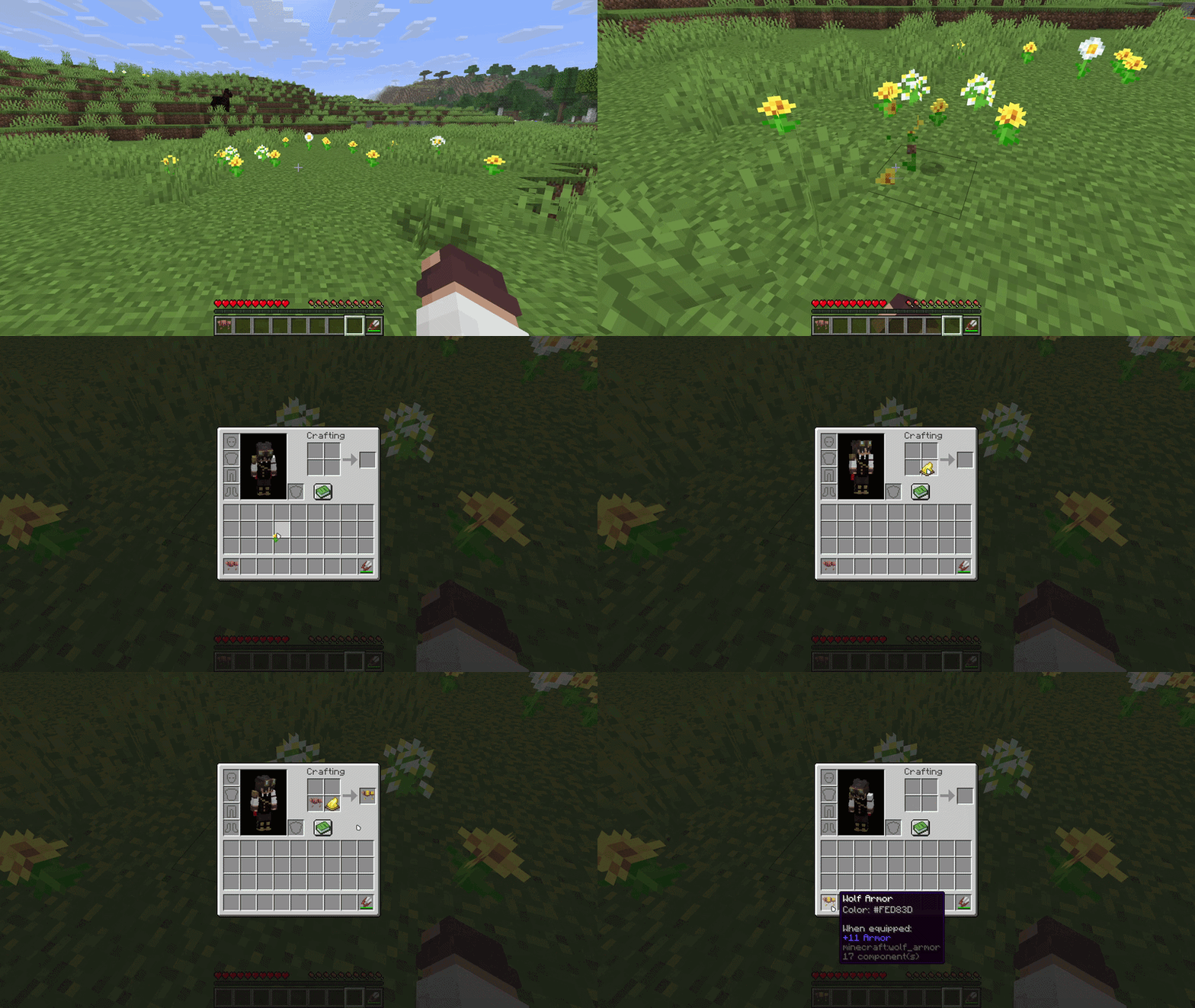
You can mix multiple dyes to create custom complex hex colors
Bedrock Edition:
Place a cauldron and fill it with water. Dye the water by right clicking on it holding the dye of the desired color. Then just right click the cauldron holding the wolf armor and done!
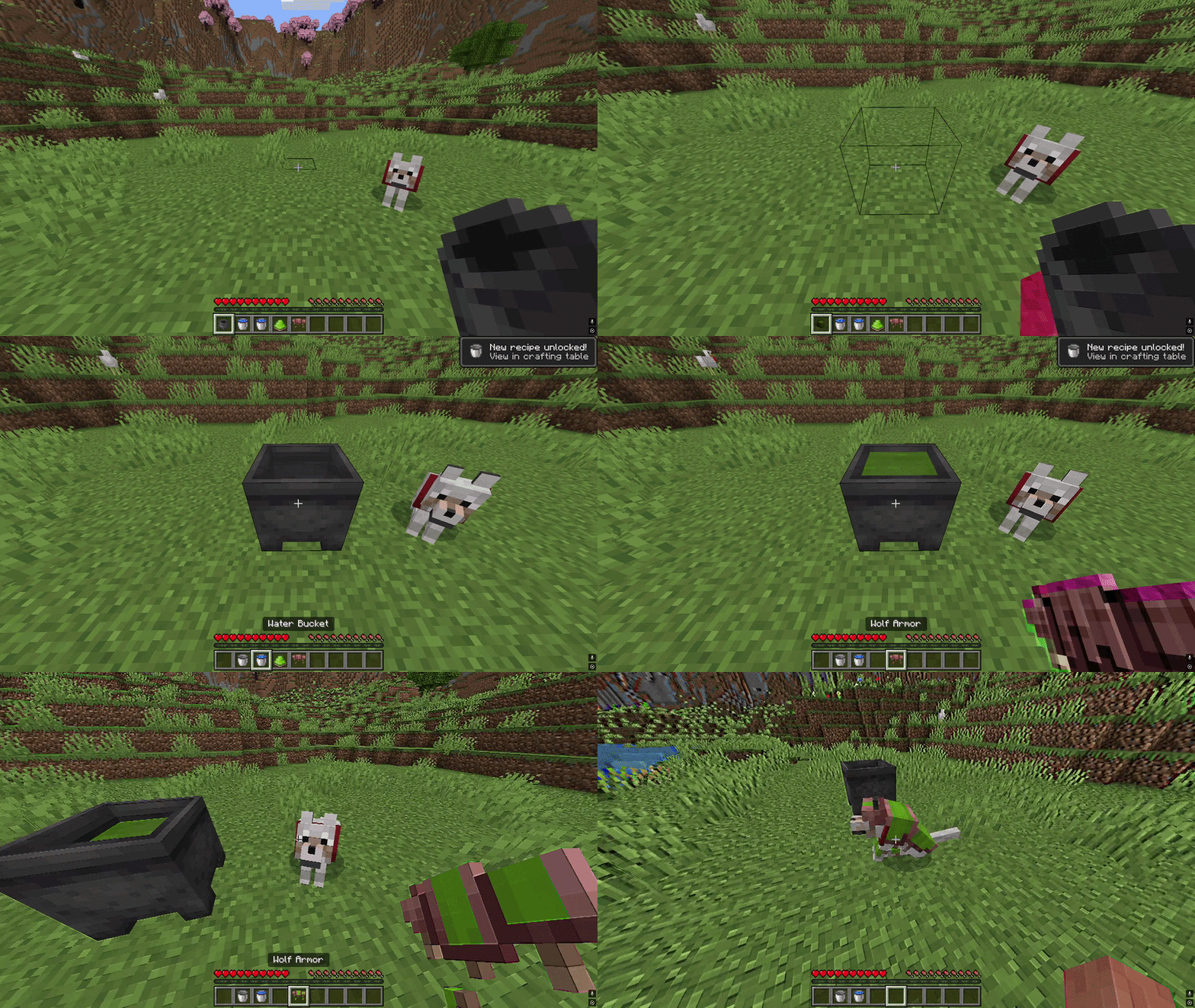
To remove the dye from the wolf armor and make it default color again, just place the cauldron and fill it with water, but do not dye it. Then holding the dyed wolf armor, right click the cauldron with clear water and done! The same process applies to the Java Edition.
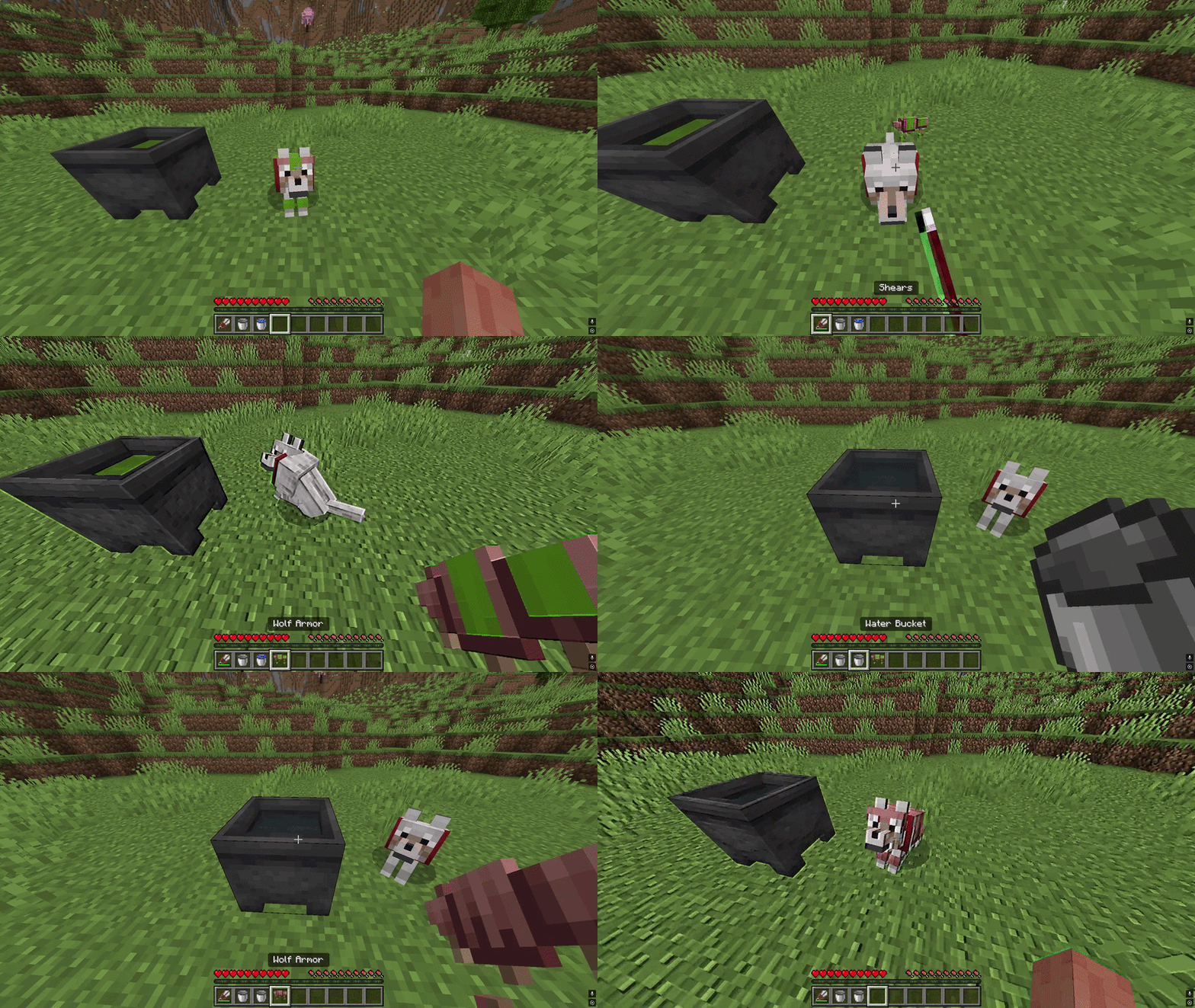
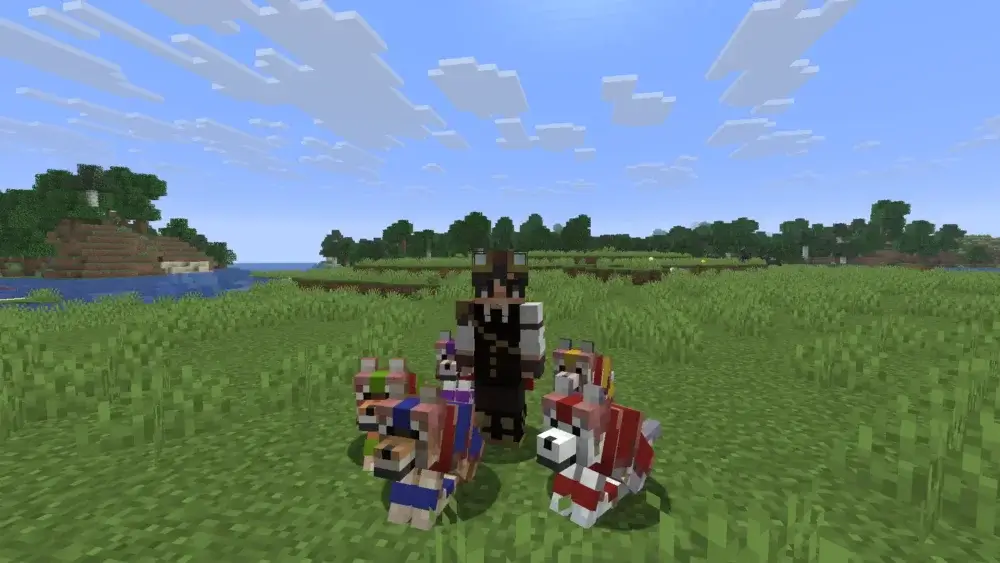
That’s it, now you have colored beautiful wolf armor ready for your whole pack! Combined with the newly added wolf variations, based on the biome they spawned in, it allows you to customize your pet’s looks quite a lot.
What does the wolf armor protect from?
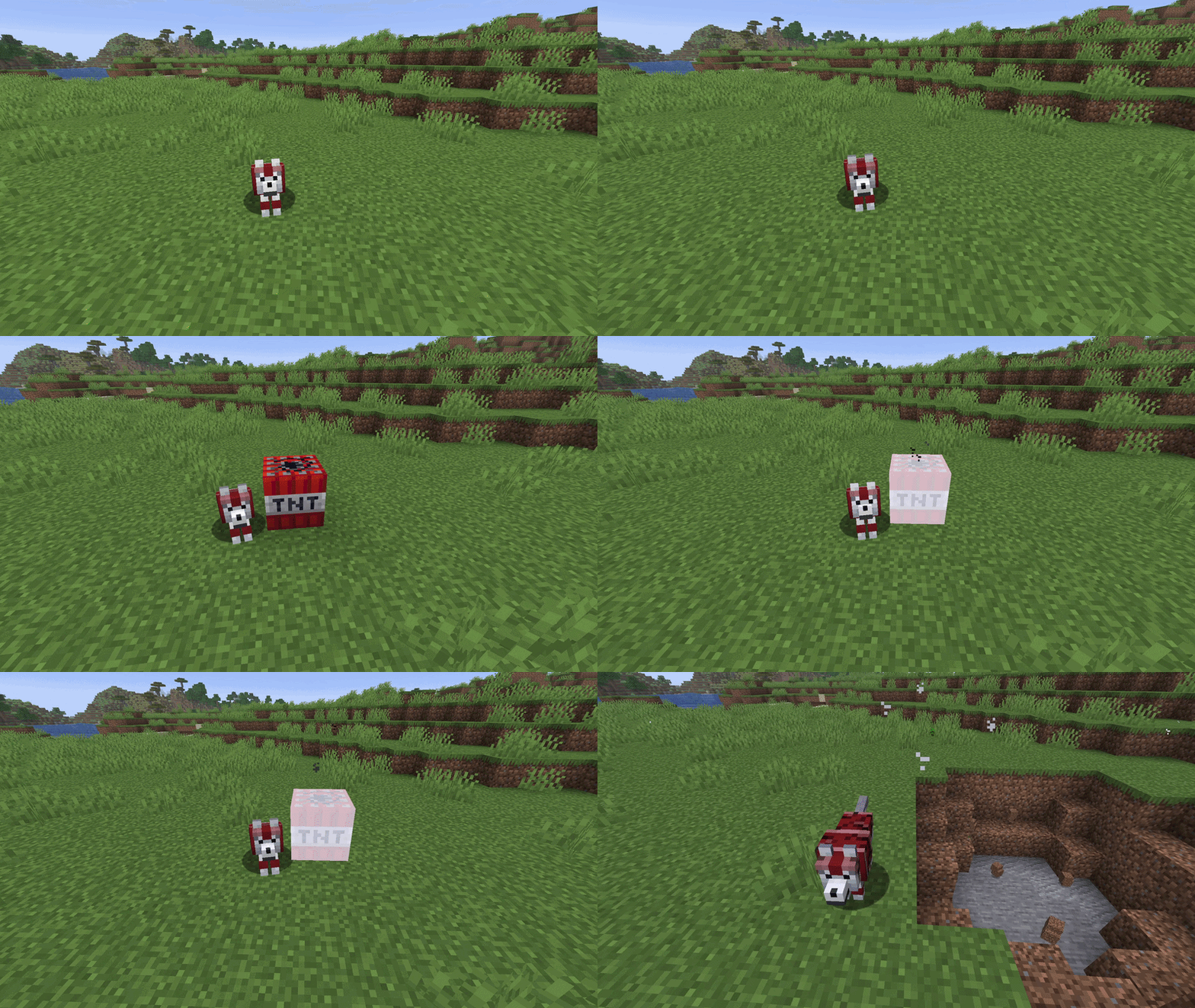
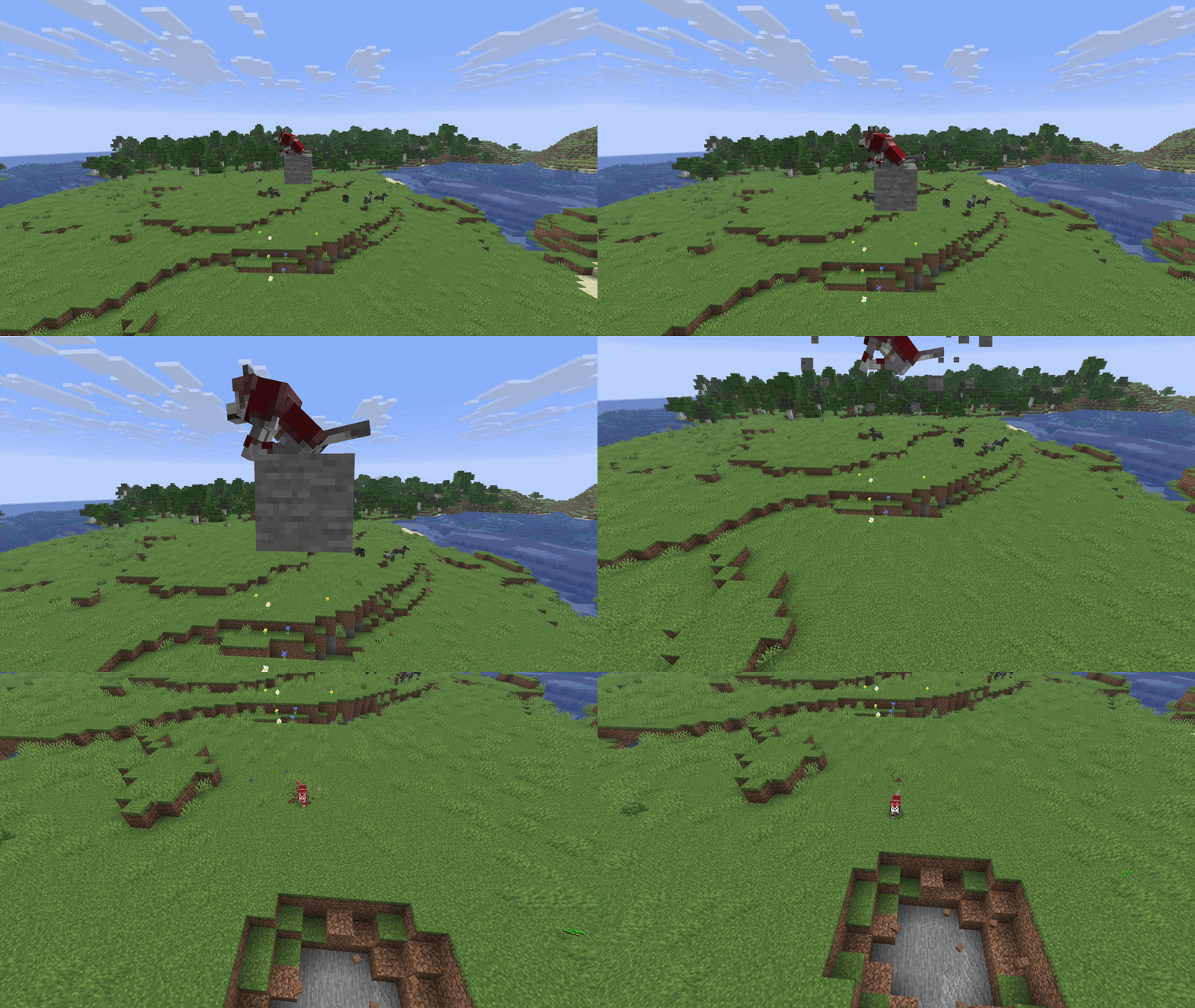
Wolf armor acts differently from the horse armor — it fully absorbs the damage dealt to the wolf, instead of reducing it. Meaning, that until the armor completely breaks, the wolf takes zero damage.
Keep in mind that while the armor fully absorbs the damage, it doesn’t absorb the damage from all sources. Only from the specific ones. Here’s a chart from what the armor will protect your pets:
| Source of damage |
Does the armor protect from it? |
| Melee attacks (Zombies, Spiders, Players) |
Yes |
| Projectiles (Arrows, Tridents) |
Yes |
| Creeper and TNT explosions |
Yes |
| Fire and Lava damage |
Yes |
| Fall damage |
No |
| Drowning or Suffocation |
No |
| Freezing or Magic (Potions) |
No |
| The Void |
No |
Hence, while dog armor protects your pet from a good deal of dangers, it doesn’t make it invincible, be sure to keep that in mind!
How to repair wolf armor
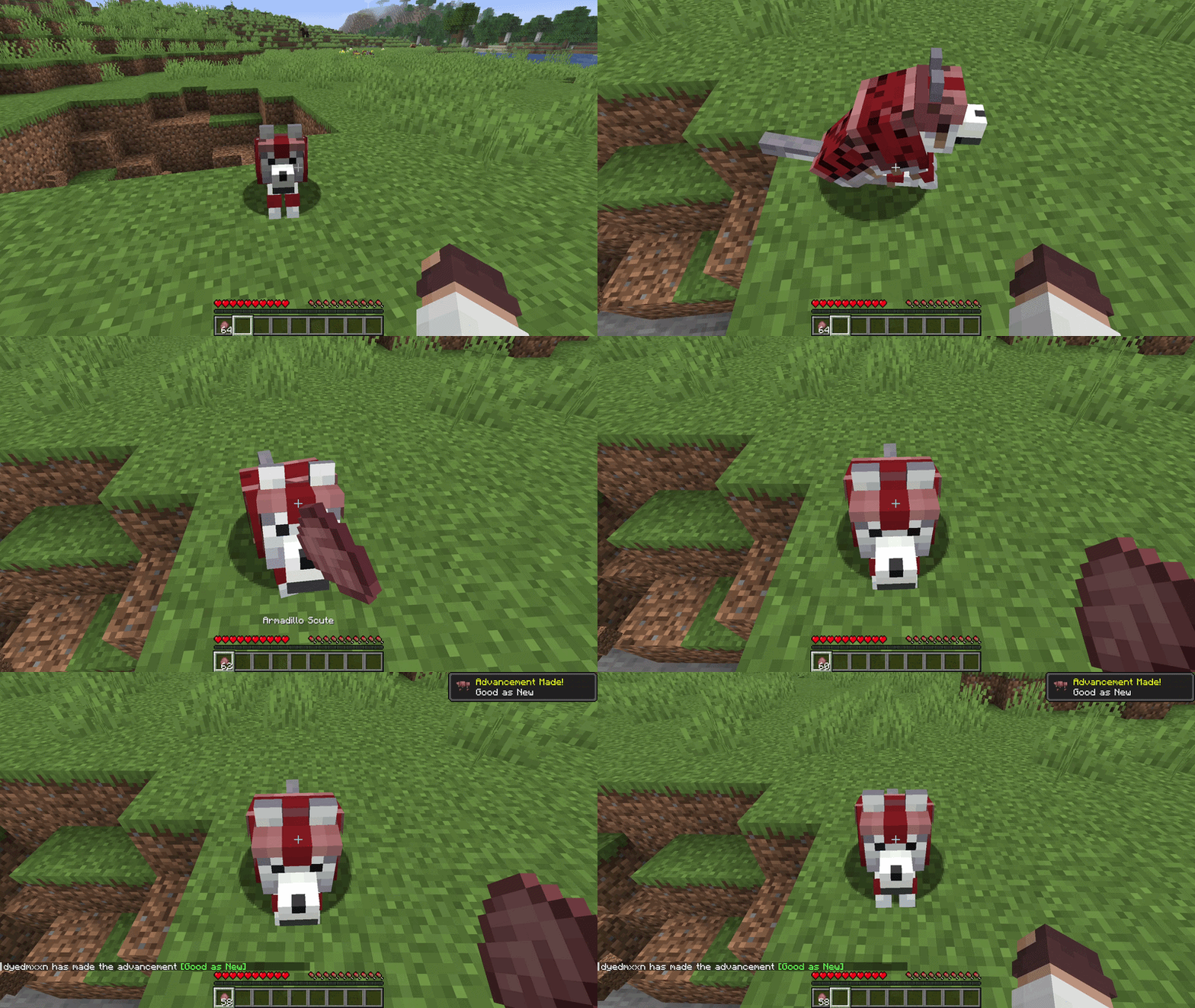
When taking the damage, even though the wolf itself stays completely unharmed, the armor degrades and break more and more depending on how much damage it already taken. You can even see the visible cracks appearing on the armor’s texture as its durability drops.
No worries, though, the armor can be easily repaired, here’s a few ways to do so:
- Armadillo scutes: Simply hold the armadillo scutes in your main hand and right click the wolf wearing the damaged armor. Each scute, repairs only a portion of the armor’s durability, so you might need a few of those to fully repair it.
- Anvil: Wolf armor can also be repaired using the anvil, by combining 2 damaged armors or combining the damaged armor and an armadillo scute. Same as before, it might take more than one scute to fully repair the armor.
Both of these method are good, however most players prefer the first one, as it allows to repair the armor on go, and it’s just simply more convenient.
Troubleshooting: why is my wolf armor not working?
If you ran into any issues with the guide, here’s the likely problem and a solution to it, we sincerely hope this helps!
| Problem |
Likely Cause |
Solution |
| Can't put armor on the wolf |
The wolf is wild or a baby |
Tame the wolf with bones first, or wait for the baby to grow up |
| Can't take armor off |
Trying to remove by hand |
You must right-click the wolf with shears to remove it |
| Dyeing isn't working |
Using the wrong method for your edition |
Java uses the crafting table or a crafting grid in your inventory, while Bedrock requires a dyed cauldron |
| Wolf died while wearing it |
Damage source bypassed armor |
Armor cannot stop fall damage, drowning, or magic potions |
Conclusion
That is everything you need to know about the wolf armor. Thank you for sticking though to the end, we hope we were able to help you with this guide, good luck forming your own wolf pack!








 en | USD
 CHAT WITH GODLIKE TEAM