OMG! Insane Sale!
Godlike
  • Godlike host
  • Cobblemon Official Modpack [NeoForge] - Modpack for Minecraft - Godlike

Cobblemon

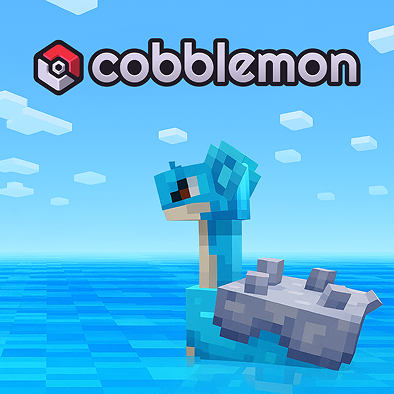
Cobblemon Official Modpack [NeoForge] is for players who want Pokémon-like catching and battling with a modern modded setup.
Version:
1.21.1
Categories:
Forge, Fabric
View Installation Guide

Requirements

6 GB
Recommended RAM
1.21.1
Minecraft version
Forge, Fabric
Modloader
17
Java version

Modpack Overview

Cobblemon brings Pokémon-inspired gameplay into Minecraft: you explore, find creatures in the wild, catch them, then build a team for battles and progression. The “Official Modpack” angle makes it a clean starting point for multiplayer, especially if you want something that feels organized rather than a random mod soup. On a server, the biggest win is consistency fast restarts, reliable saves, and enough headroom when multiple players roam different biomes at once.

Official trailer

'; ';

Step 1

Choose Modpack

Choose from our curated modpacks - tech, magic, or both. Each pack comes preconfigured with the most popular mods, so you can skip the setup and jump straight into gameplay.
Step 2

Deploy Server

Launch your server with one click on our high-performance infrastructure. We handle CPU, RAM, and storage setup, so your world is ready in under a minute — no manual steps needed.
Step 3

Customize Settings

Adjust RAM, mod settings, difficulty, and permissions—our intuitive panel lets you fine-tune your server to fit your community.
Step 4

Invite Friends

Share your unique server address or send instant invites via email and Discord. Control access with VIP roles, mod rights, or keep it private — only the players you choose can join.
Step 5

Enjoy Play

Jump into your custom world with zero lag and automatic backups. With 99.9% uptime, you’re free to build, quest, and battle without interruptions.

FAQ

  • How do I install the Cobblemon Official Modpack [NeoForge] for Minecraft?

    To install the Cobblemon Official Modpack [NeoForge] for Minecraft, follow the instructions provided on the official website or the modpack's download page.


  • What are the system requirements for running the Cobblemon Official Modpack smoothly?

    The system requirements for running the Cobblemon Official Modpack smoothly can be found on the modpack's official website or documentation.

  • Are there any known compatibility issues with other mods when using the Cobblemon Official Modpack?

    Known compatibility issues with other mods are typically listed in the modpack's documentation or support forums.

  • How can I report bugs or issues encountered while playing the Cobblemon Official Modpack?

    Bugs or issues can be reported through the modpack's official support channels, such as their website or community forums.

  • Where can I find a list of features and updates included in the latest version of the Cobblemon Official Modpack?

    A list of features and updates for the latest version of the Cobblemon Official Modpack is available on the modpack's official website or update logs.

×

Report a bug

Error text

Your choice