OMG! Insane Sale!
Godlike

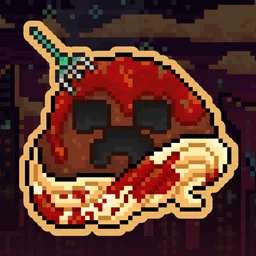
MeatballCraft, Dimensional Ascension

MeatballCraft, Dimensional Ascension Modpack targets experienced modded players who want an expert-style journey with lots of progression and a clear “next step” path.
Version:
1.7.10
Categories:
Forge
View Installation Guide

Requirements

8 GB
Recommended RAM
1.12.2
Minecraft version
Forge
Modloader
25
Java version

Modpack Overview

MeatballCraft, Dimensional Ascension is best when your server enjoys structured progression, big milestones, and a pack that expects you to engage with multiple systems instead of skipping ahead. It leans “expert” in feel: you’re meant to work through the content, not brute-force it. Good for groups who like long campaigns, coordinated crafting, and the satisfaction of unlocking the next tier together.

Step 1

Choose Modpack

Choose from our curated modpacks - tech, magic, or both. Each pack comes preconfigured with the most popular mods, so you can skip the setup and jump straight into gameplay.
Step 2

Deploy Server

Launch your server with one click on our high-performance infrastructure. We handle CPU, RAM, and storage setup, so your world is ready in under a minute — no manual steps needed.
Step 3

Customize Settings

Adjust RAM, mod settings, difficulty, and permissions—our intuitive panel lets you fine-tune your server to fit your community.
Step 4

Invite Friends

Share your unique server address or send instant invites via email and Discord. Control access with VIP roles, mod rights, or keep it private — only the players you choose can join.
Step 5

Enjoy Play

Jump into your custom world with zero lag and automatic backups. With 99.9% uptime, you’re free to build, quest, and battle without interruptions.

FAQ

  • How much RAM do I need for a MeatballCraft server?

    Start with 8GB. For 5-10 players or big automation bases, 10-12GB is a safer pick.

  • What Minecraft version does MeatballCraft use?

    It runs on Minecraft 1.12.2 (Forge).

  • Do players need the exact same modpack version as the server?

    Yes - clients should install the same pack version as the server to avoid join errors/crashes.

  • Is MeatballCraft beginner-friendly?

    Not really - it’s an expert progression tech/RPG pack with lots of gated content.

  • Can I add or remove mods on a MeatballCraft server?

    Not recommended - changing mods can break progression, recipes, or stability (always make a backup first).

×

Report a bug

Error text

Your choice